Get cluster access information
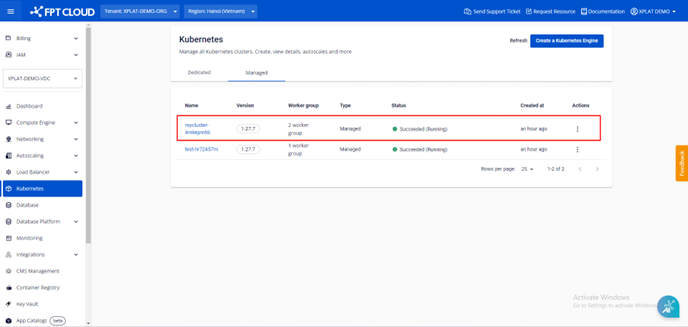
Step 1: From the menu, select Kubernetes. The Kubernetes Management page appears. Select the Cluster you want to retrieve access information for.
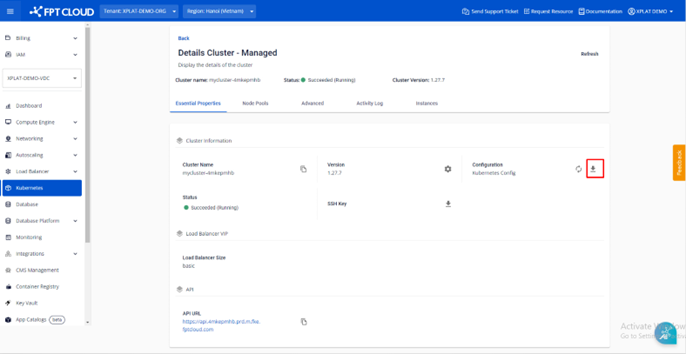
Step 2: Under Essential Properties > Cluster Information > Configuration, you can download the kubeconfig file to log in to the cluster via kubectl or other tools.
Tip: M-FKE uses native Kubernetes, so you can manage the cluster with kubectl and dashboard tools just like a standard Kubernetes cluster.