Edit an alert
Step 1: In the menu, go to Cloud Guard and select the Resource alert tab.
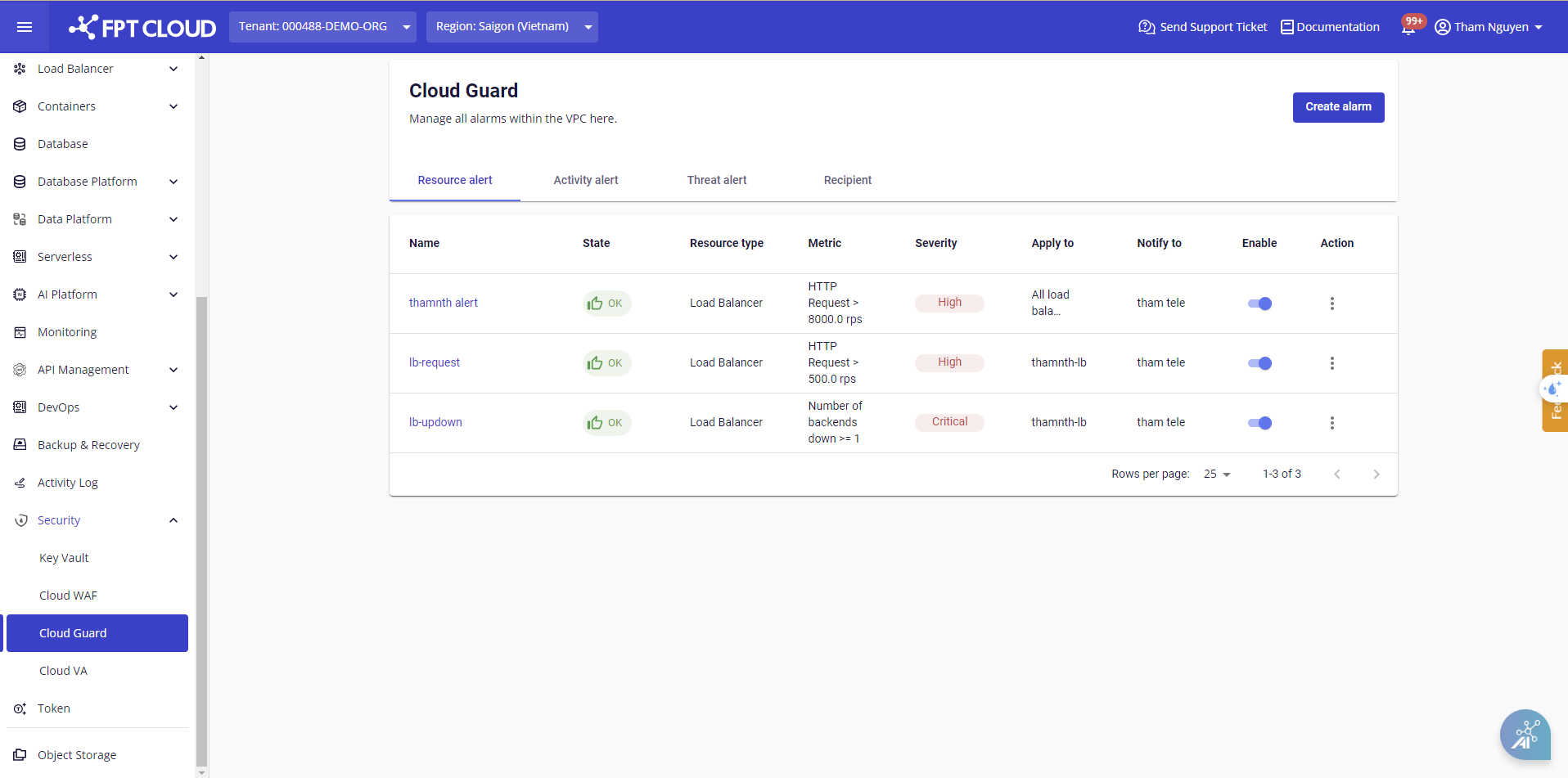
Step 2: Select the alert to edit. The Update screen appears.
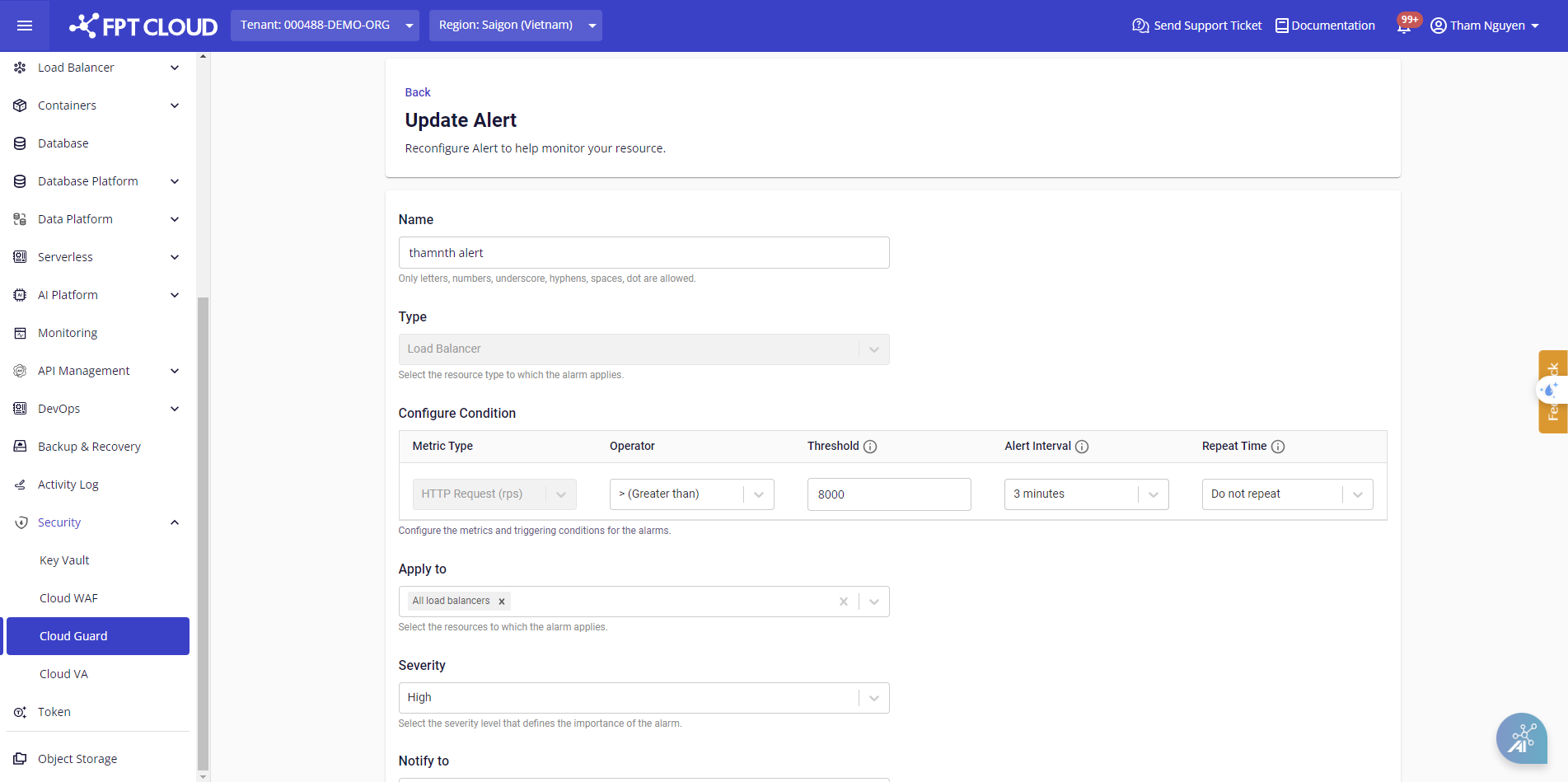
Step 3: Enter the new values in the relevant fields and click Update.
note
FPT Cloud Guard only supports editing certain fields of an existing alert.