Create an alert for VPN site-to-site
Step 1: In the menu, go to Security > Cloud Guard, open the Resource Alerts tab, and click Create Alert.
To create an alert for a VPN service, select Type = VPN site-to-site.
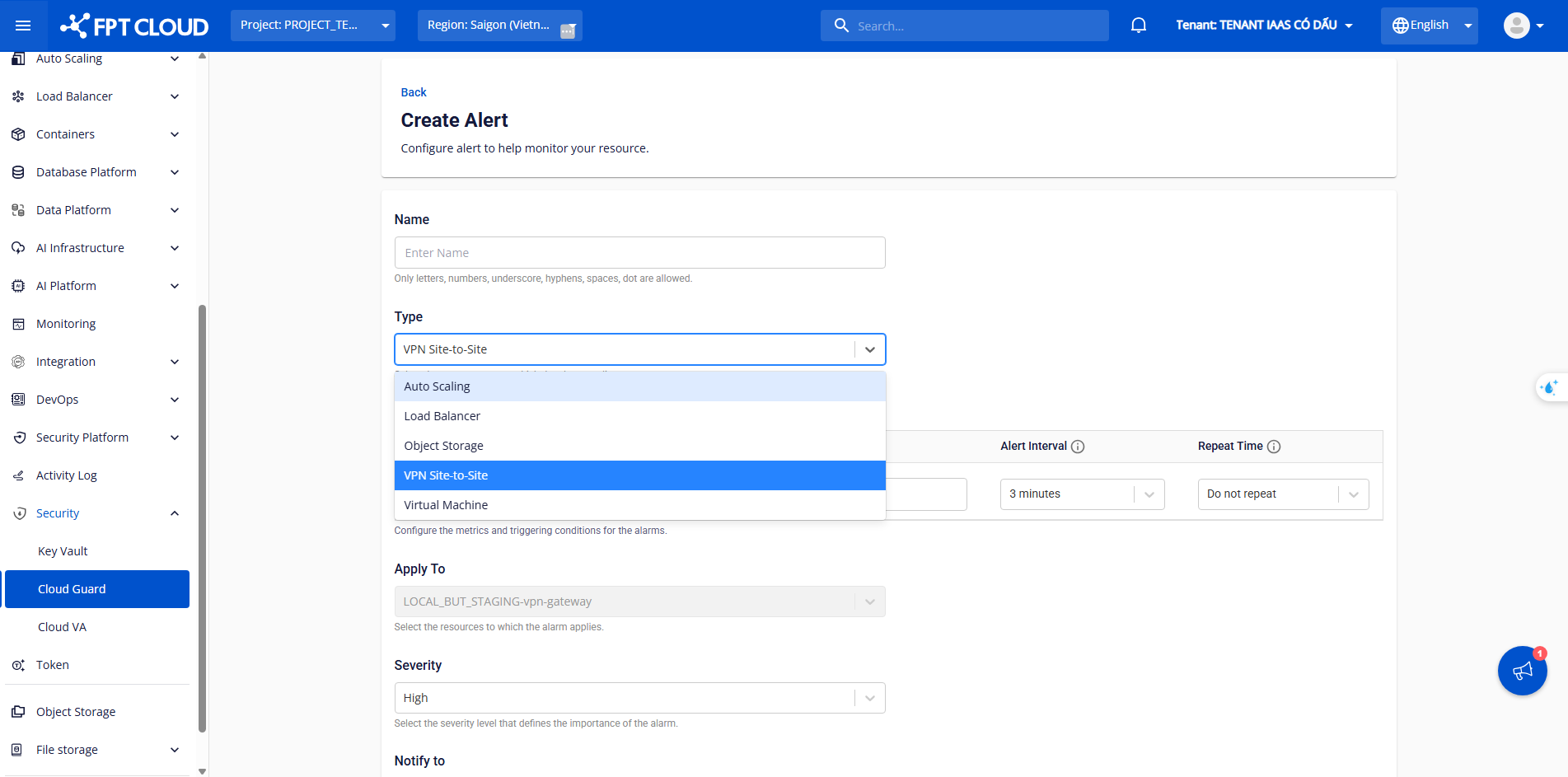
Select Metric Type, Apply to, Severity, configure the alert condition under Configure Condition, and select recipients under Notify to.
FPT Cloud Guard supports the following VPN metrics:
| No. | Metric | Unit | Description |
|---|---|---|---|
| 1 | CPU usage | % | Average CPU usage of the VPN Gateway. Alerts when the average exceeds the threshold during the interval. |
| 2 | RAM usage | % | Average memory usage of the VPN Gateway. Alerts when the average exceeds the threshold during the interval. |
| 3 | Packet loss | packet/s | Number of packets lost per second during VPN tunnel transmission. |
| 4 | VPN Gateway status Offline | status | Alerts when the VPN Gateway status is Offline. |
| 5 | VPN Connection status phase 1 Offline | status | Alerts when the VPN Connection Phase 1 status is Offline. |
| 6 | VPN Connection status phase 2 Offline | status | Alerts when all Phase 2 tunnels are Offline. If at least one tunnel is Online, the status is Online and no alert is sent. |
Configure the alert condition as follows:
| No. | Field | Description |
|---|---|---|
| 1 | Metric type | Select the VPN metric to alert on |
| 2 | Operator | Select the comparison condition |
| 3 | Threshold | Set the threshold value; the system sends an alert when exceeded |
| 4 | Alert interval | Set the evaluation interval (minimum 3 minutes) |
| 5 | Repeat time | Set how often to repeat the alert while the condition persists |
Step 2: If no recipient exists for VPN alerts, click Create recipient here to create a new VPC-level recipient.
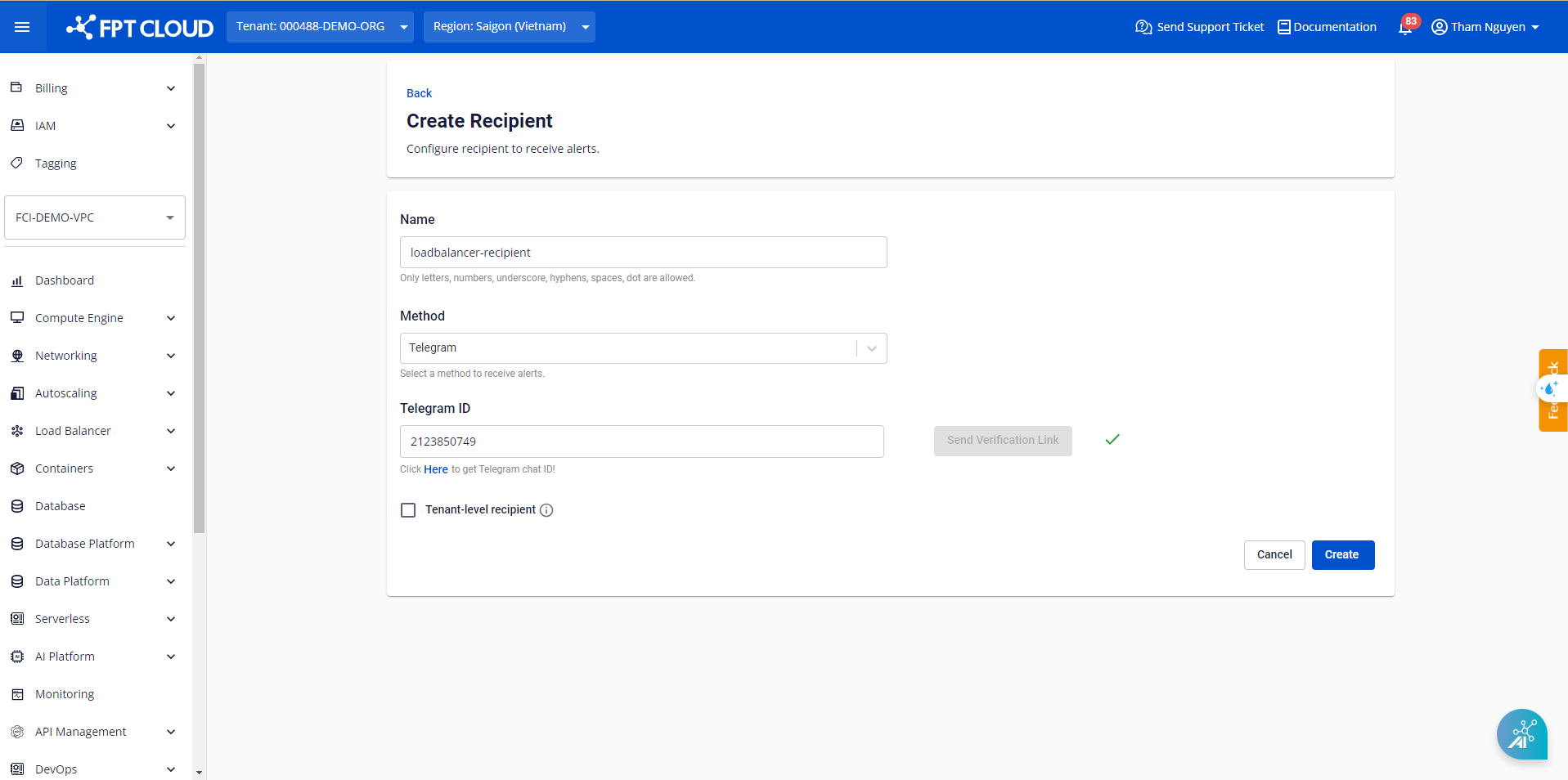
Step 3: Return to the alert creation screen, select the newly created recipient, and click Create.
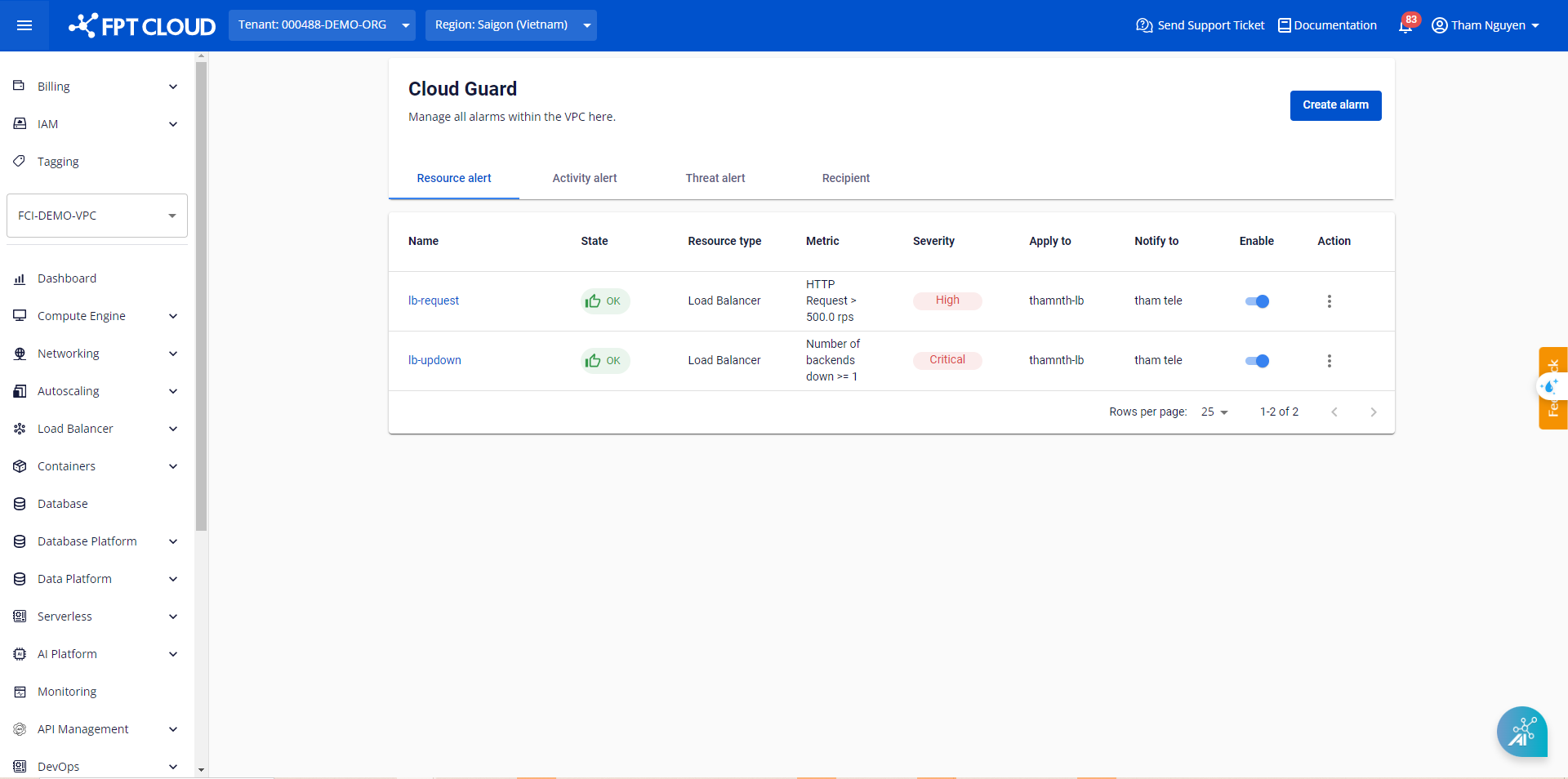
The alert is created and appears in the list. When the condition is breached or returns to normal, the system automatically sends a notification.