Create an alert for Object Storage
Step 1: In the menu, go to Security > Cloud Guard, open the Resource Alerts tab, and click Create Alert.
To create an alert for Object Storage, select Type = Object Storage.
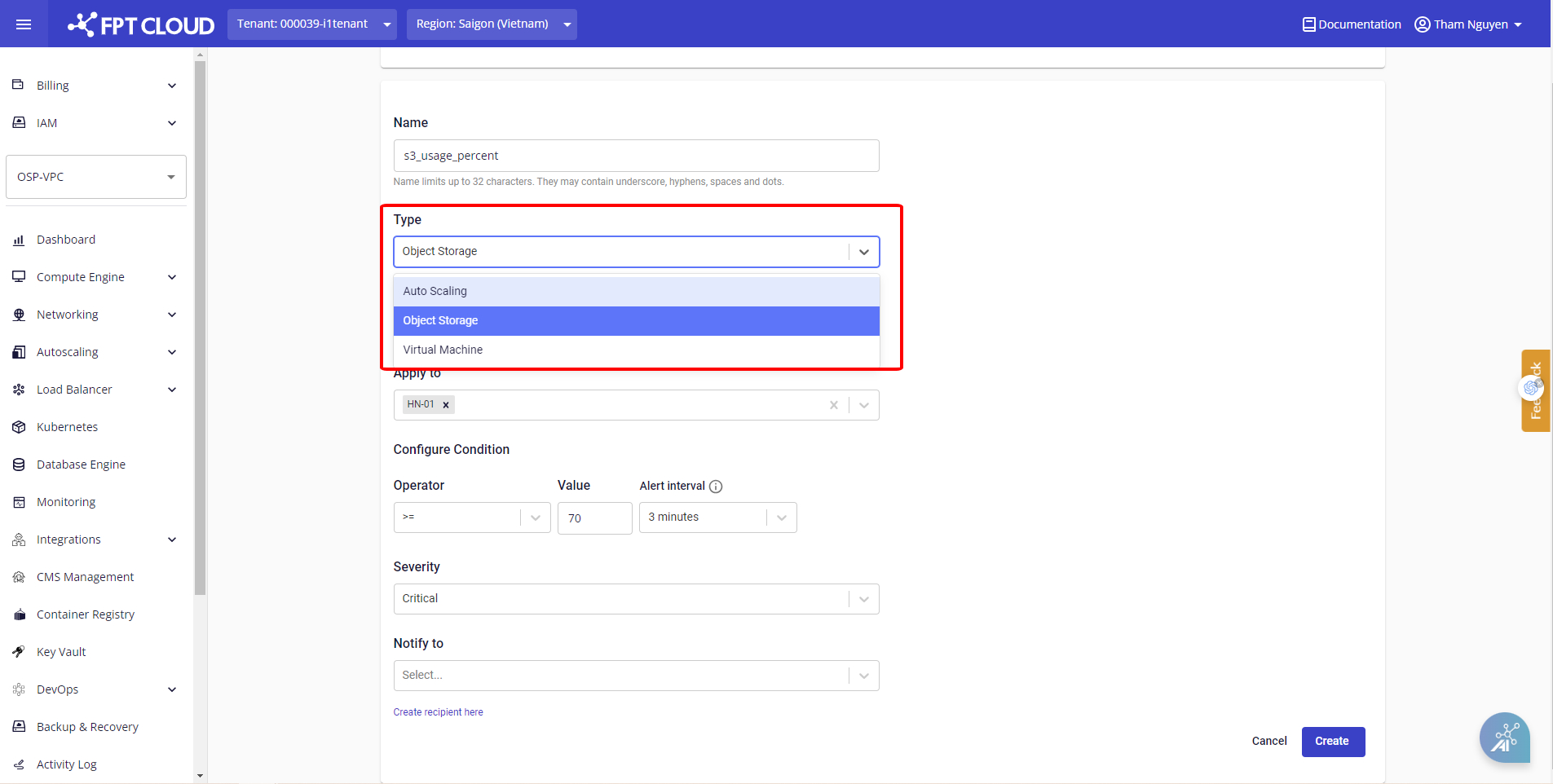
Select Metric Type, Apply to, Severity, configure the alert condition under Configure Condition, and select recipients under Notify to.
For Object Storage alerts, recipients must be Tenant-level recipients. These recipients are shared across all VPCs under the same Tenant.
Step 2: Select a recipient, or click Create recipient here to create a new Tenant-level recipient.
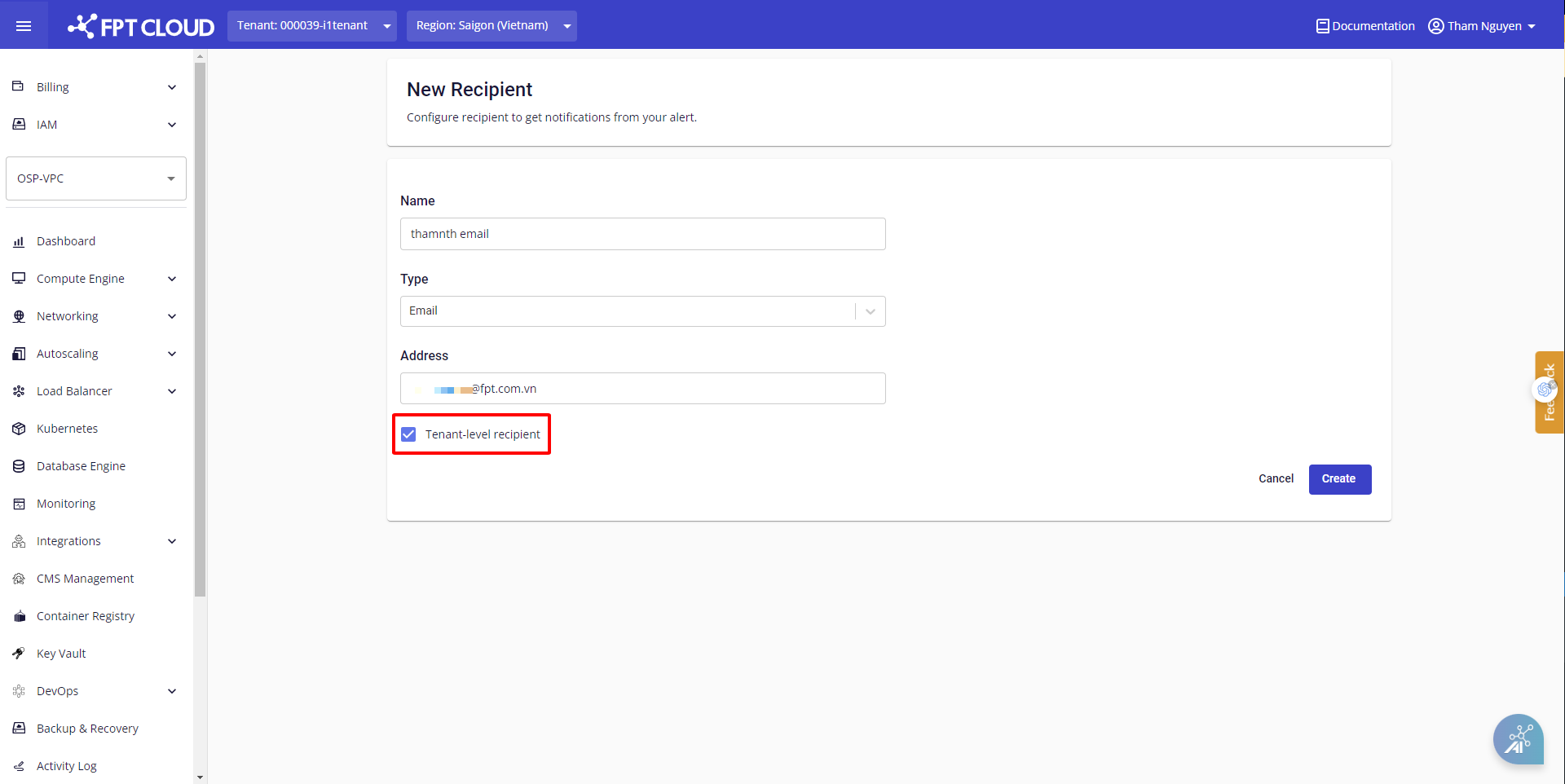
Check Tenant-level recipient to create a recipient for the entire Tenant.
Step 3: Return to the alert creation screen, select the newly created recipient, and click Create.
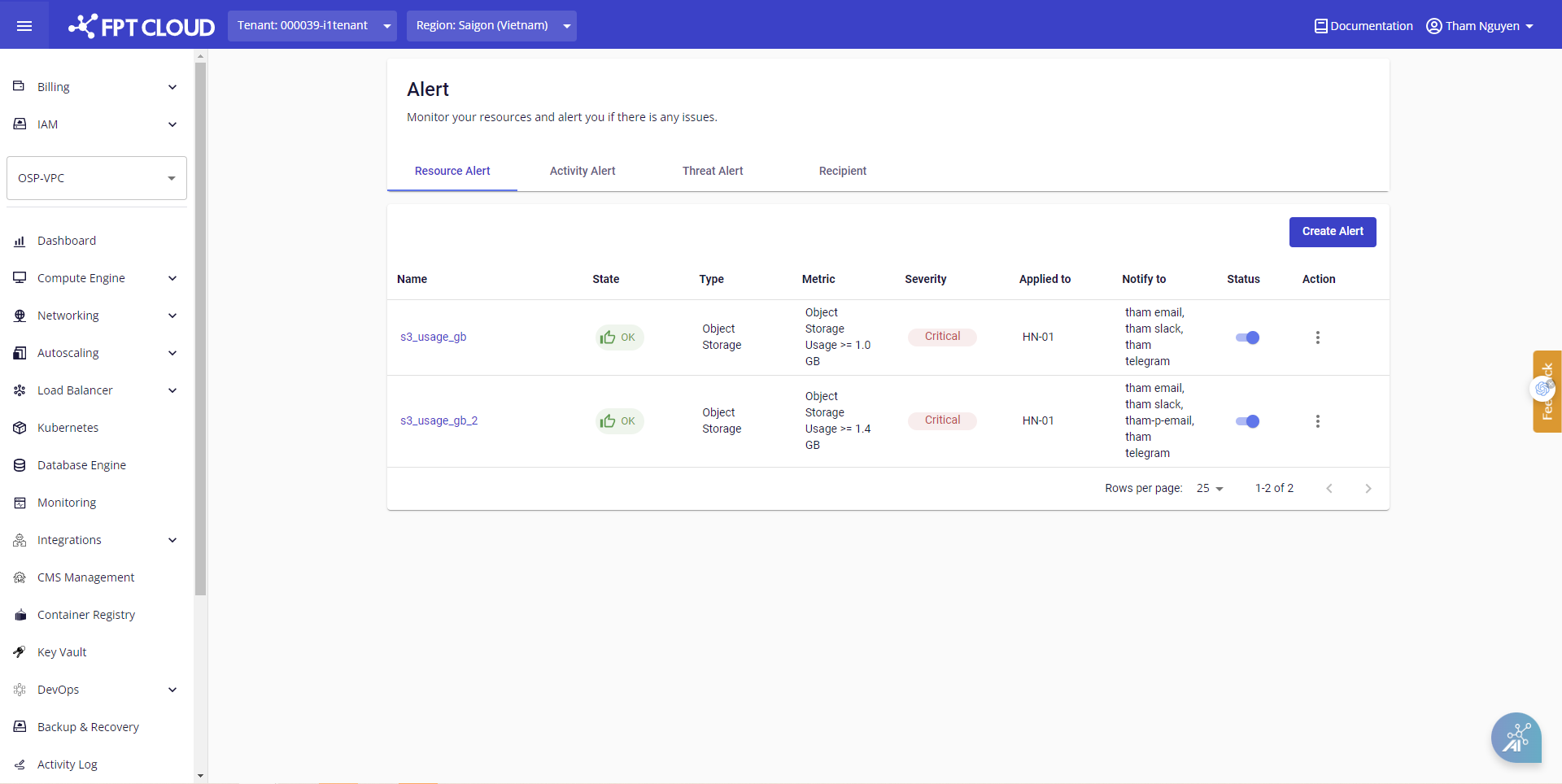
The alert is created and appears in the list. When the condition is breached or returns to normal, the system automatically sends a notification to the recipient via the configured method.