VPN Site-to-Site configuration with Fortigate
Prerequisites
Ensure the following conditions are met before starting:
- VPN Site-to-Site has been created on FPT Cloud Portal.
- Fortigate is installed, enabled, and licensed on the customer side.
- Fortigate has been configured with LAN and WAN IP addresses.
Step 1: Configure VPN Site-to-Site on FPT Cloud Portal
Access https://console.fptcloud.com/ and create the VPN Site-to-Site.
Create a Customer Gateway:
- Remote private network: LAN subnet range for peering with Fortigate
- Remote IP public: Public IP of the Fortigate firewall
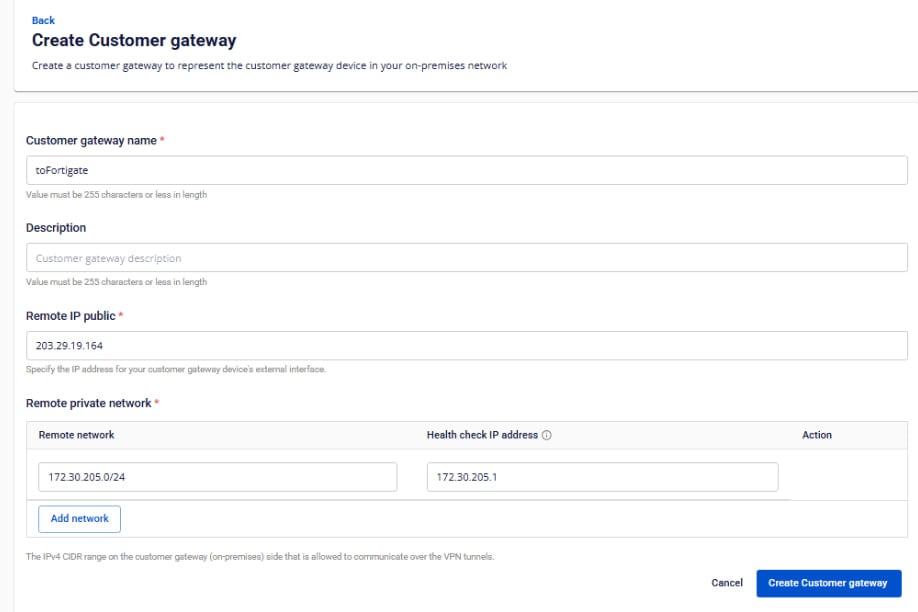
Create a VPN Connection:
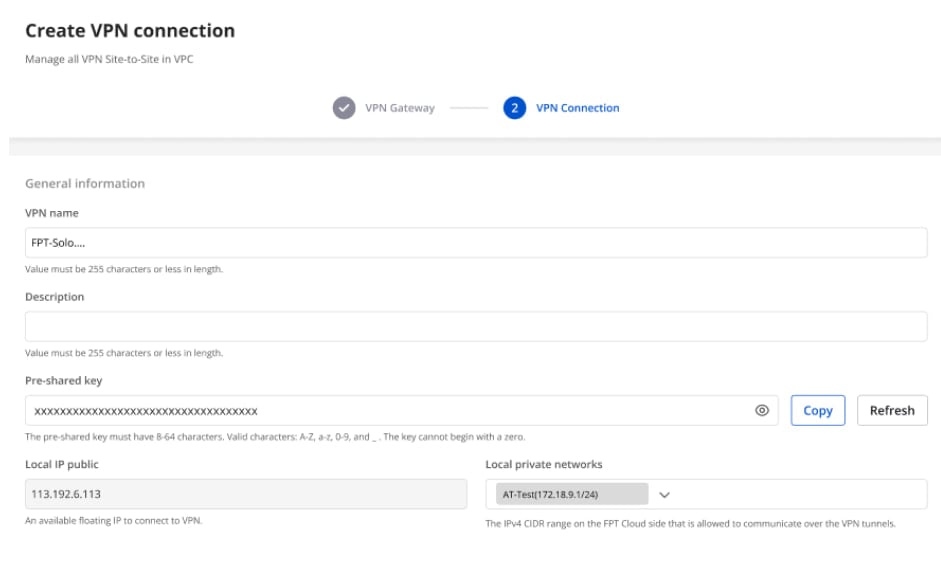
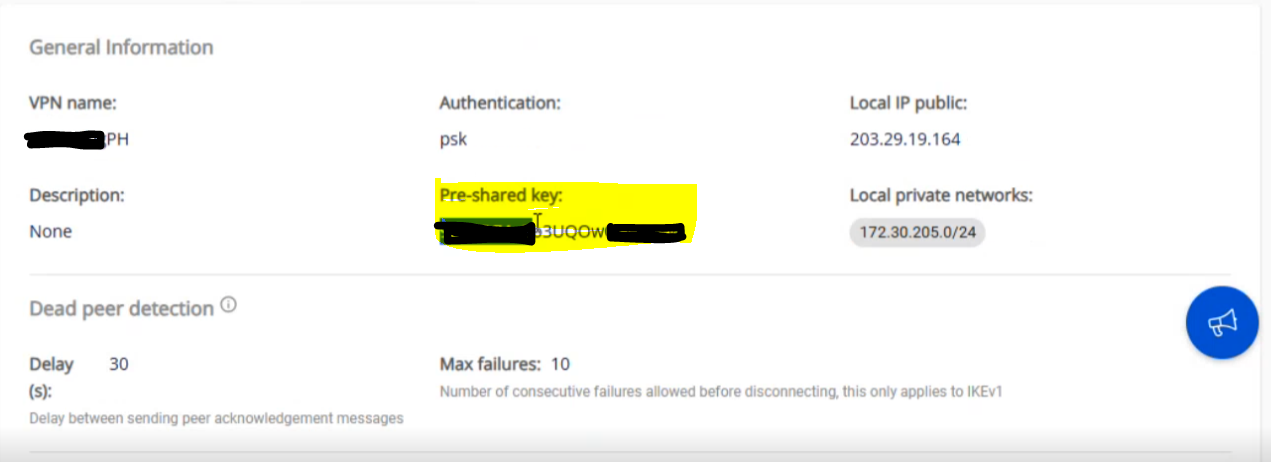
Save the Pre-shared key value — you will need it when configuring Fortigate.
A VPN connection has three main sections:
- General Information — basic connection details
- Remote VPN Information — encryption and customer-side configuration
- Dead Peer Detection — automatic retry settings
Section 1: General Information
Section 2: Remote VPN Information
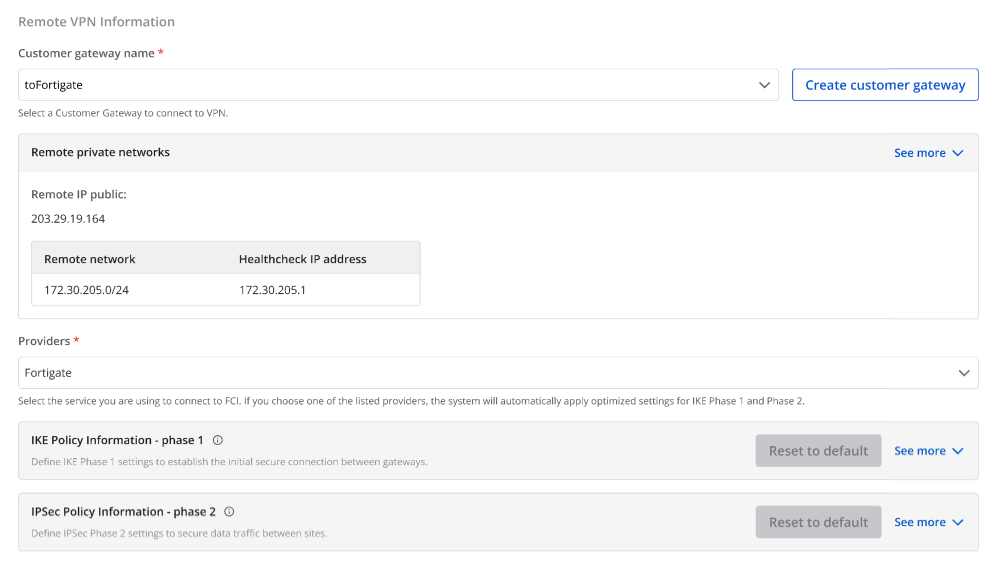
When selecting the provider Fortigate, the system automatically fills in the IKE and IPsec settings:
IKE:
| Parameter | Value |
|---|---|
| Encryption algorithm | aes-256 |
| Authorization algorithm | sha256 |
| IKE version | ikev2 |
| Lifetime units | seconds |
| Lifetime value | 28800 |
| DH Group | GROUP_14 |
| Phase 1 negotiation mode | main |
IPsec:
| Parameter | Value |
|---|---|
| Encapsulation mode | tunnel |
| Encryption algorithm | aes-256 |
| Authorization algorithm | sha256 |
| Lifetime units | seconds |
| Lifetime value | 3600 |
| Perfect Forward Secrecy (PFS) | GROUP_14 |
| Transform protocol | esp |
Section 3: Dead Peer Detection
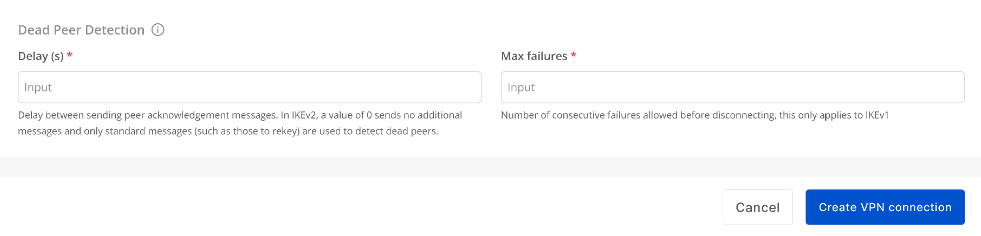
Enter the Delay and Max failures values, then click Create VPN Connection.
Step 2: Configure IPsec on Fortigate
- Log in to the Fortigate web interface.
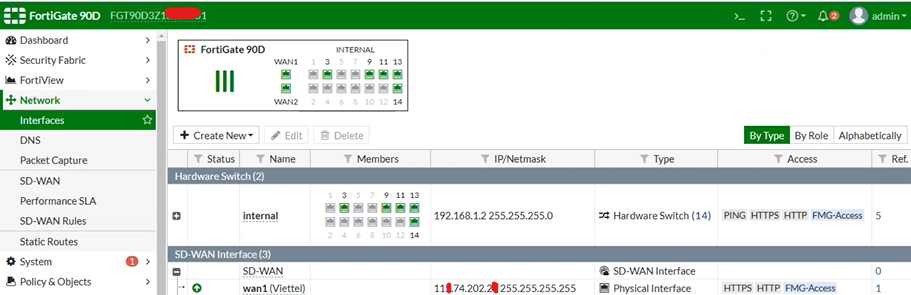
- Select IPsec Wizard.
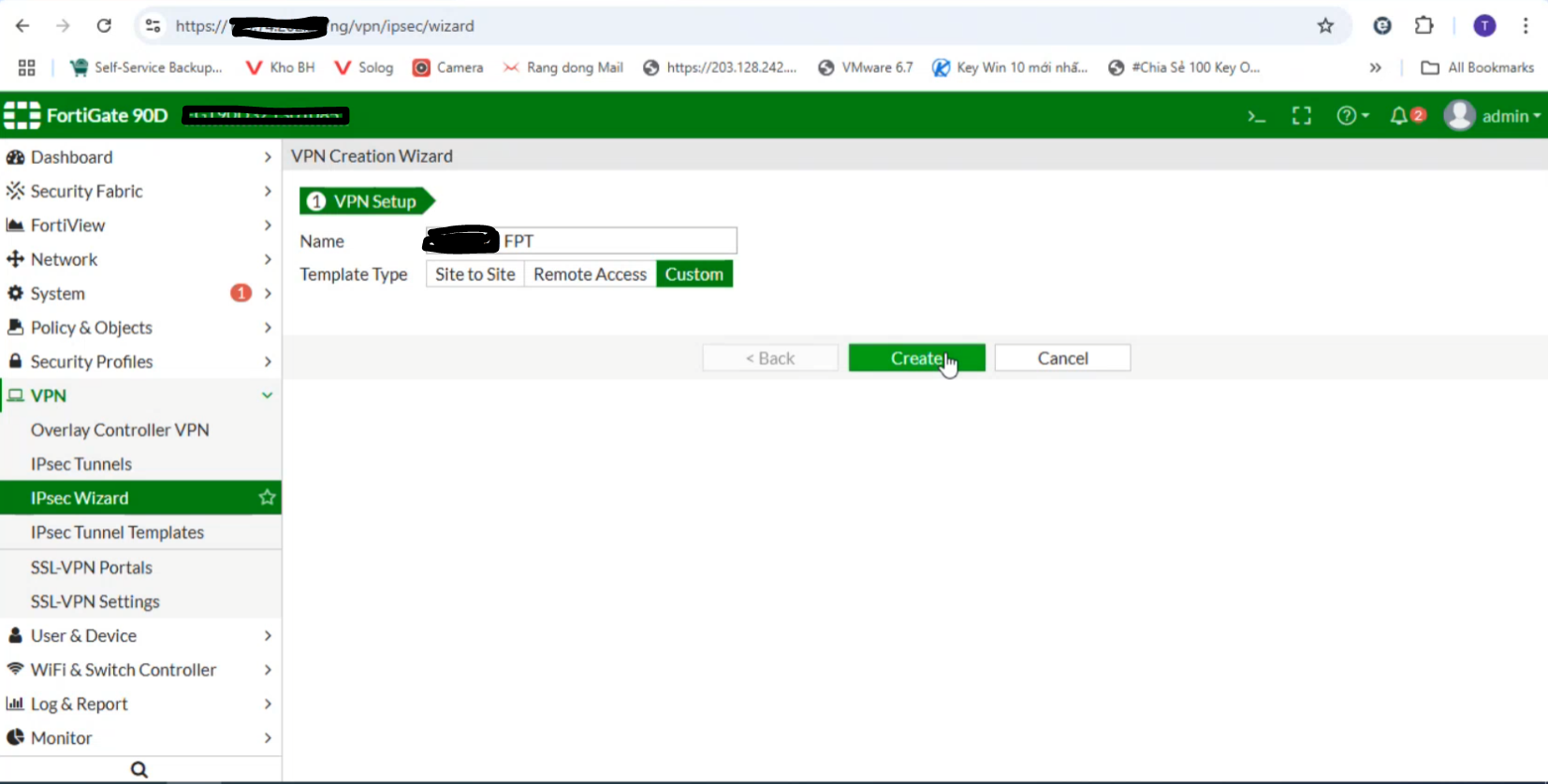
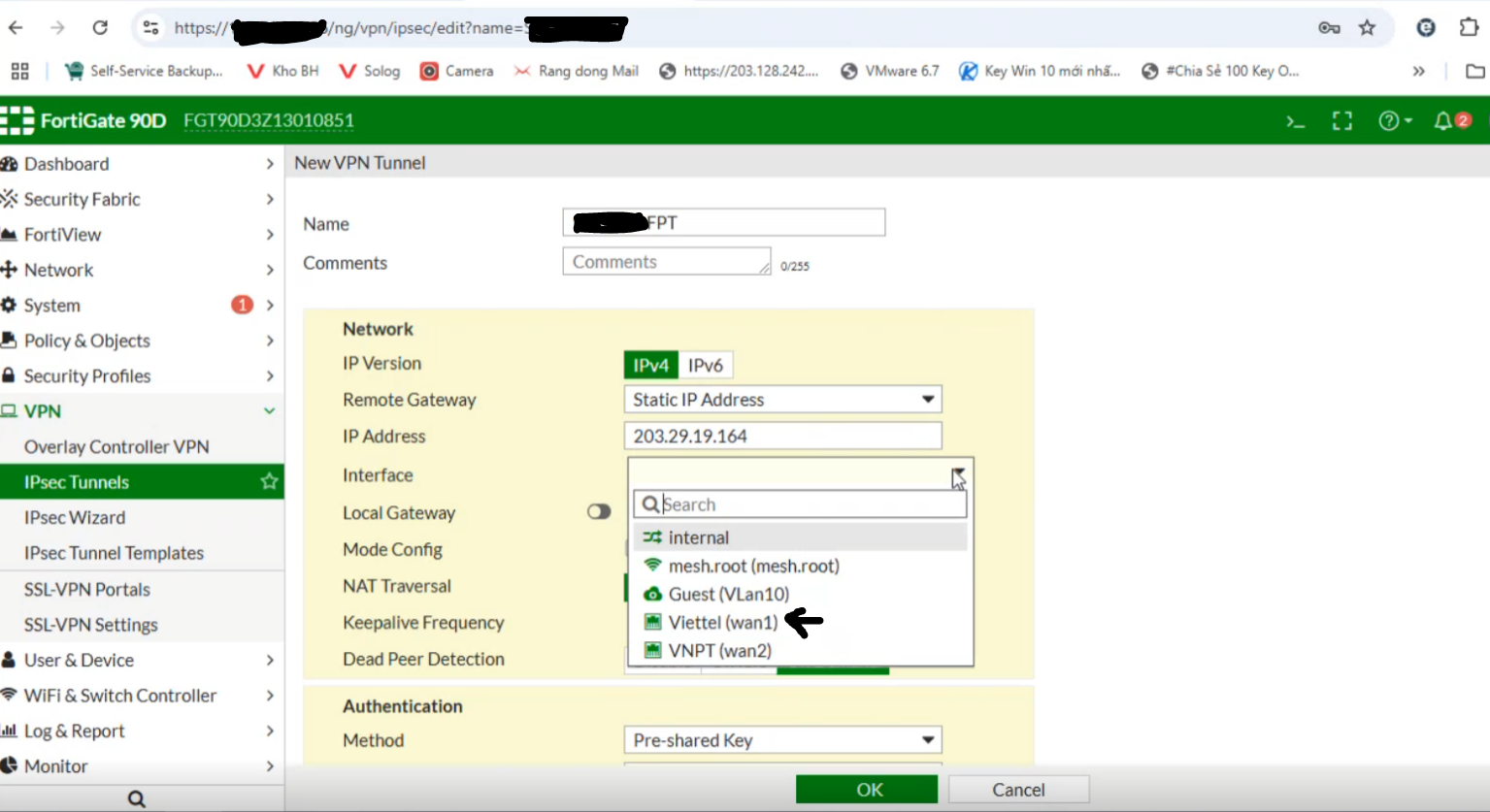
- Go to IPsec Tunnels:
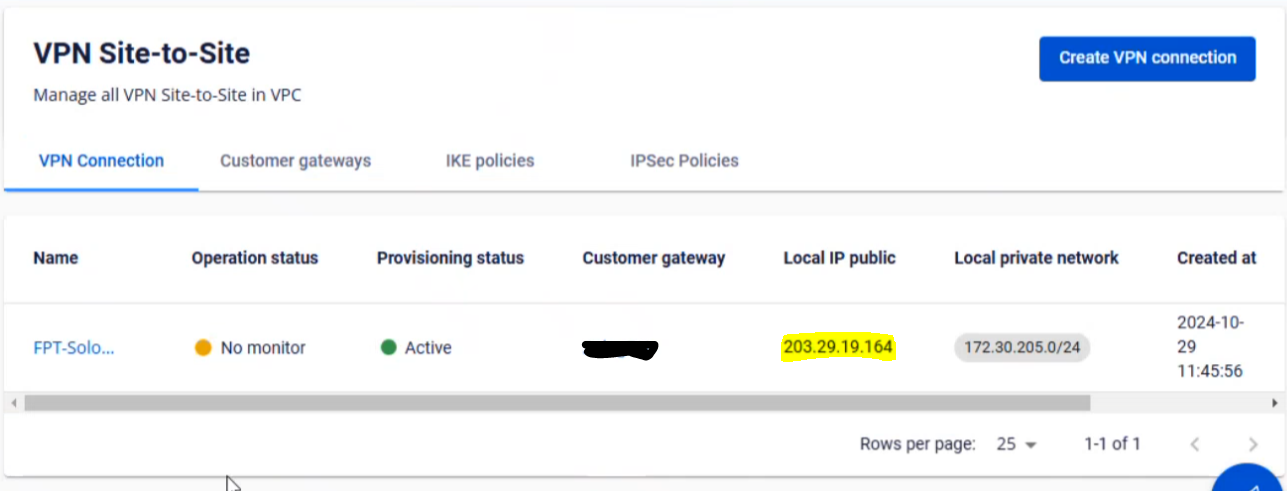
- Enter the FPT Cloud IP address from Step 1.
- Select the WAN interface (if multiple WAN interfaces exist, specify the one to use).
Check the connection status on FPT Smart Cloud Portal.
- Enable Local Gateway and select Primary IP.
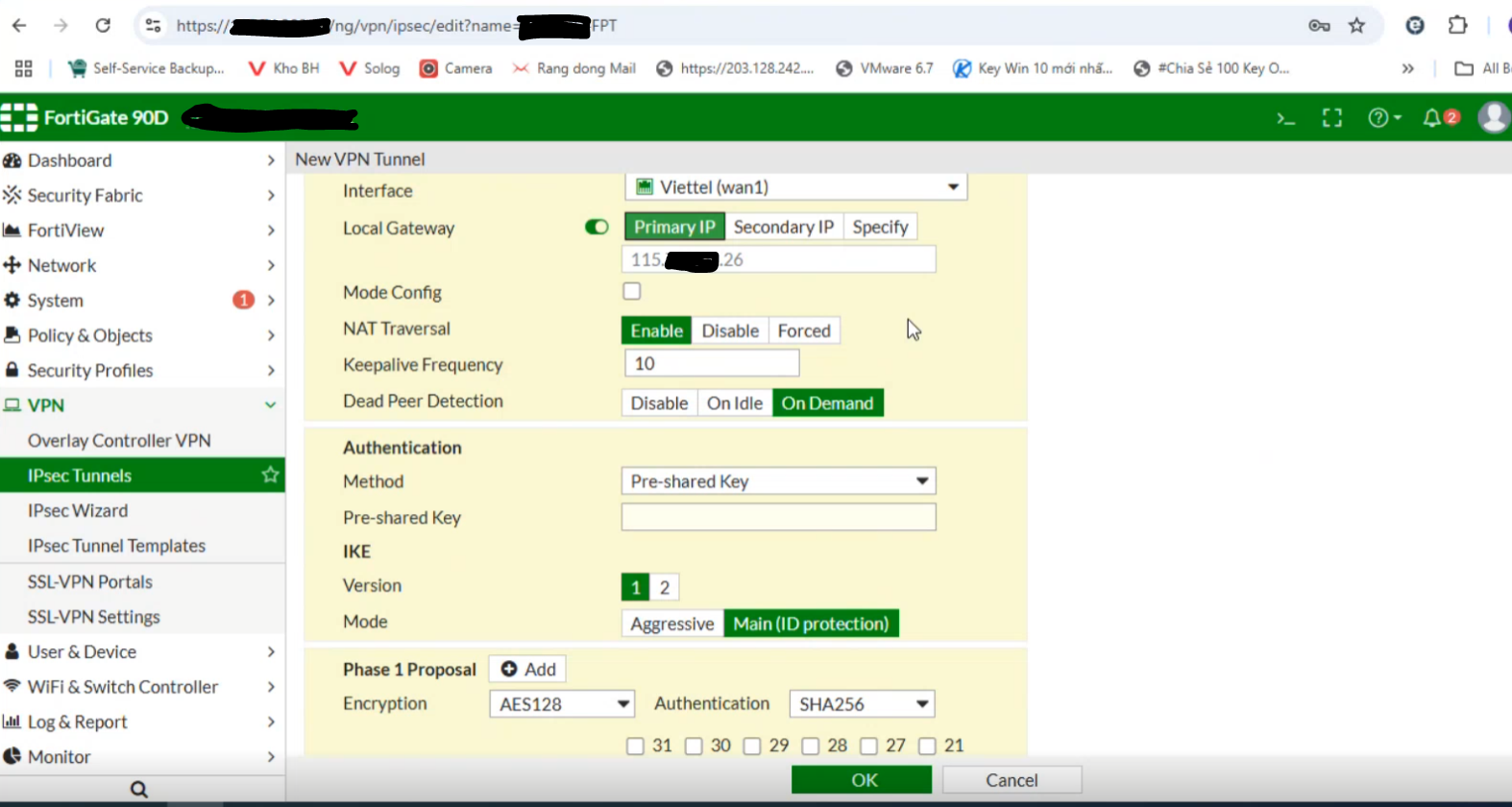
- Set the Method to Pre-shared Key and enter the same key as in Step 1.
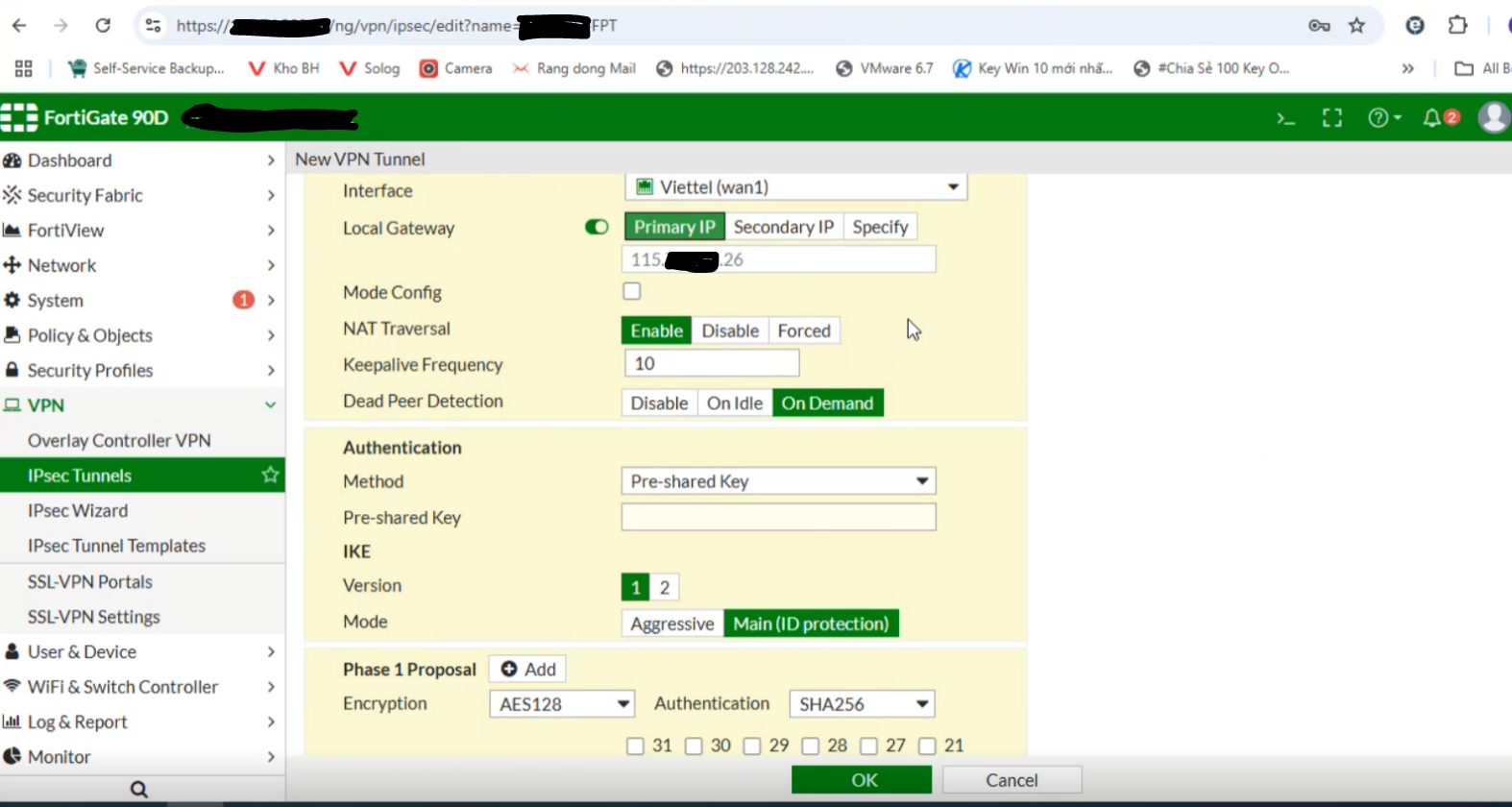
If the customer setup is behind NAT, configure as shown below and contact L3-FPT Smart Cloud for support.
- Configure Phase 1.
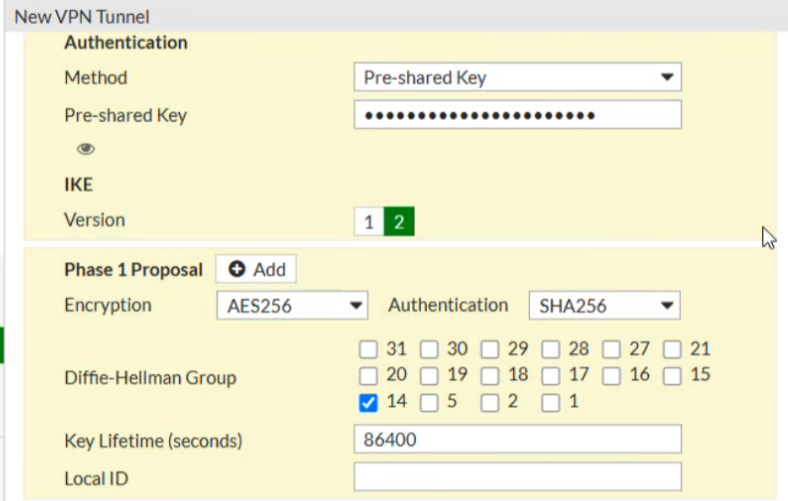
If NAT is not used, ensure that NAT mode is disabled.
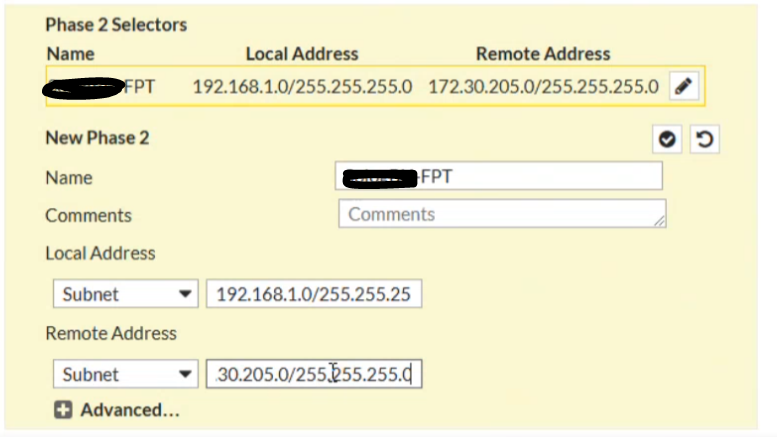
- Configure Phase 2. Set the Local IP to the customer network range.
Step 3: Configure firewall and routing on Fortigate
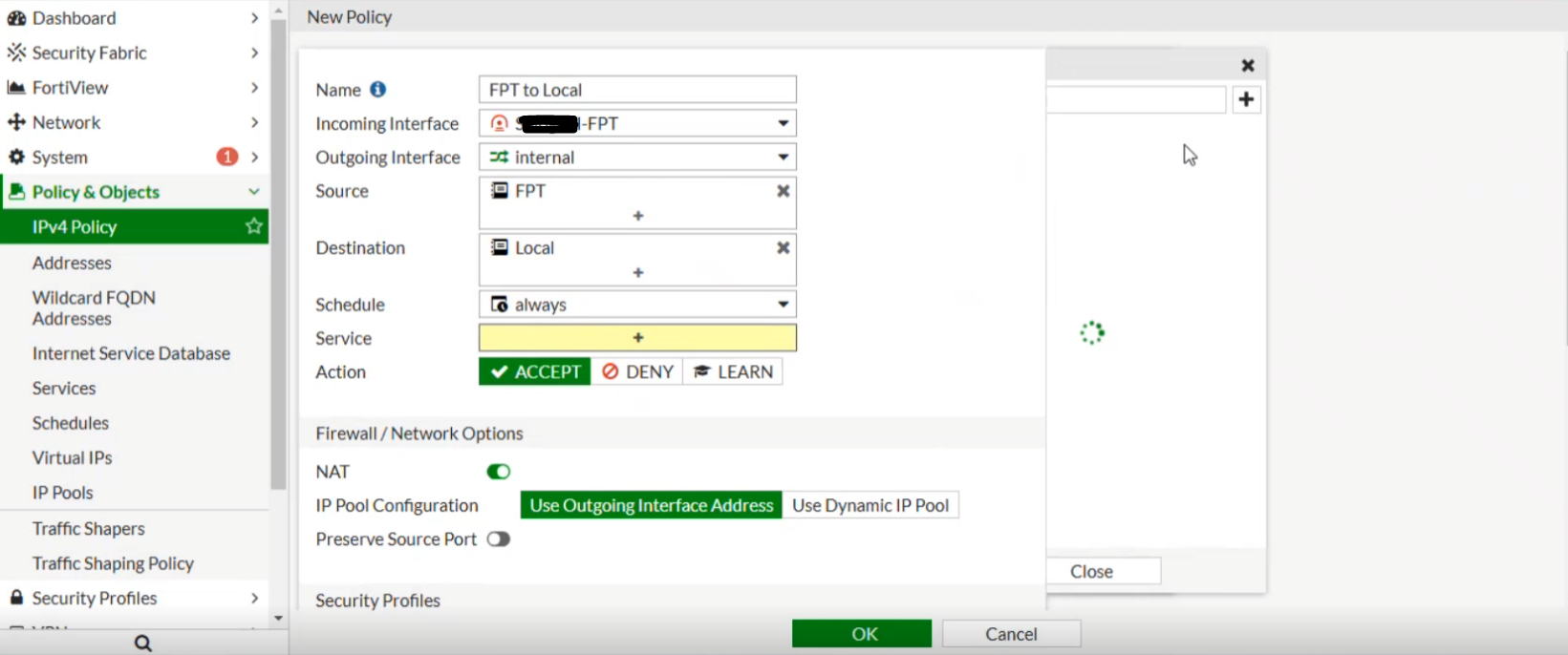
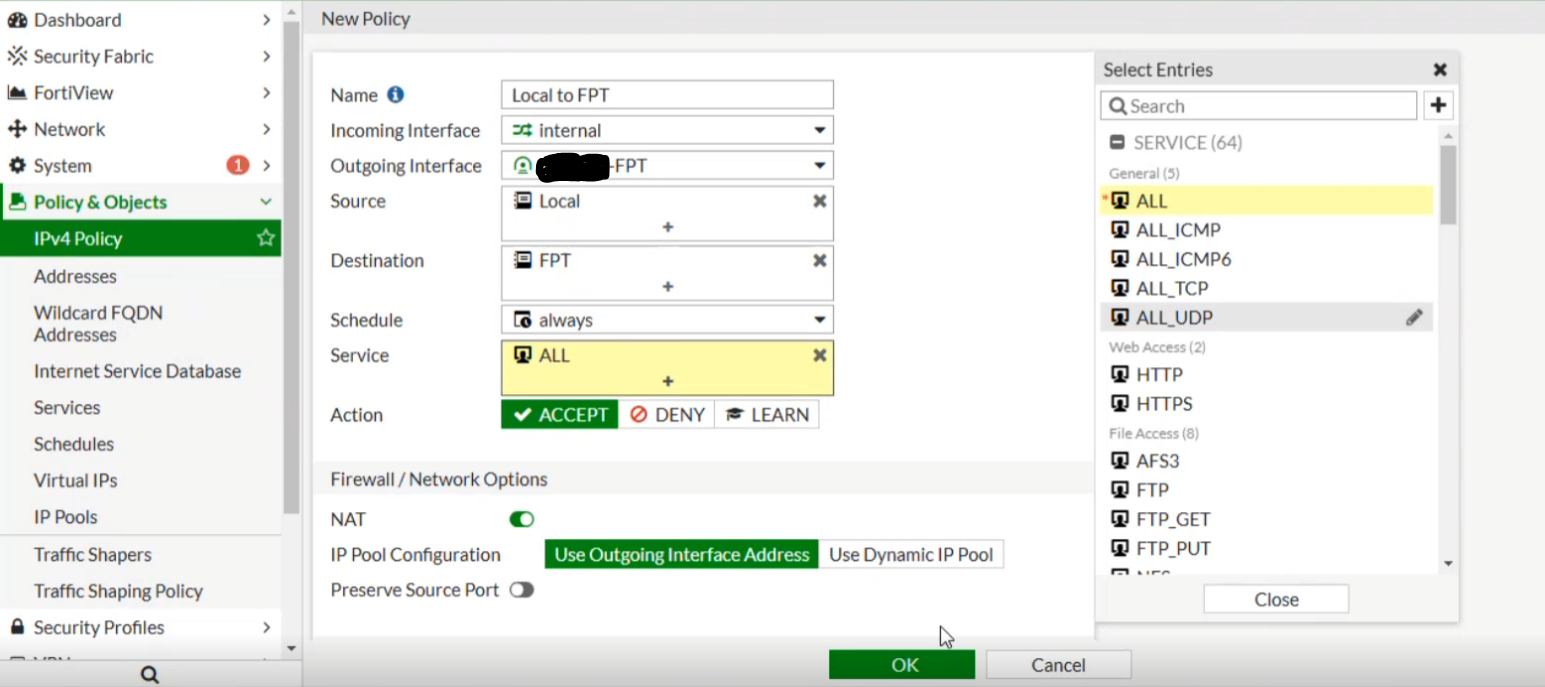
Set the firewall to Allow All for both incoming and outgoing traffic.
From FPT Cloud to Fortigate:
From Fortigate to FPT Cloud:
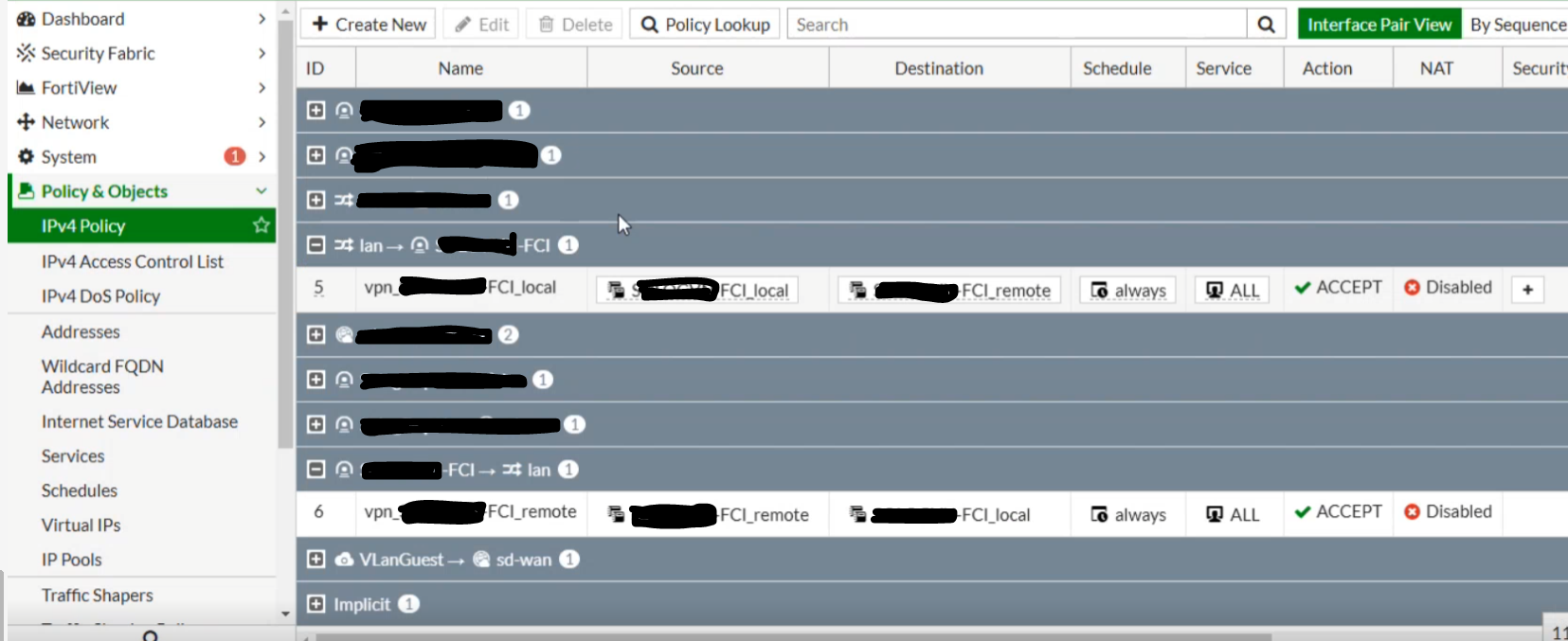
Connection successfully established:
Configure routing with the Destination set to the FPT Cloud network (e.g., 172.30.205.0/255.255.255.0) and Interface set to the IPsec tunnel created earlier.
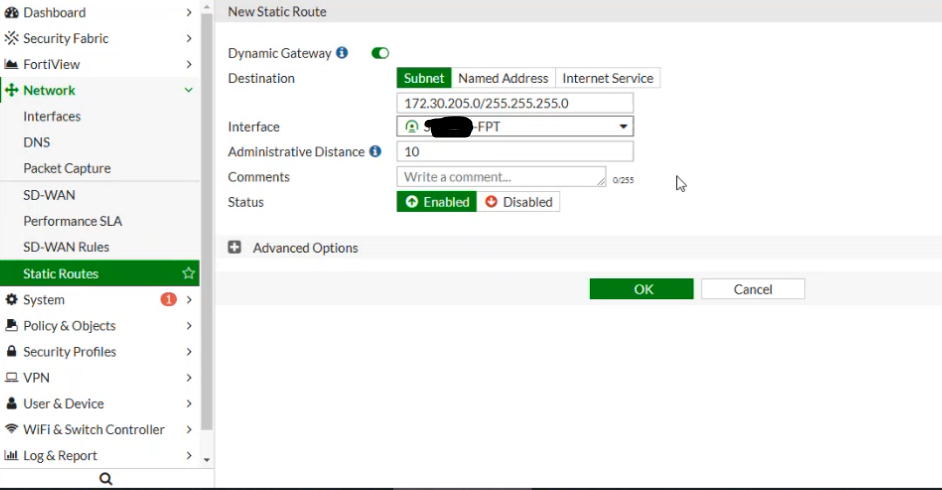
You can now open a terminal to test network connectivity using ping.