Connect FCI to VMware
This guide explains how to connect VPNaaS between the VMware and OPS platforms on the Unify portal.
- Step 1: Configure VPN on OpenStack/
- Step 2: Configure VPN on VMware Cloud/
- Step 3: Verify the connection/
Ensure the following prerequisites are met:
- VPNaaS on OPS configured on the Unify Portal
- VMware Cloud
In this example, we will create a VPN Site-to-Site connection using the parameters shown in the topology below. 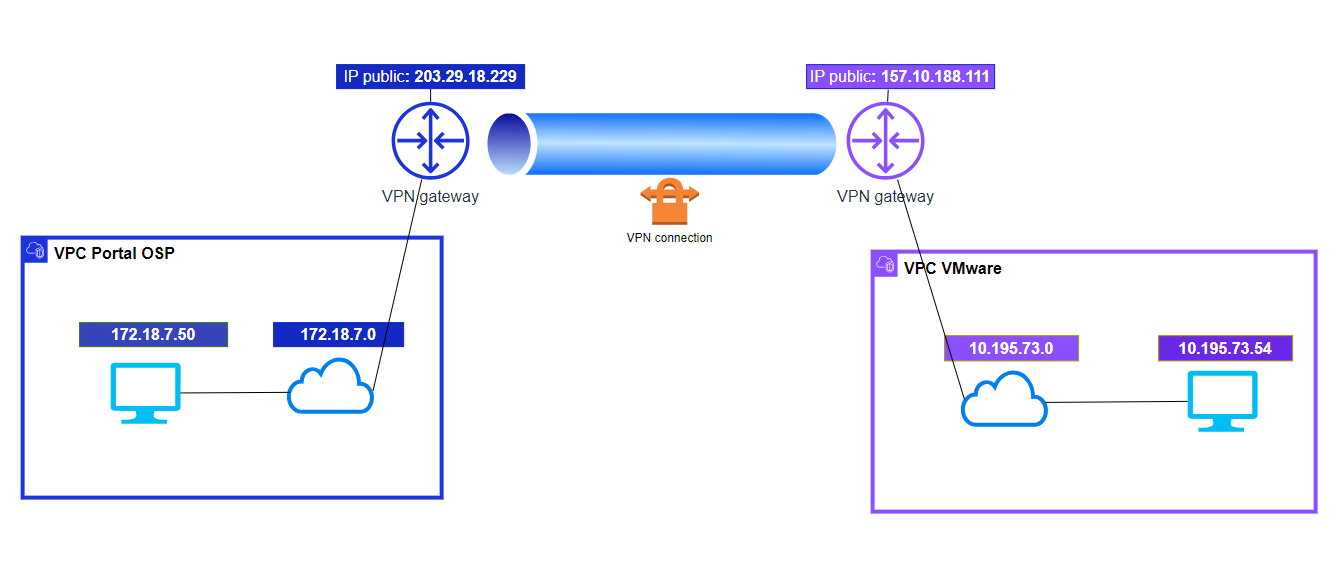
Step 1: Configure VPN on OpenStack
Go to https://console.fptcloud.com and create a VPN Site-to-Site connection.
- Create a Customer Gateway:
- Remote IP public: the Floating IP of the VMware VPN gateway.
- Remote private network: the LAN Subnet range to peer with from VMware.
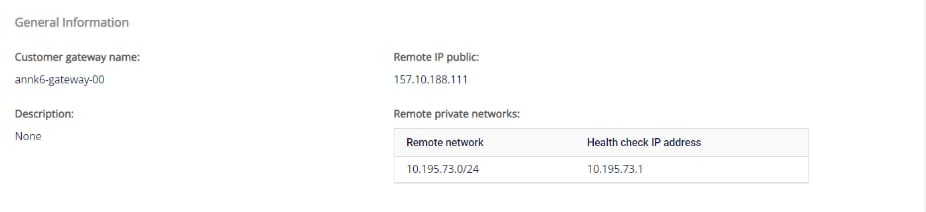
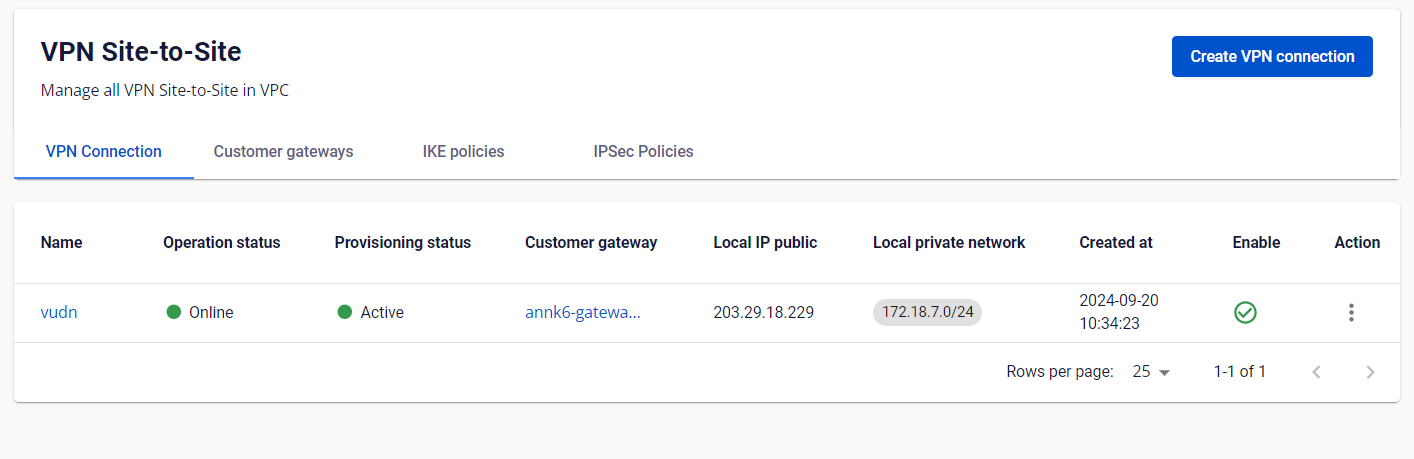
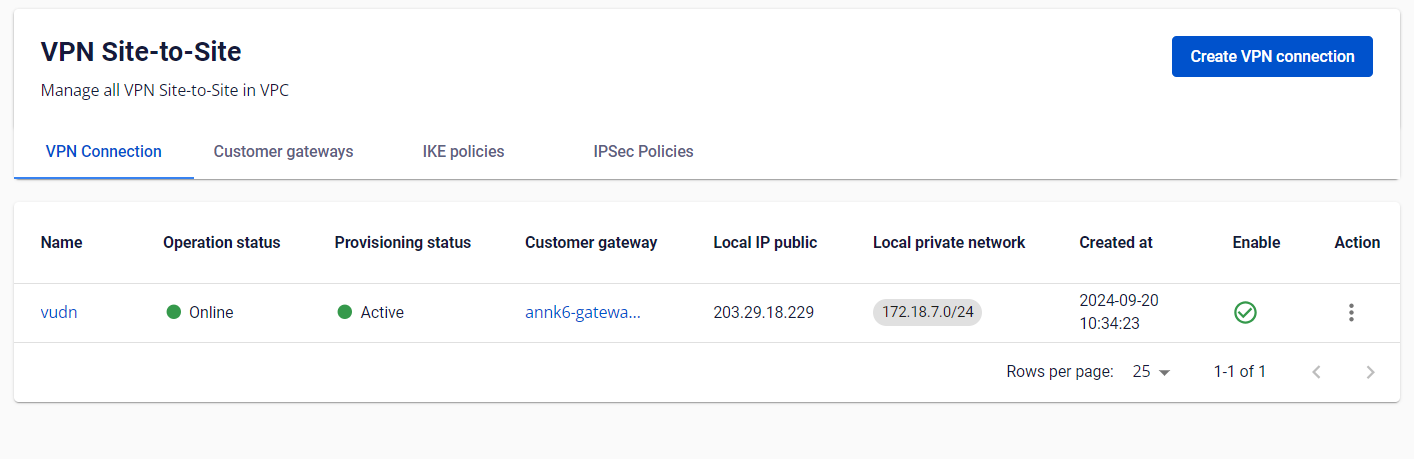
- Create a VPN Connection.
Note the Pre-shared key value — you will need it when creating the VPN Connection on the VMware side.
The VPN Connection parameters consist of three main sections:
- General information (general connection details)
- Remote VPN Information (encryption settings and customer-side information)
- Dead Peer Detection (number of automatic retries when a connectivity issue occurs)
Section 1: General information 
Section 2: Remote VPN information
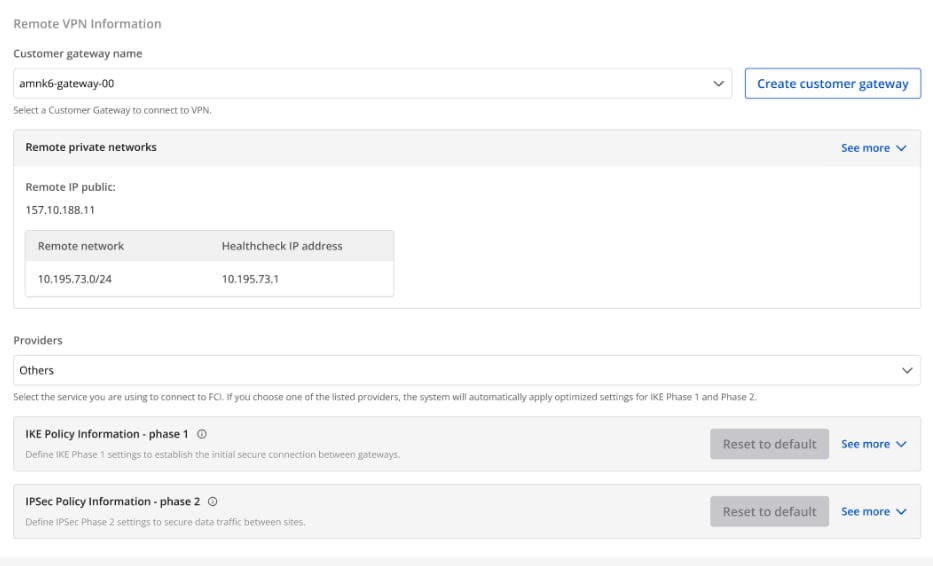
Select Providers = "others", then follow these steps:
- Step 1: Enter providers name = "VMWare".
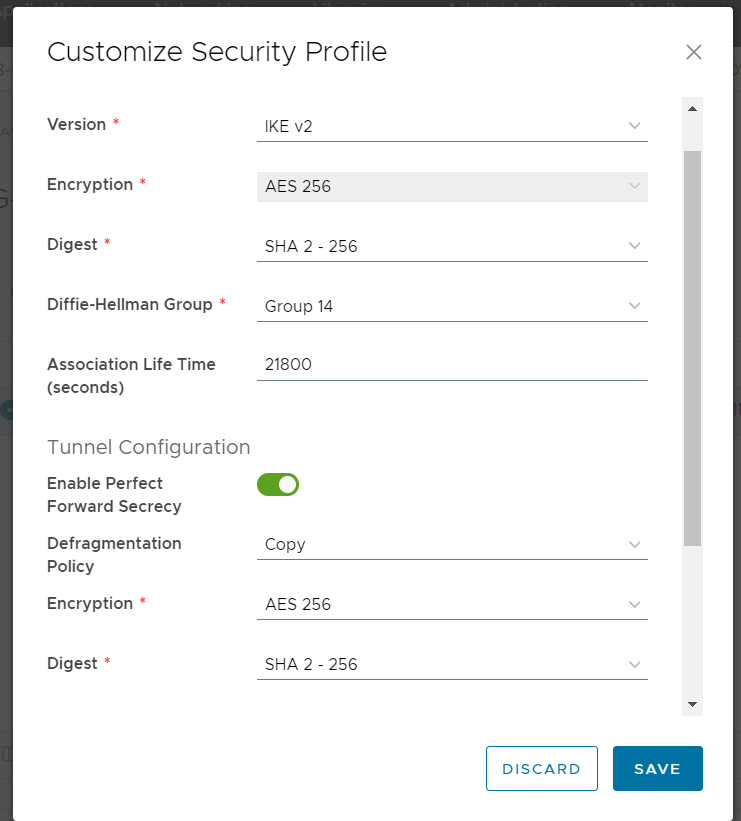
- Step 2: Enter the IKE and IPSec settings as follows:
For IKE:
- Encryption algorithm: aes-256
- Authorization algorithm: sha256
- IKE version: ikev2
- Lifetime units: seconds
- Lifetime value: 28800
- DH Group: GROUP_14
- Phase 1 negotiation mode: main
For IPSec:
- Encapsulation mode: tunnel
- Encryption algorithm: aes-256
- Authorization algorithm: sha256
- Lifetime units: seconds
- Lifetime value: 3600
- Perfect forward secrecy (PFS): GROUP_14
- Transform protocol: esp
Section 3: Dead Peer Detection 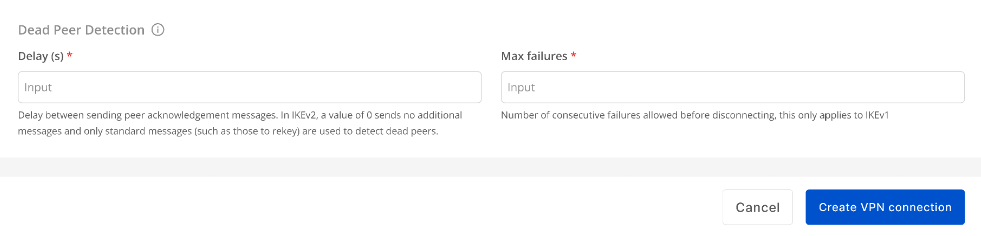 Enter the Delay and max failure values, then select Create VPN Connection.
Step 2: Configure VPN on VMware Cloud
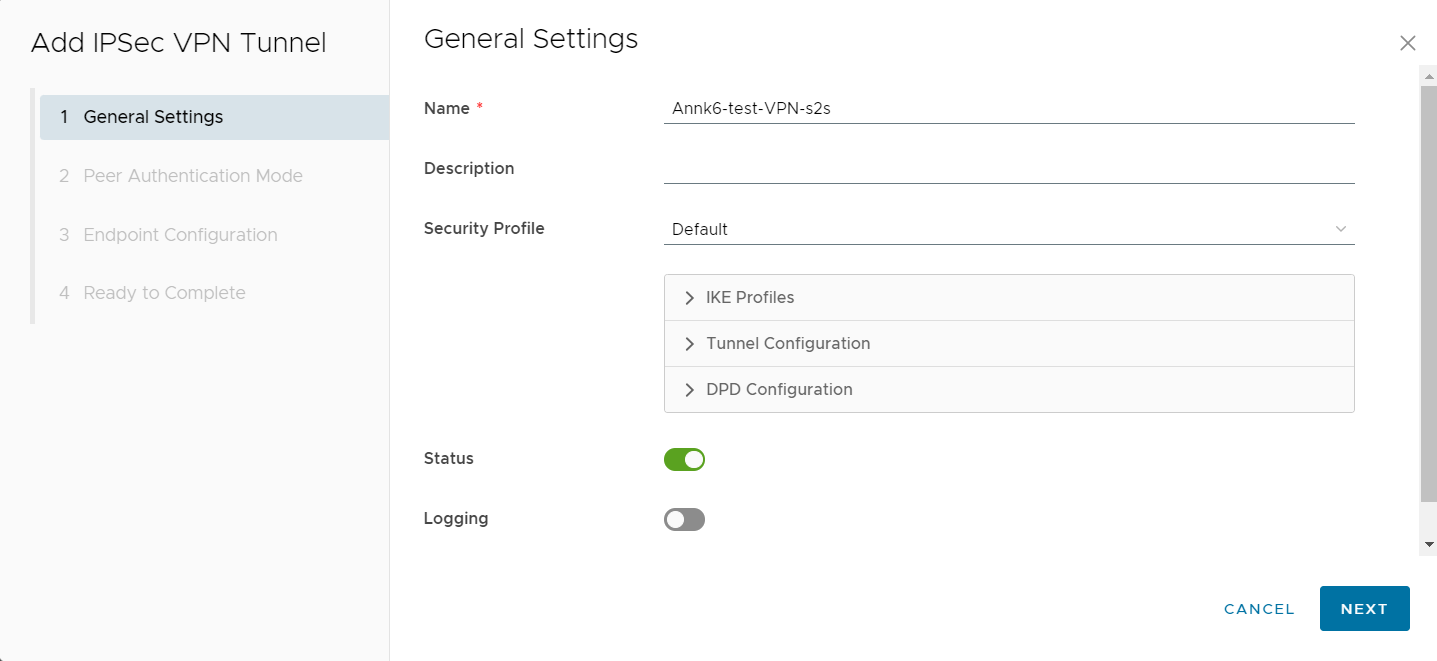
- Sign in to the VMware system to set up the VPN Site-to-Site connection information.
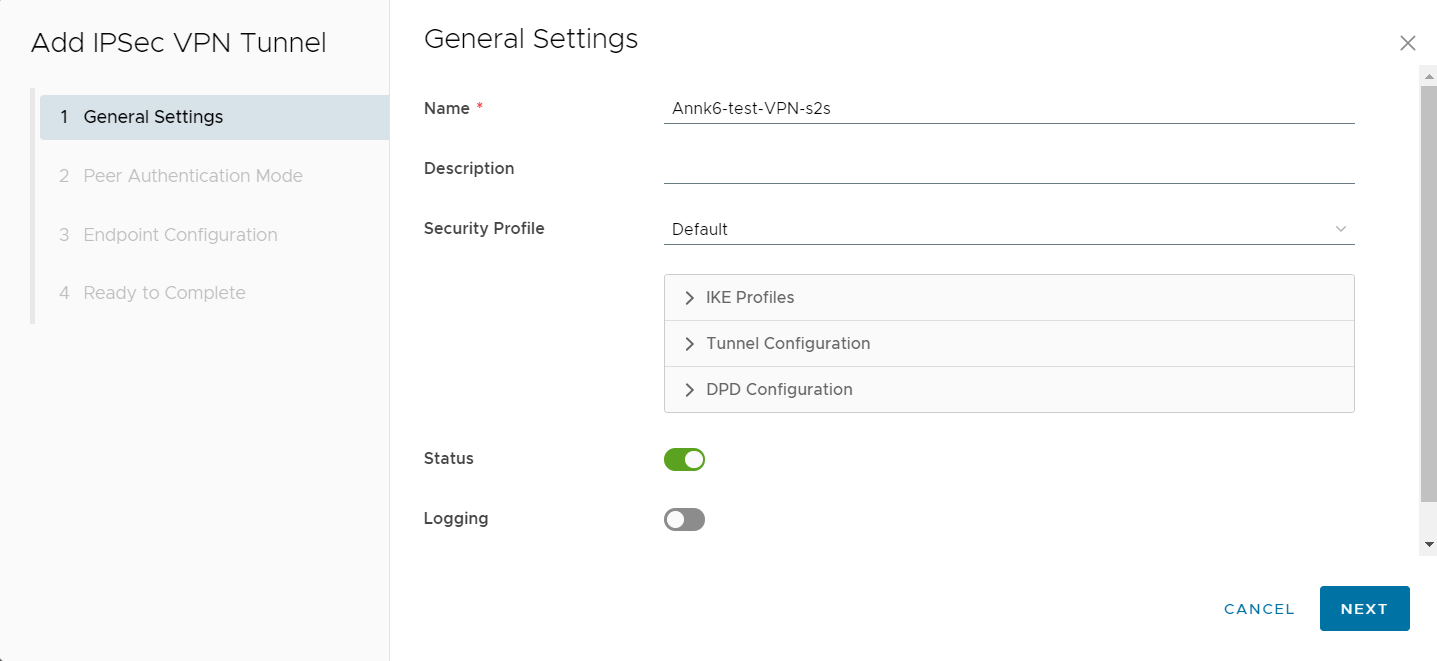
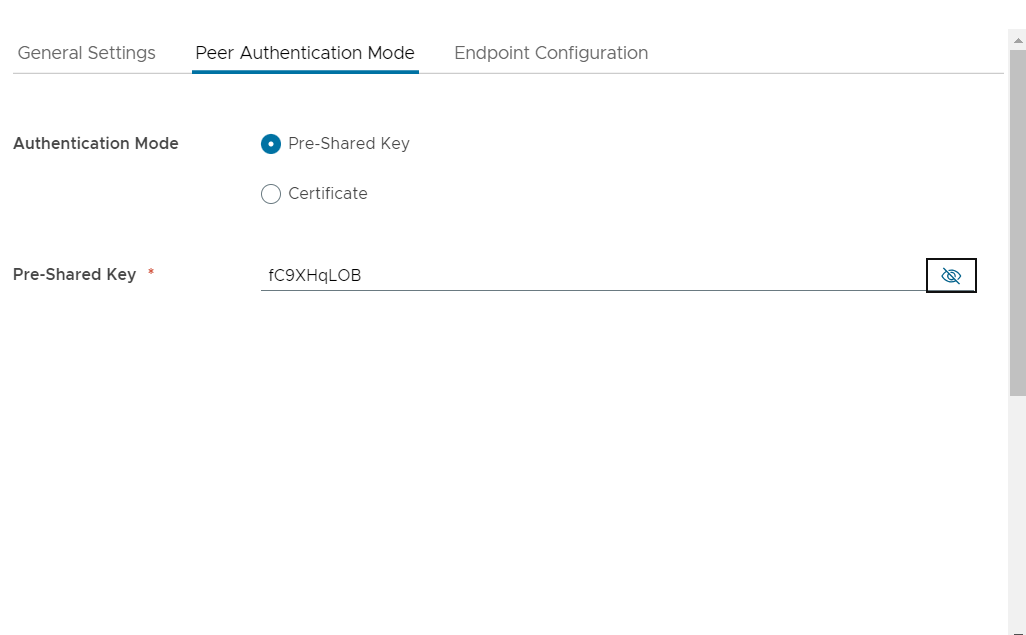
- On the Peer Authentication tab, enter the Pre-shared key created on the OPS side, then select Next.
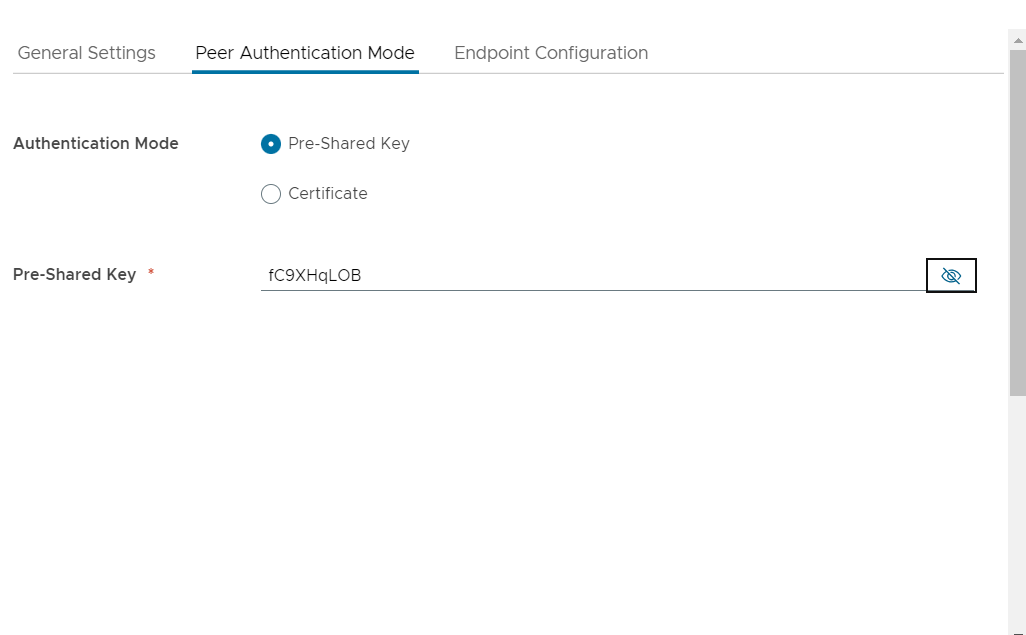
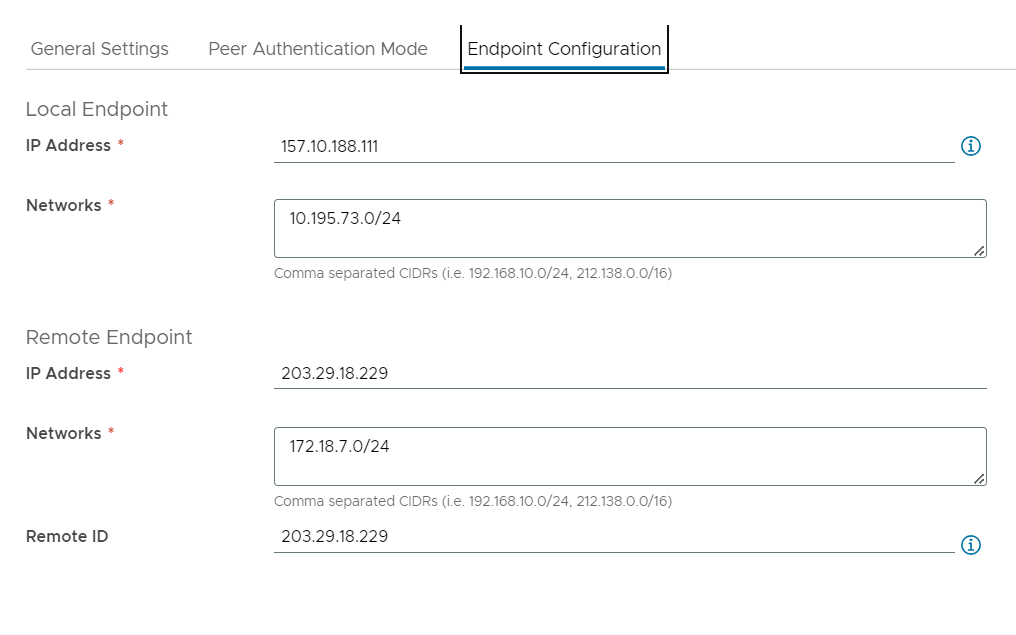
- Enter the Endpoint Configuration fields.
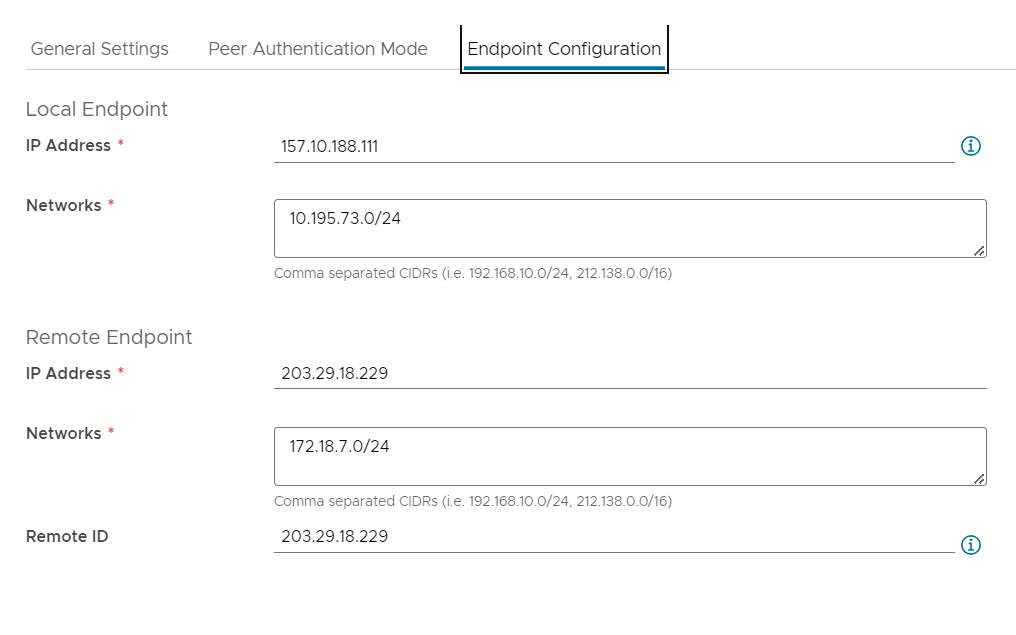
- After creation, select Customize Security Profile to update the IKE policy and IPSec policy to match the IKE policy and IPSec policy created on OPS.
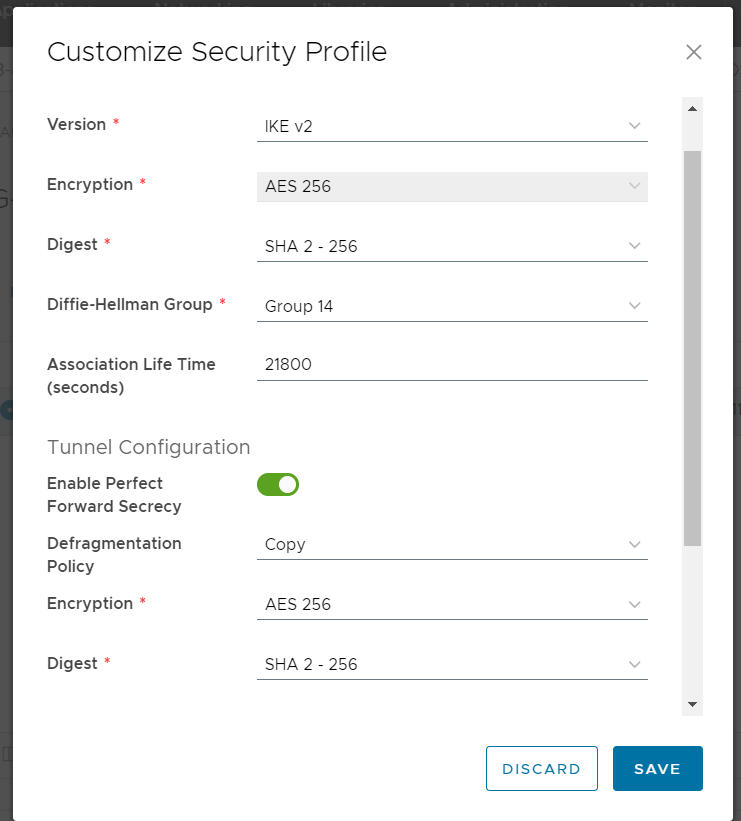
- Enter the Endpoint Configuration fields.
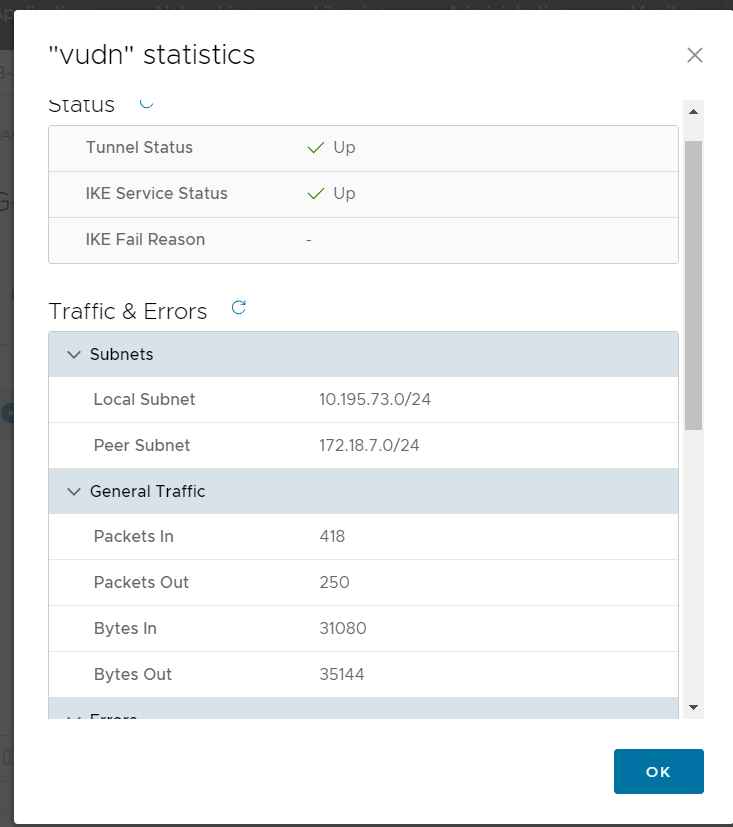
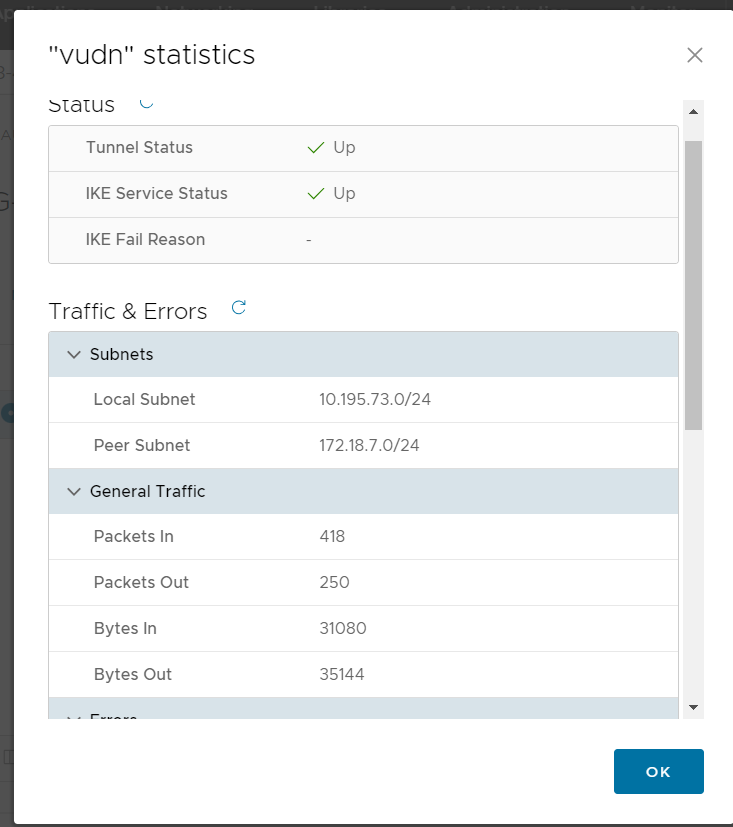
- Select View statistics to check the connection status.
If the status shows UP, the connection between the two sites is established successfully.
Step 3: Verify the connection
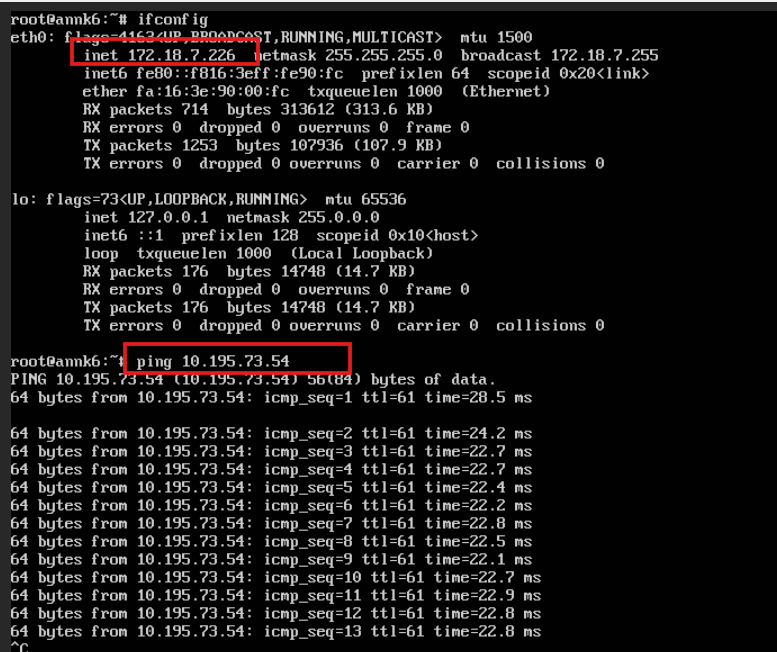
- Ping from OPS VM to VMware VM.
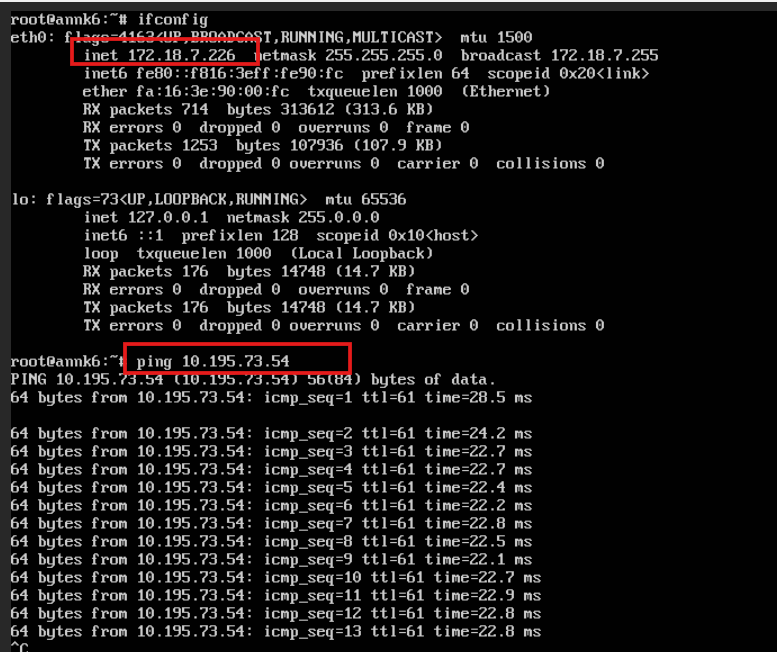
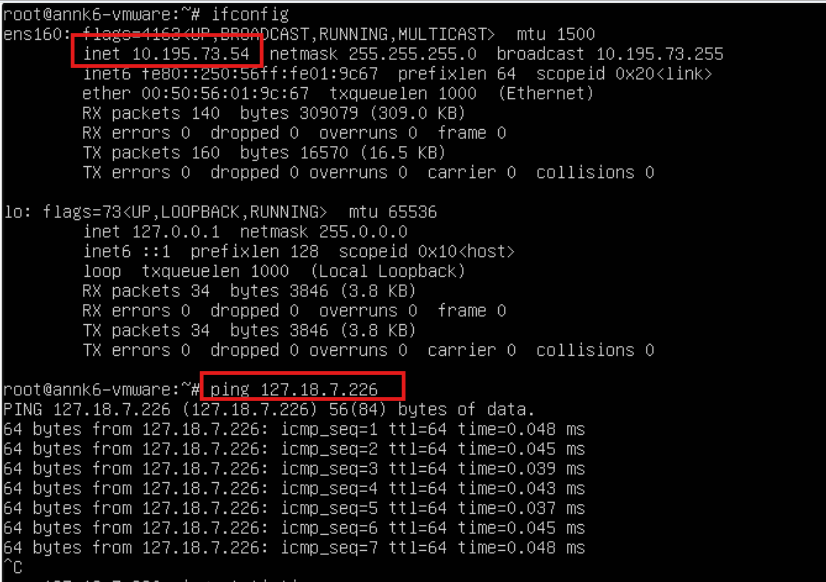
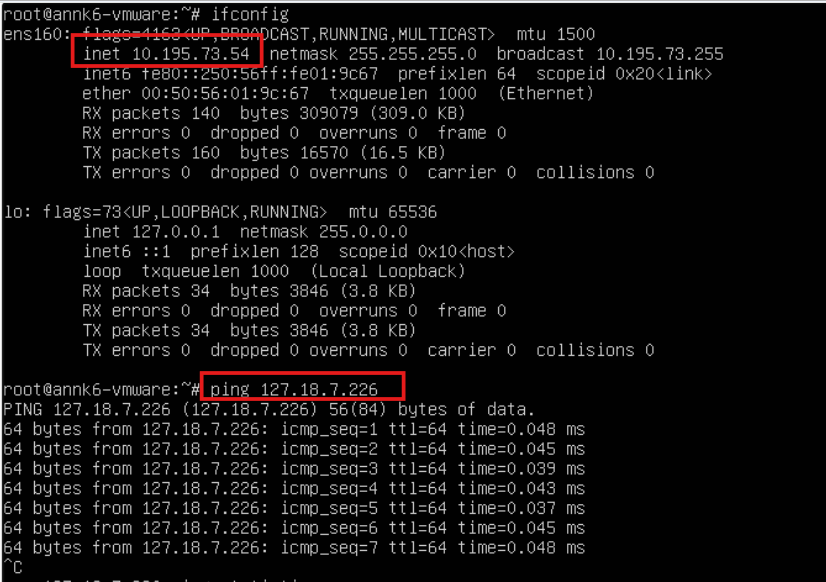
- Ping from VMware VM to OPS VM.