VPN Site-to-Site configuration with Palo Alto
Prerequisites
Ensure the following conditions are met before starting:
- The VPN Site-to-Site service is set up on FPT Cloud Portal.
- A Palo Alto firewall is installed and enabled on the customer side.
- The Palo Alto firewall has three IP addresses configured: Management (Public IP), WAN (Public IP), and LAN.
Step 1: Configure VPN Site-to-Site on FPT Cloud Portal
Access https://console.fptcloud.com/ and create the VPN Site-to-Site.
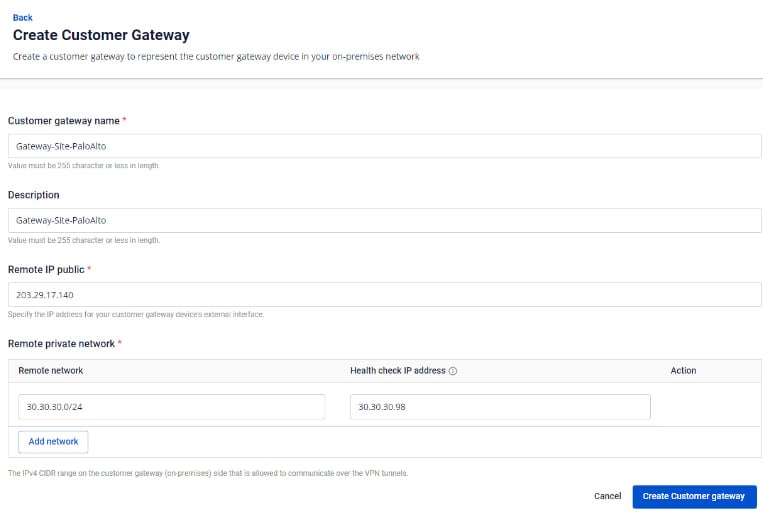
Create a Customer Gateway:
- Remote private network: LAN subnet range for peering with Palo Alto
- Remote IP public: Public IP address of the Palo Alto firewall
Create a VPN Connection:
A VPN connection has three main sections:
- General Information — basic connection details
- Remote VPN Information — encryption and customer-side configuration
- Dead Peer Detection — automatic retry settings
Section 1: General Information
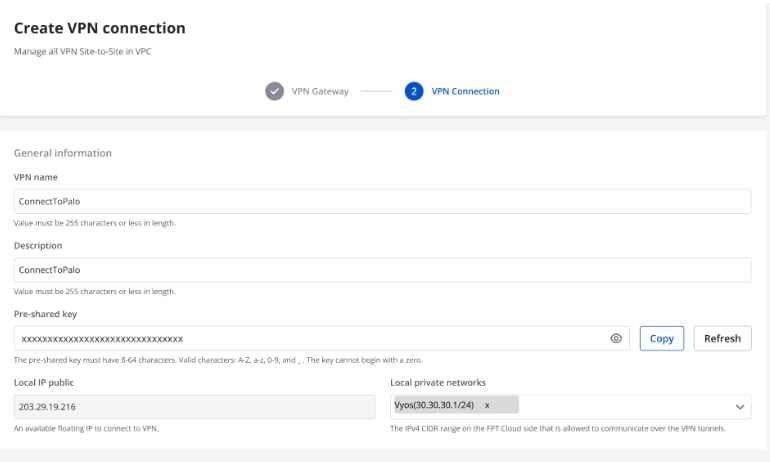
note
Save the Pre-shared key value — you will need it when configuring Palo Alto.
Section 2: Remote VPN Information
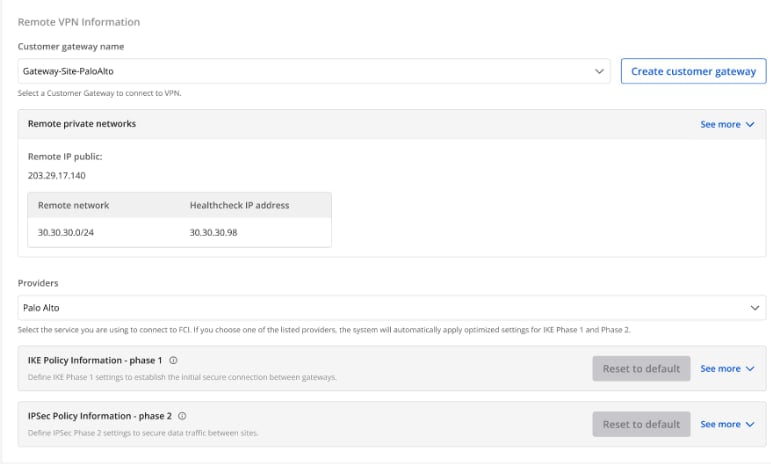
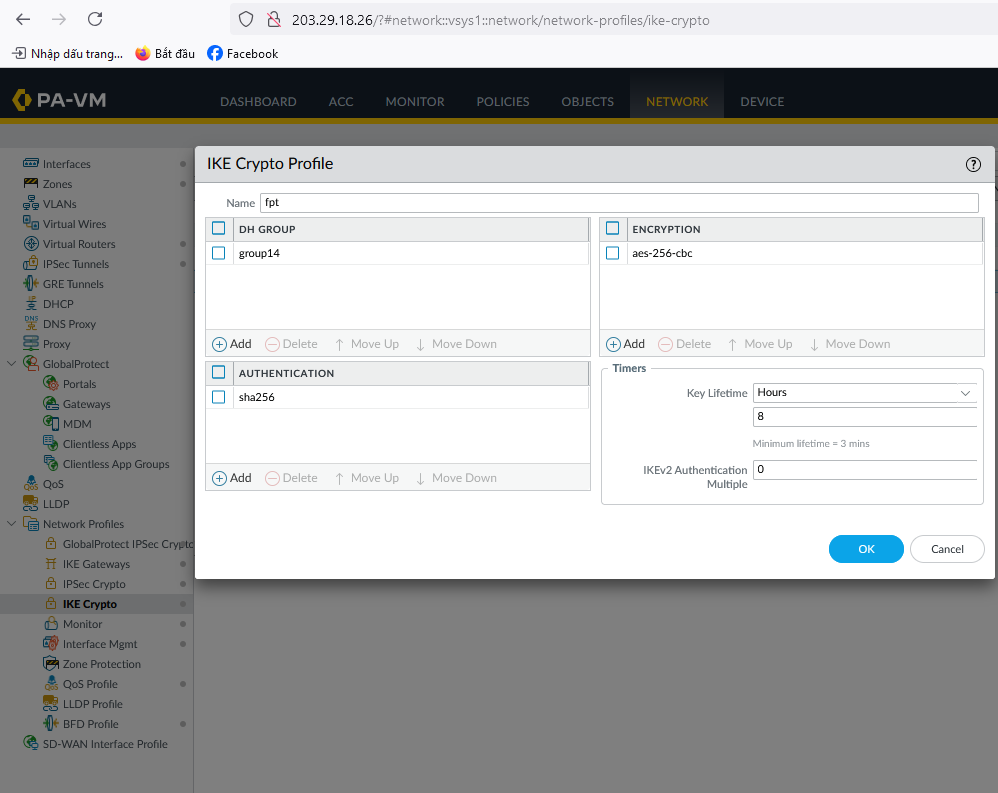
When selecting the provider Palo Alto, the system automatically fills in the IKE and IPsec settings:
IKE:
| Parameter | Value |
|---|---|
| Encryption algorithm | aes-256 |
| Authorization algorithm | sha256 |
| IKE version | ikev2 |
| Lifetime units | seconds |
| Lifetime value | 28800 |
| DH Group | GROUP_14 |
| Phase 1 negotiation mode | main |
IPsec:
| Parameter | Value |
|---|---|
| Encapsulation mode | tunnel |
| Encryption algorithm | aes-256 |
| Authorization algorithm | sha256 |
| Lifetime units | seconds |
| Lifetime value | 3600 |
| Perfect Forward Secrecy (PFS) | GROUP_14 |
| Transform protocol | esp |
Section 3: Dead Peer Detection
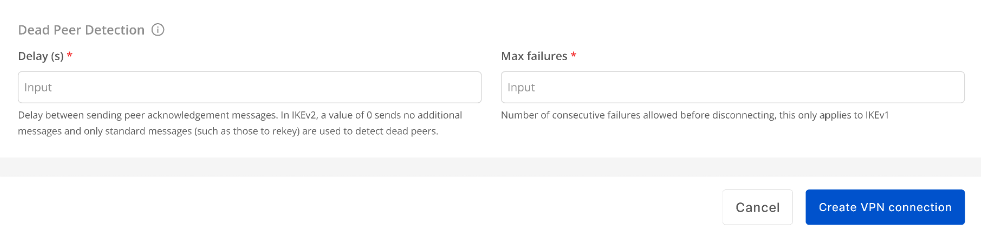
Enter the Delay and Max failure values, then click Create VPN Connection.
Step 2: Configure IPsec on Palo Alto
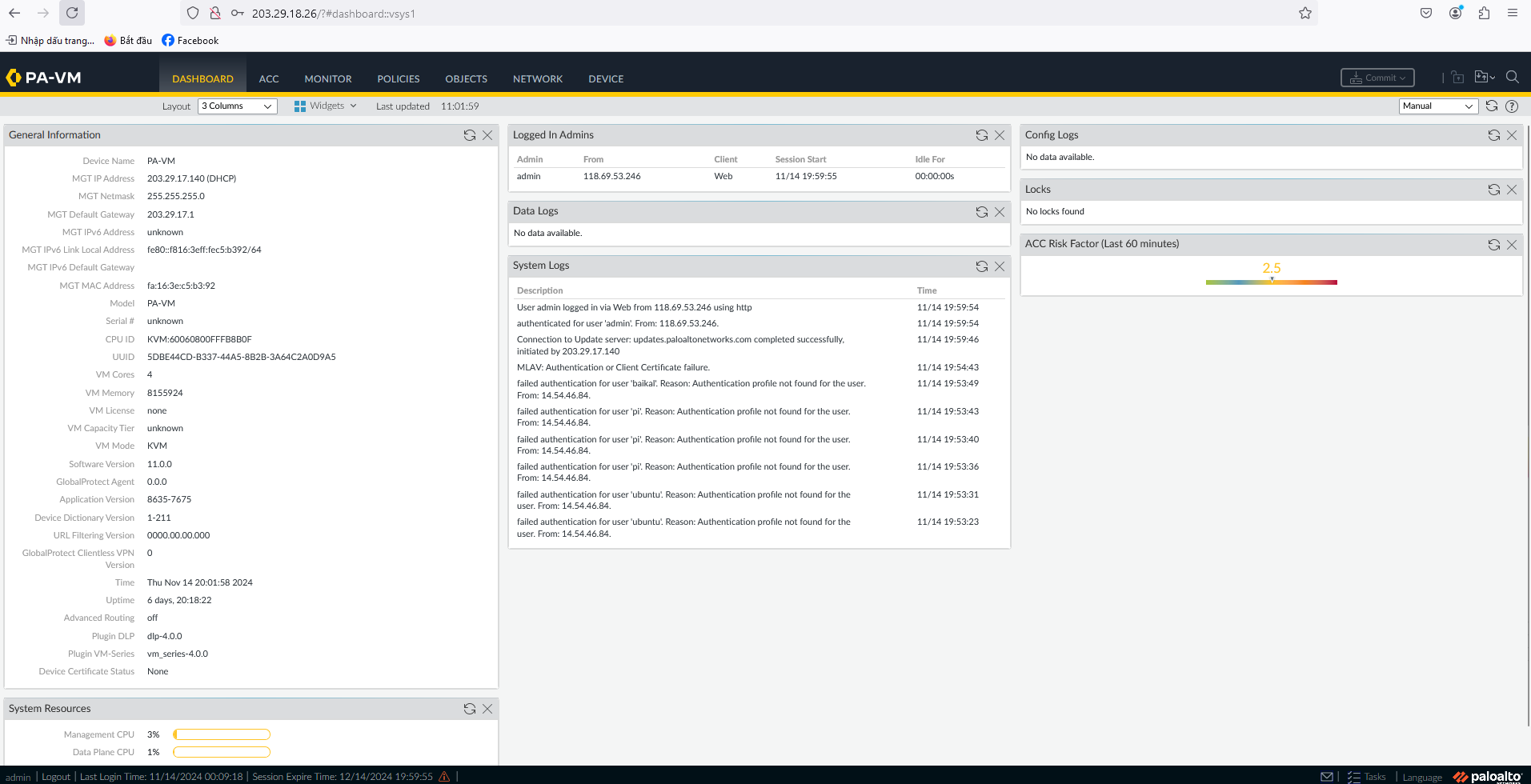
- Log in to Palo Alto via the Management IP.
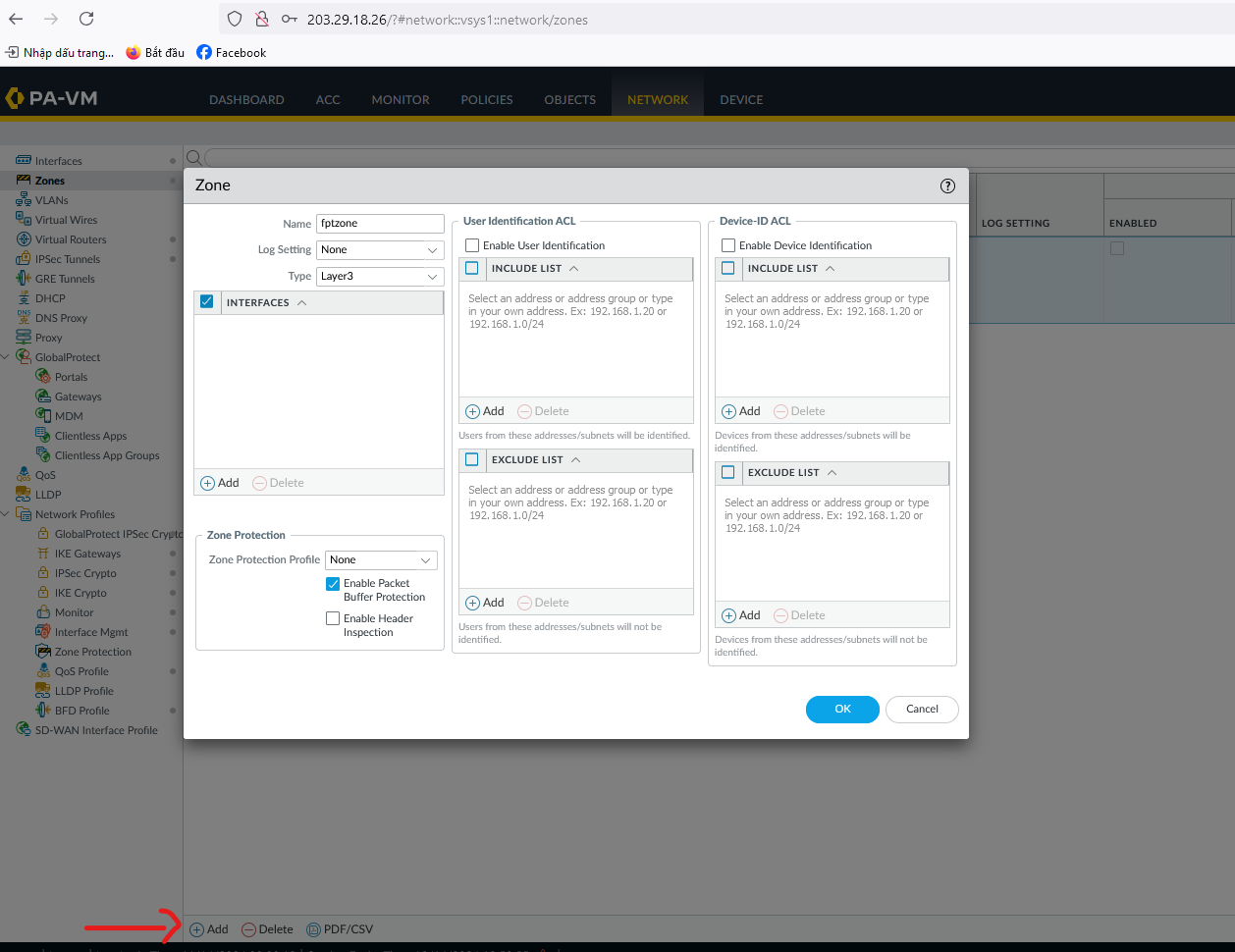
- Click Add and activate the Palo Alto Zone.
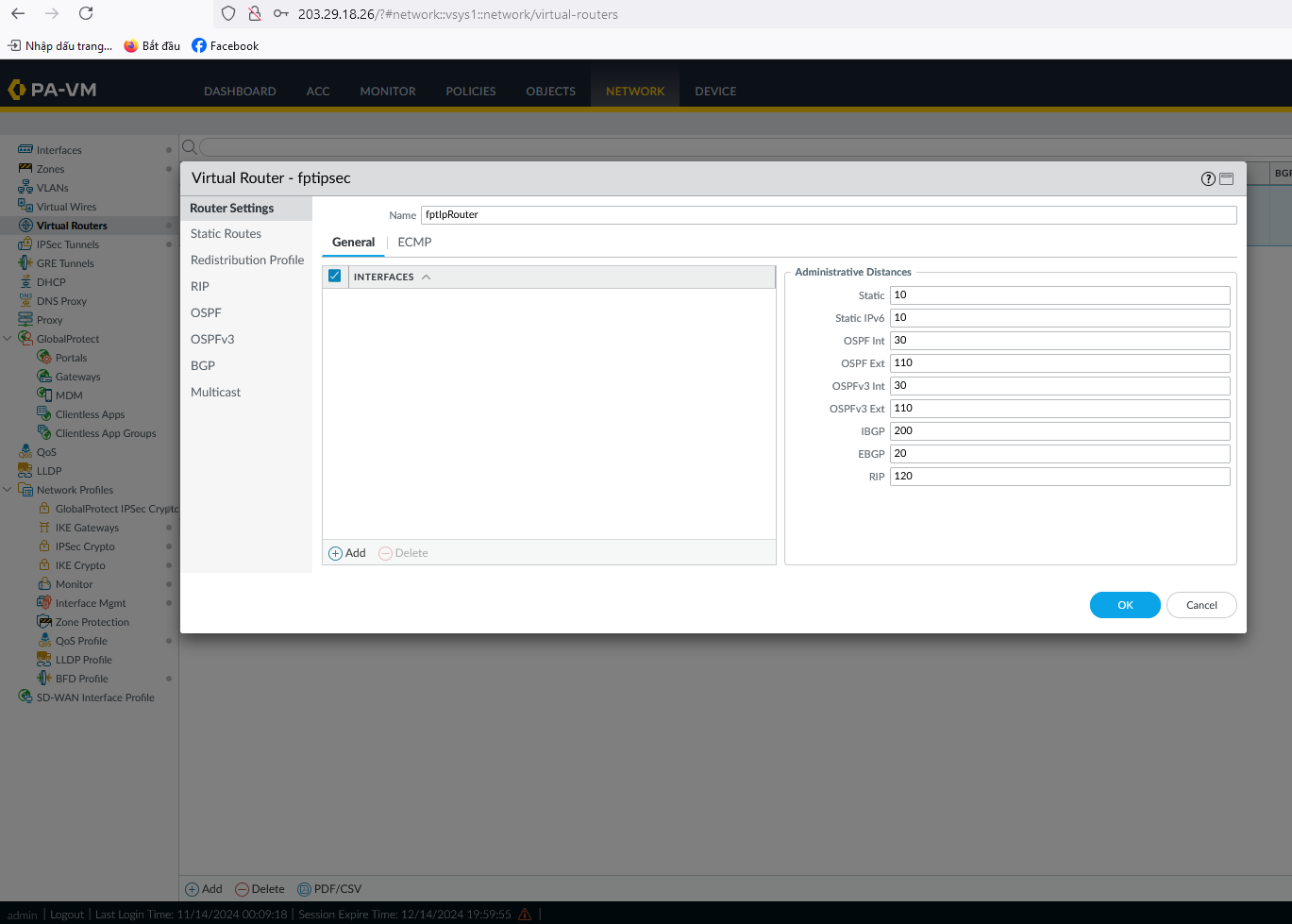
- Create a Virtual Router and click OK.
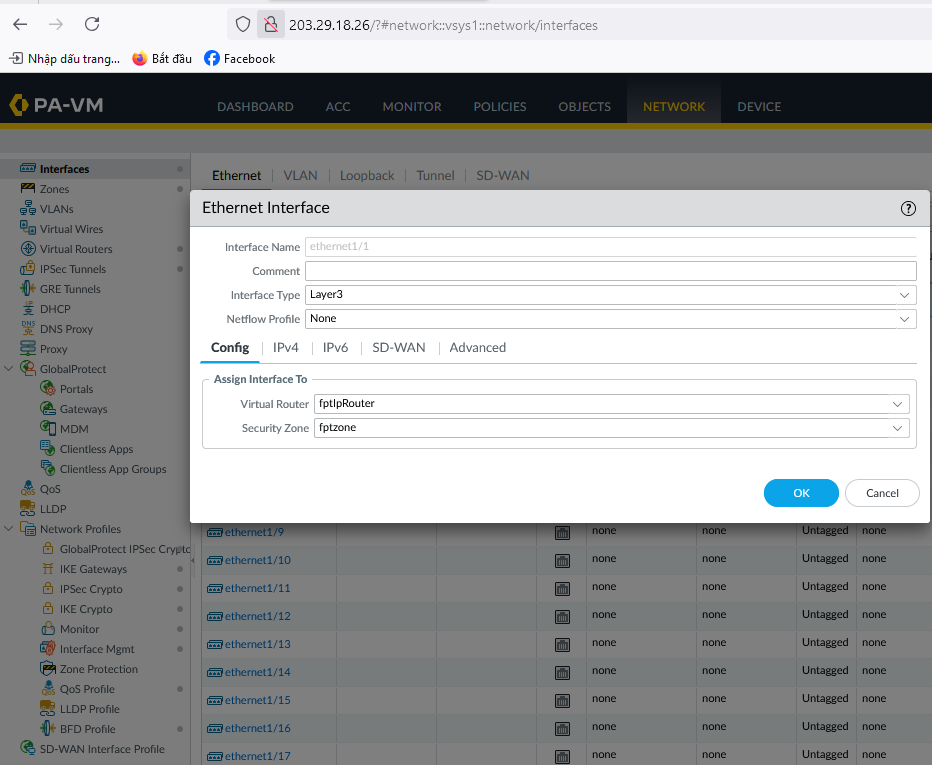
- Create WAN and LAN interfaces (for example, ethernet1/1 and ethernet1/2).
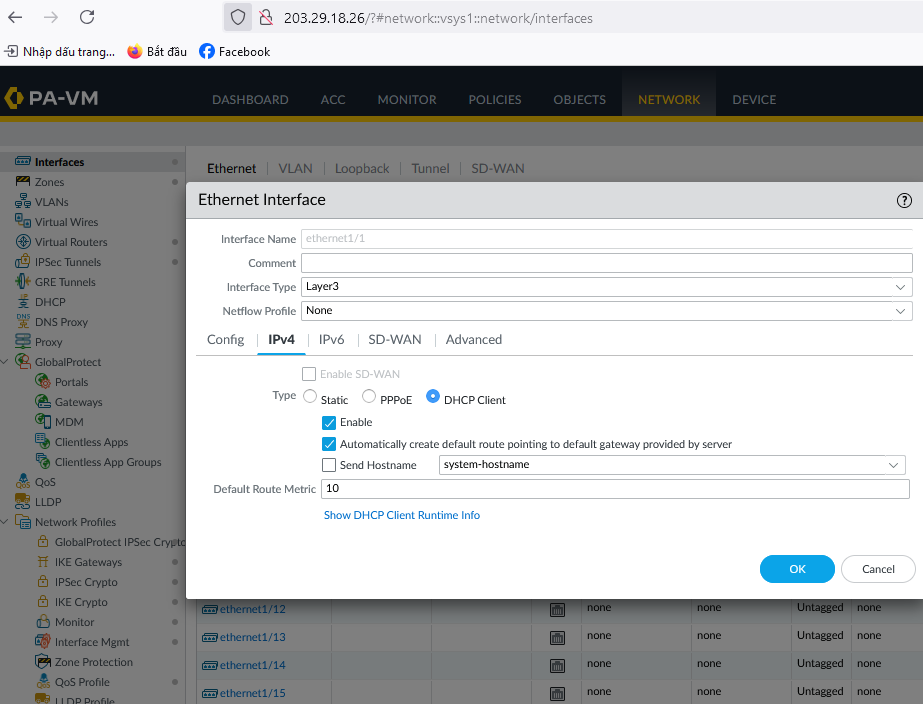
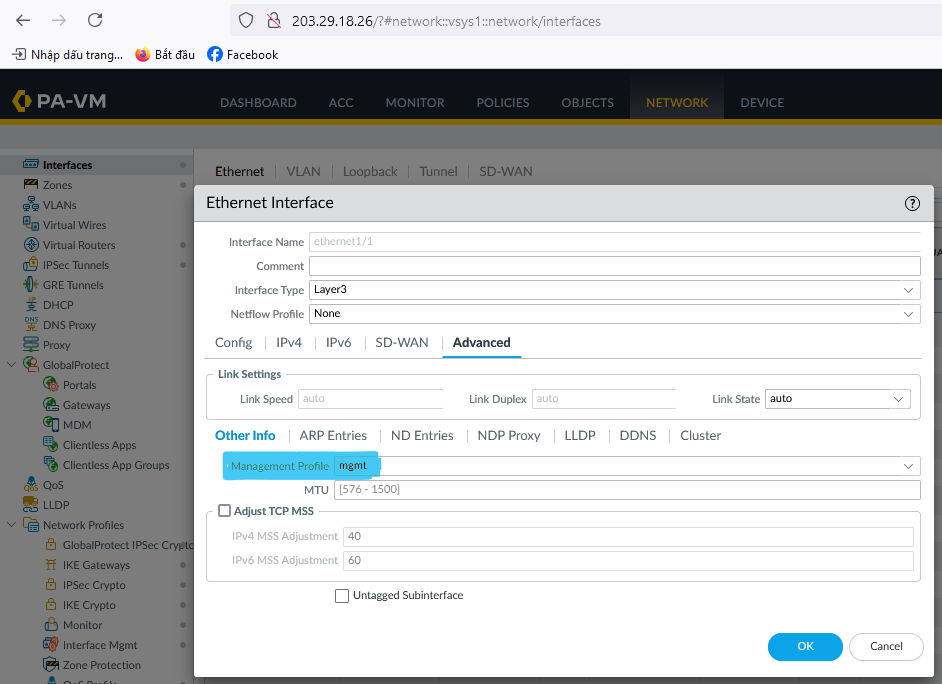
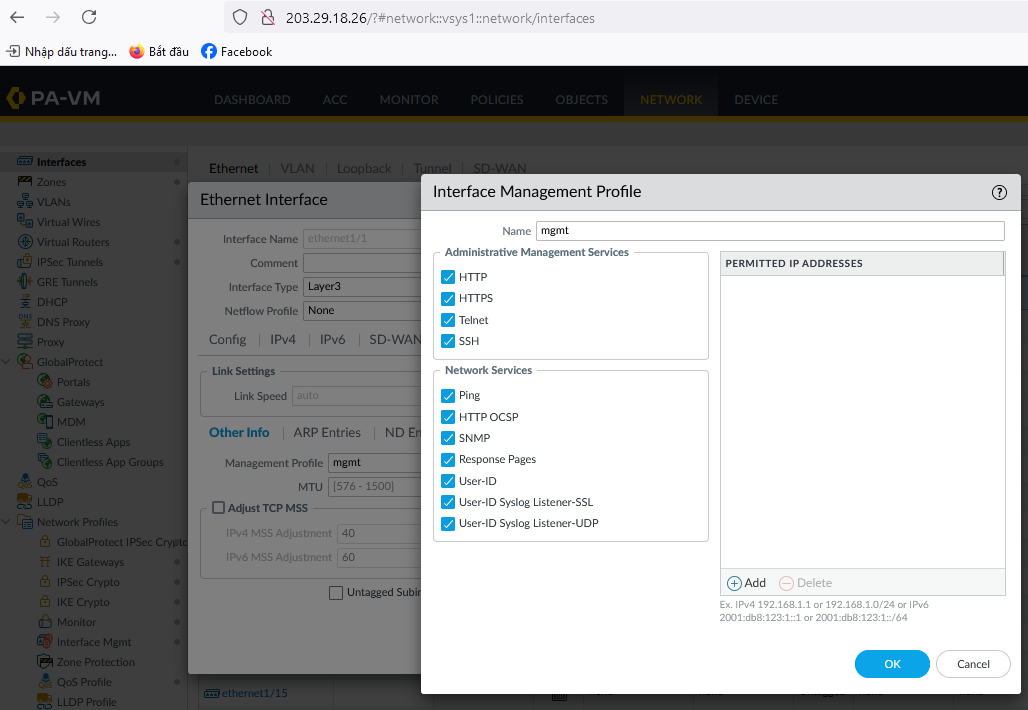
- Create an IKE Crypto profile.
- Create an IPSec Crypto profile.
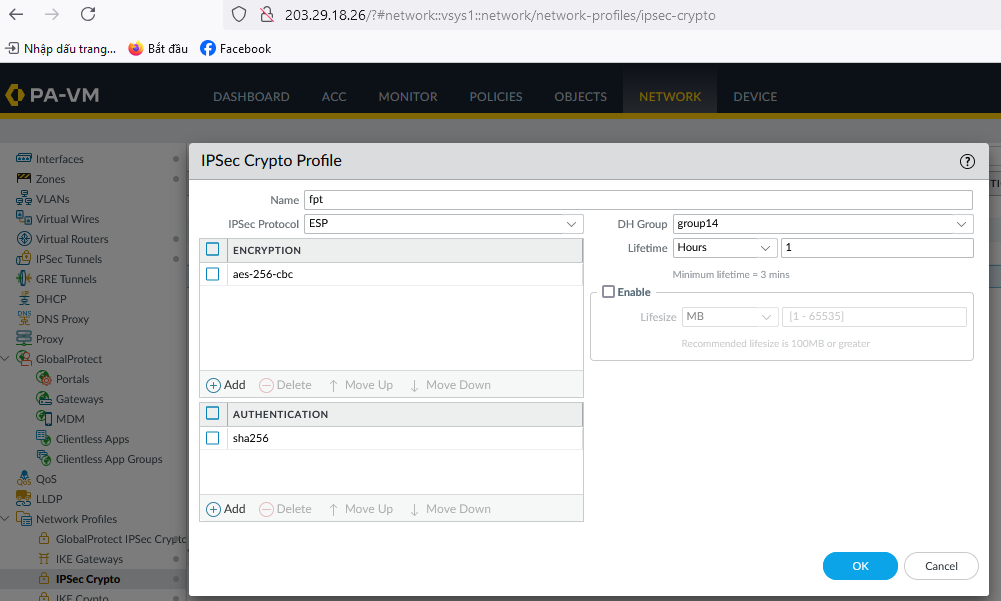
-
Go to IPsec Tunnels:
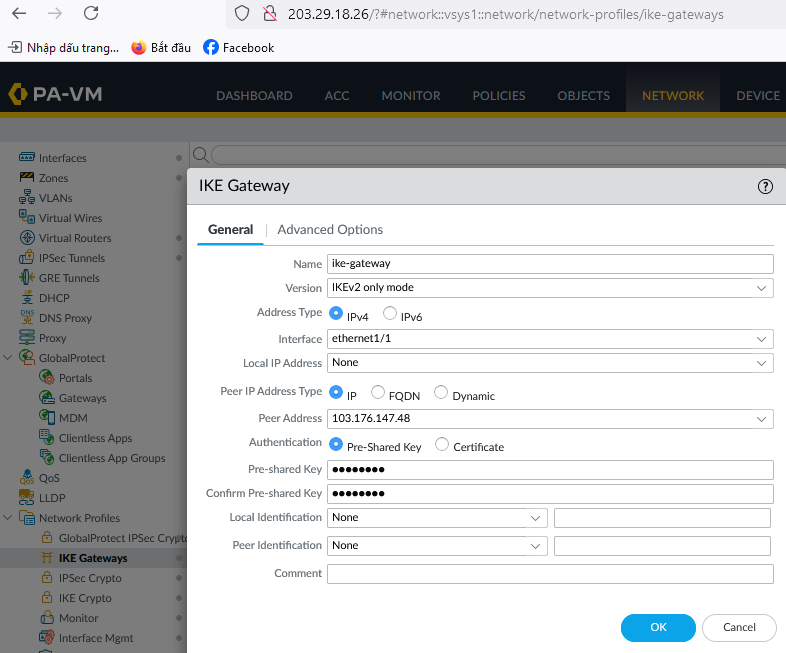
- In the General tab, enter the Peer Address as the FPT Cloud IP from Step 1 (e.g.,
103.176.147.48).
- In the General tab, enter the Peer Address as the FPT Cloud IP from Step 1 (e.g.,
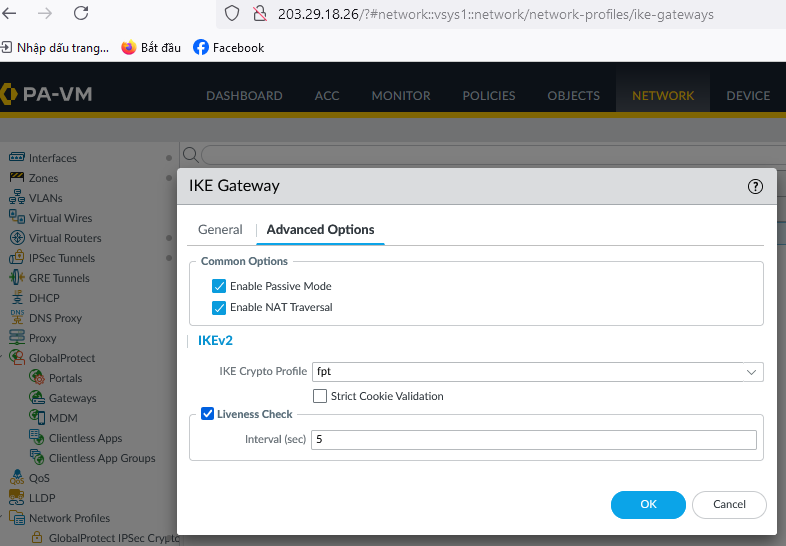
- In the Advanced Options tab, fill in the required details.
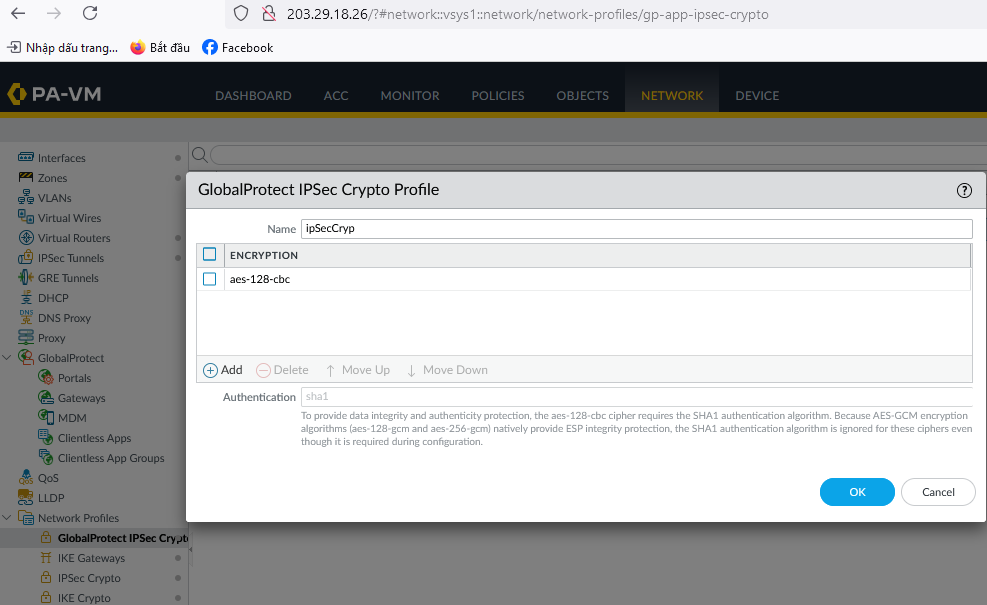
- Create a GlobalProtect IPSec entry.
- Create the IPSec Tunnels.
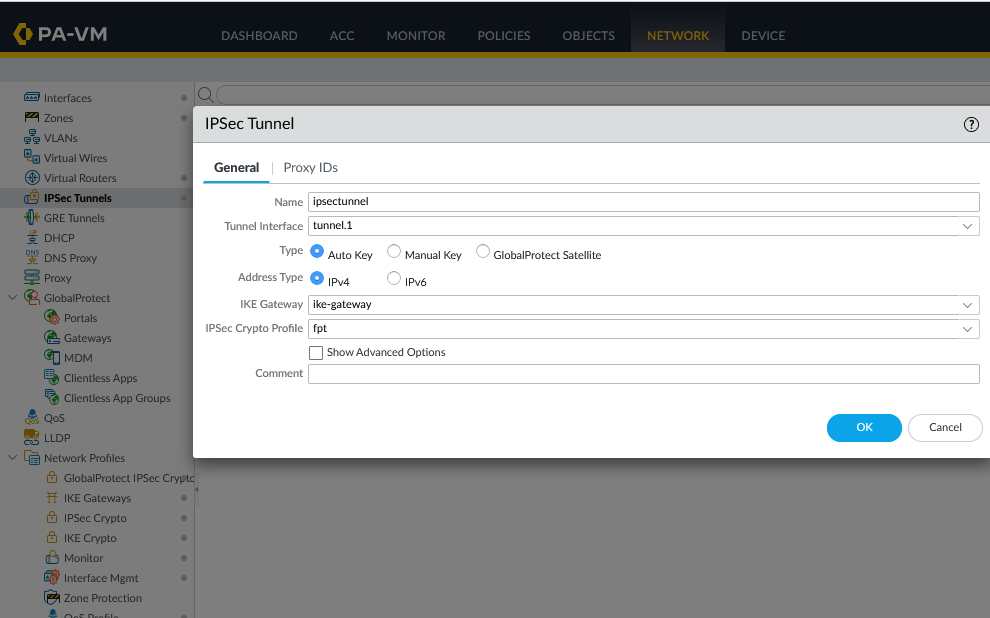
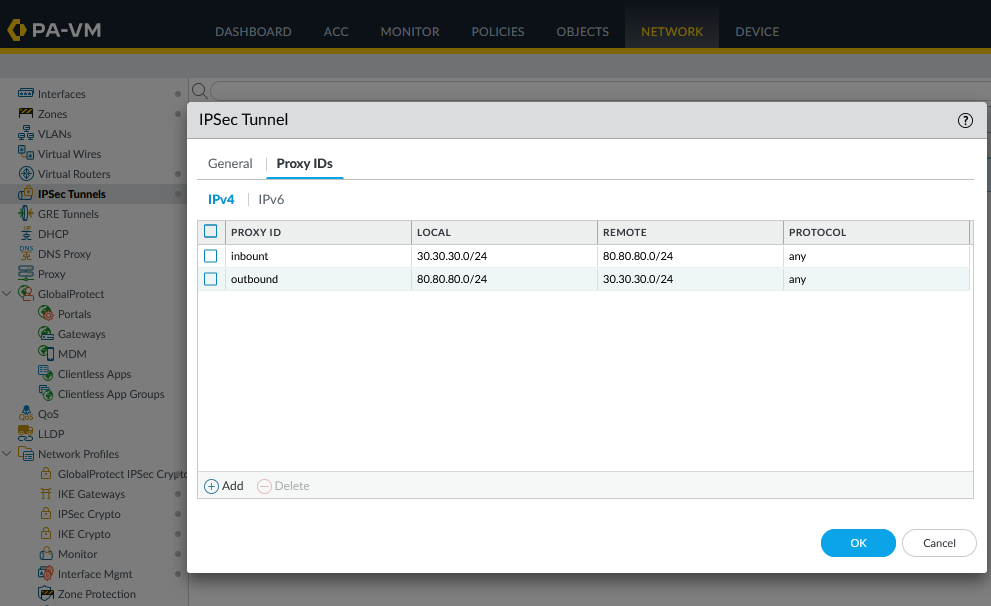
Step 3: Configure firewall and routing on Palo Alto
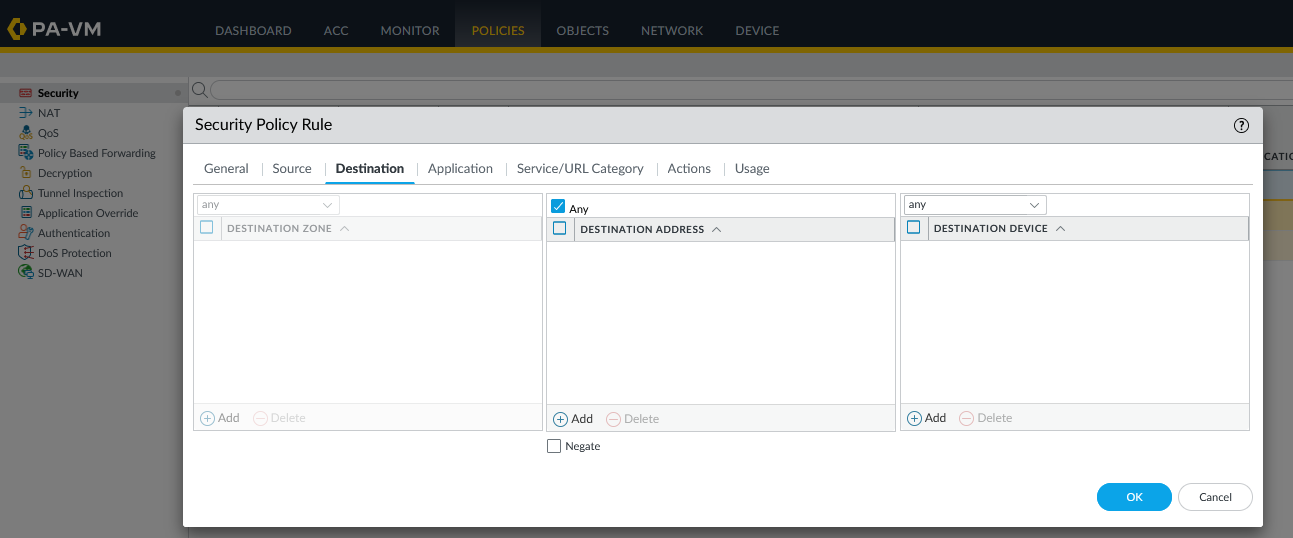
- Open a firewall policy.
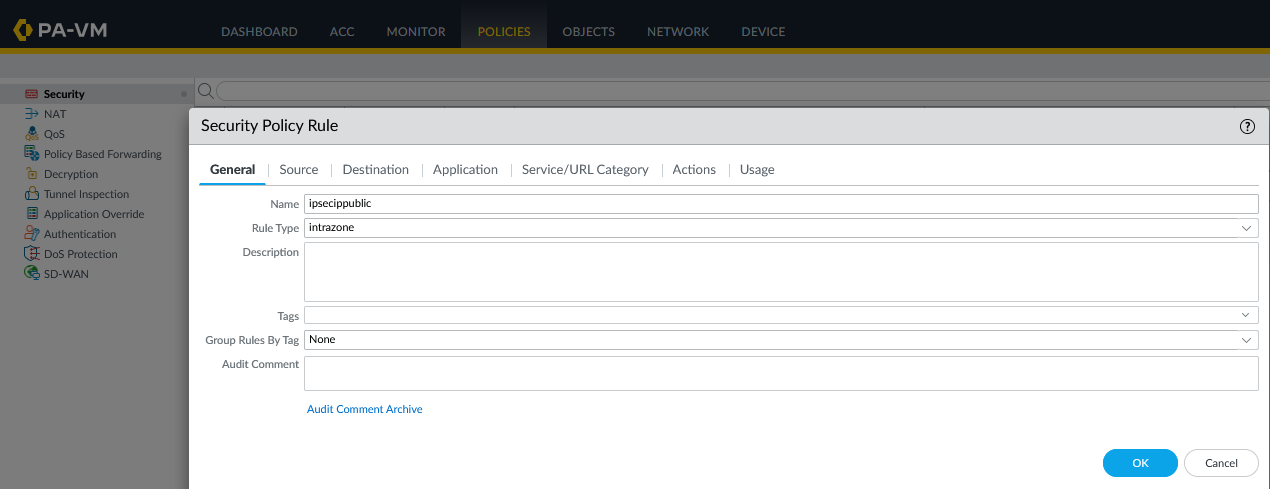
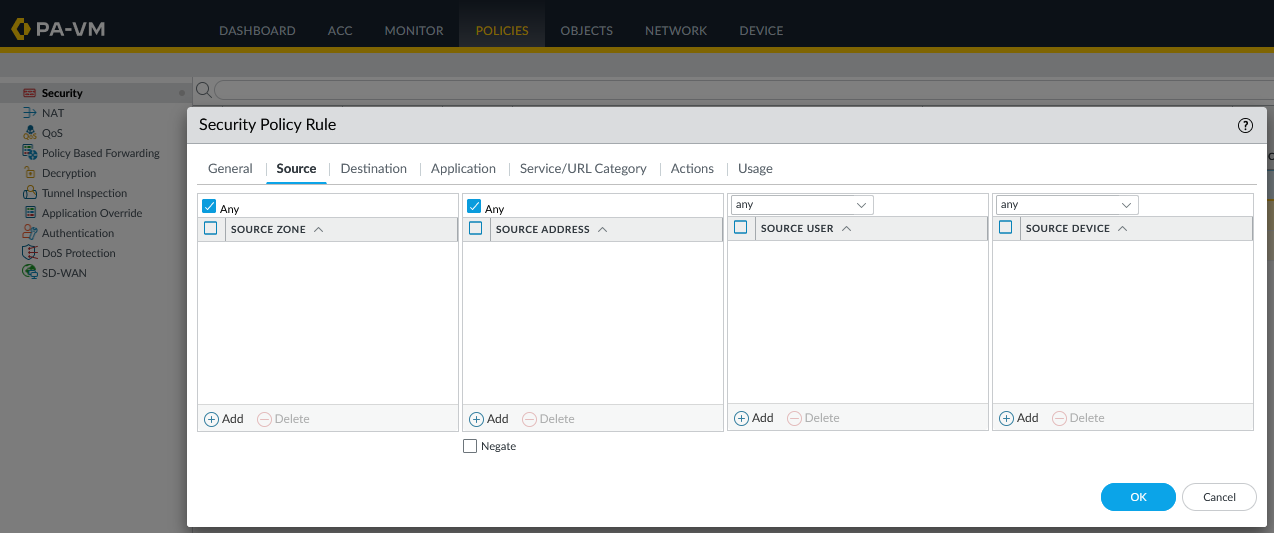
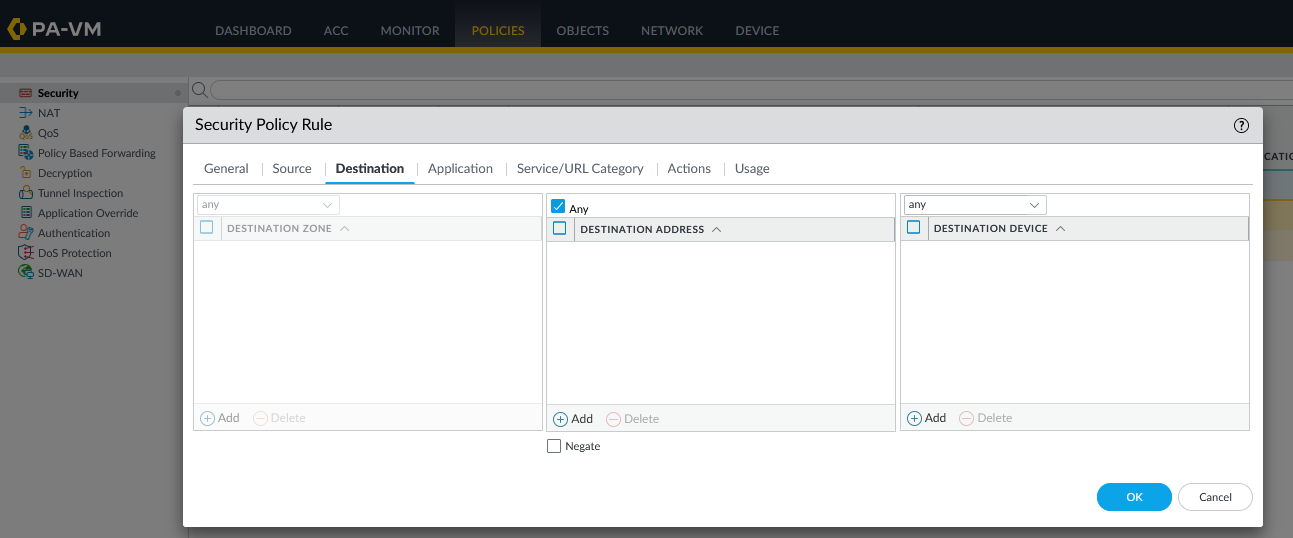
Configure the source and destination according to your environment rules.
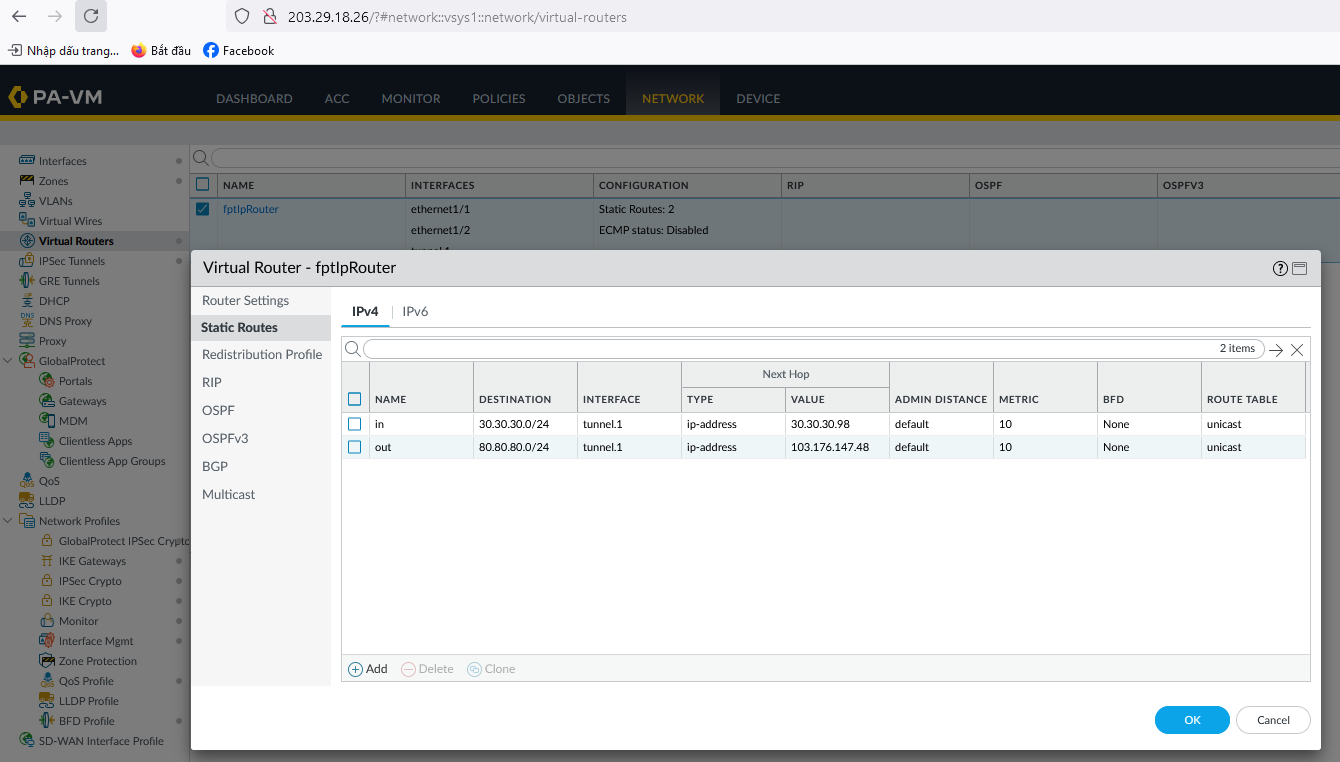
- Configure routing between the two subnets (e.g.,
30.30.30.0/24and80.80.80.0/24). Adjust to match your actual source and destination networks.
You can now open a terminal to test network connectivity using ping.