Enable/Disable Node Auto Repair
In addition to the Cluster Autoscale feature, FPT Cloud provides the Node Auto-repair feature, which automatically reboots worker nodes that have been in a NotReady state for more than 3 minutes. This is effective in cases where worker nodes are overloaded or experience issues with the container runtime or kubelet, causing the node to become NotReady. If a node cannot return to Ready status after the auto repair process, the system replaces the NotReady node with a new node of the same configuration after 10 minutes. This feature is enabled by default for the base worker group (which contains the system components of the cluster). Users can choose to enable or disable this feature for other worker groups in the cluster.
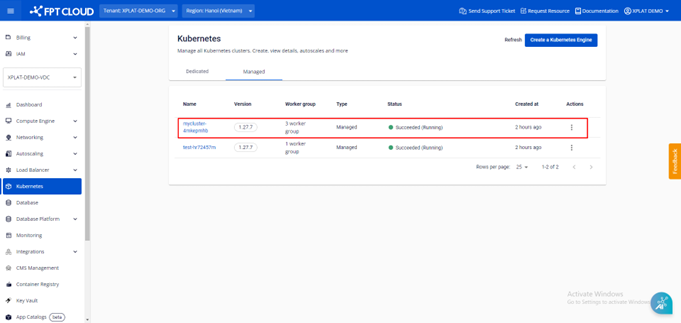
Step 1: From the menu, select Kubernetes. The Kubernetes Management page appears. Select the Cluster you want to enable/disable Node Auto-repair for.
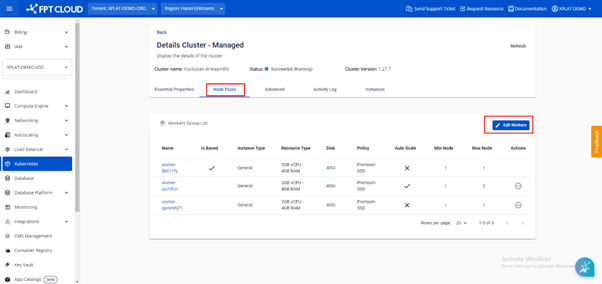
Step 2: Select Node Pools > Edit Workers.
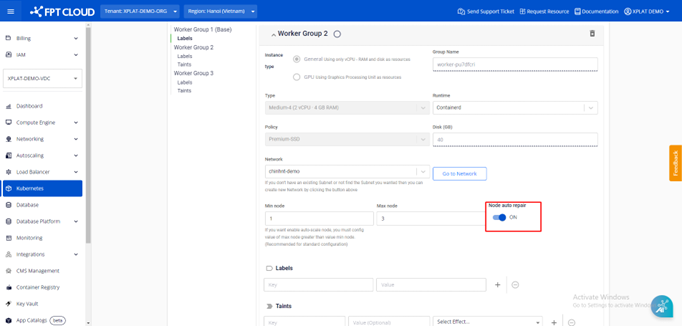
Step 3: In the worker pool, enable or disable the Node Auto Repair feature.
Note: You can only upgrade the version; downgrading is not supported.
Step 4: Click the Save button.
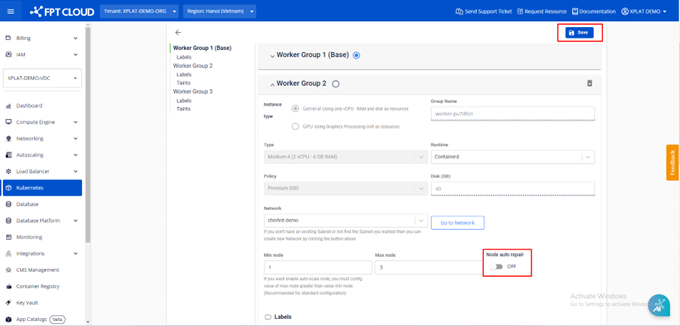
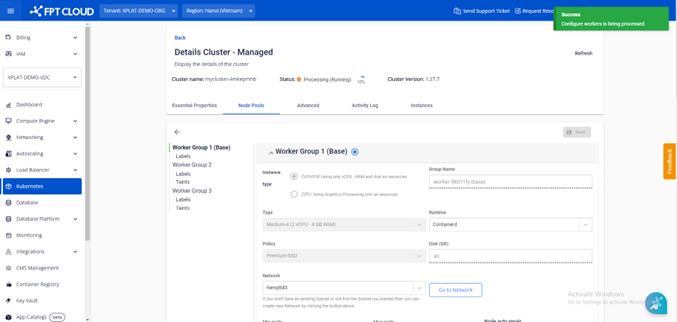
The process of enabling/disabling Node Auto Repair takes a few minutes. The cluster status changes to Processing during this time, and you cannot make other changes to the cluster until the process completes.