Change Cluster Endpoint Access
To change the Access Mode of a Kubernetes cluster on FPT Cloud, follow the steps below:
Notes:
- M-FKE only supports switching Access Mode from Public & Private to Private and vice versa.
- M-FKE does not support switching Access Mode if the Kubernetes cluster is currently in Public mode.
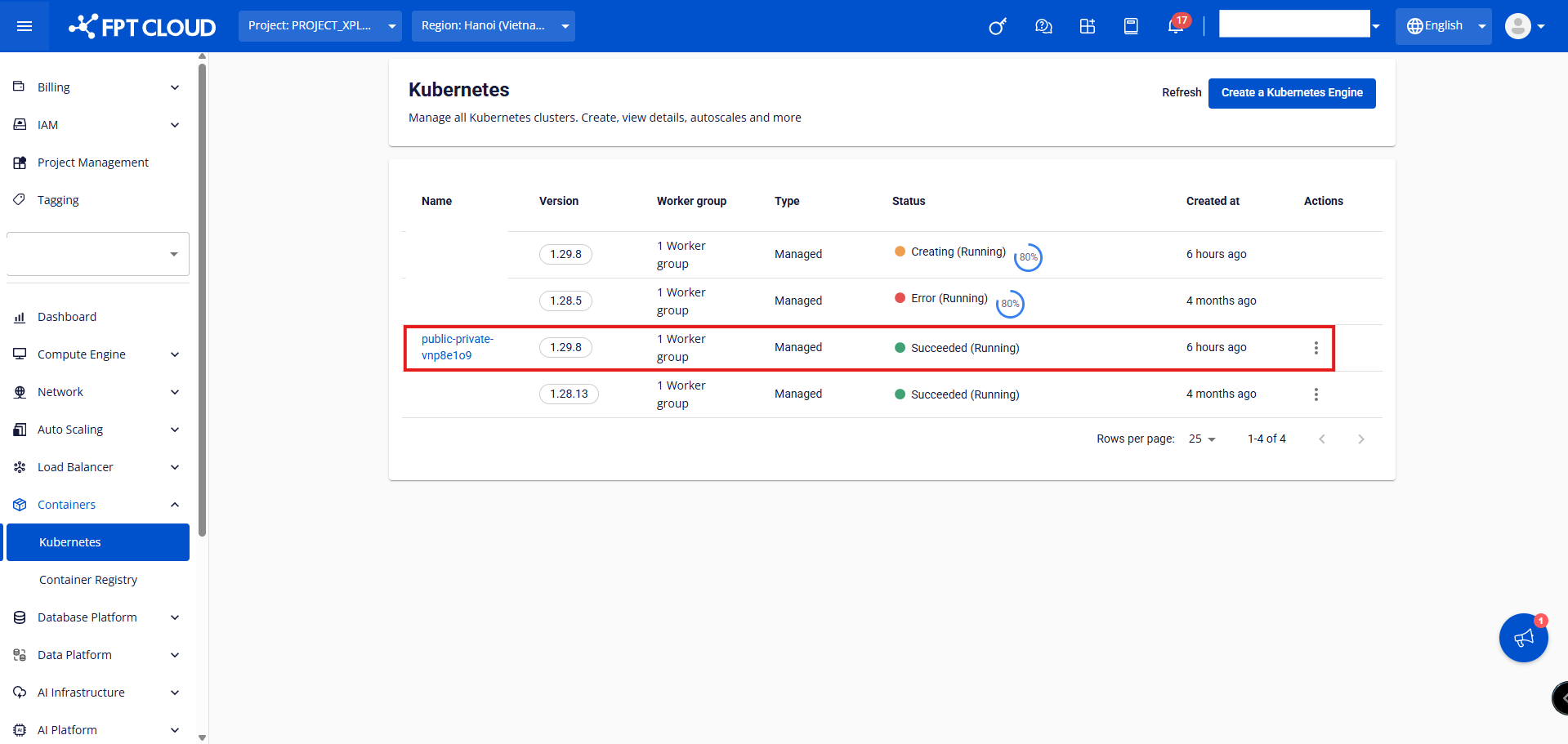
Step 1: Select the cluster you want to change the Access Mode for and click the cluster name.
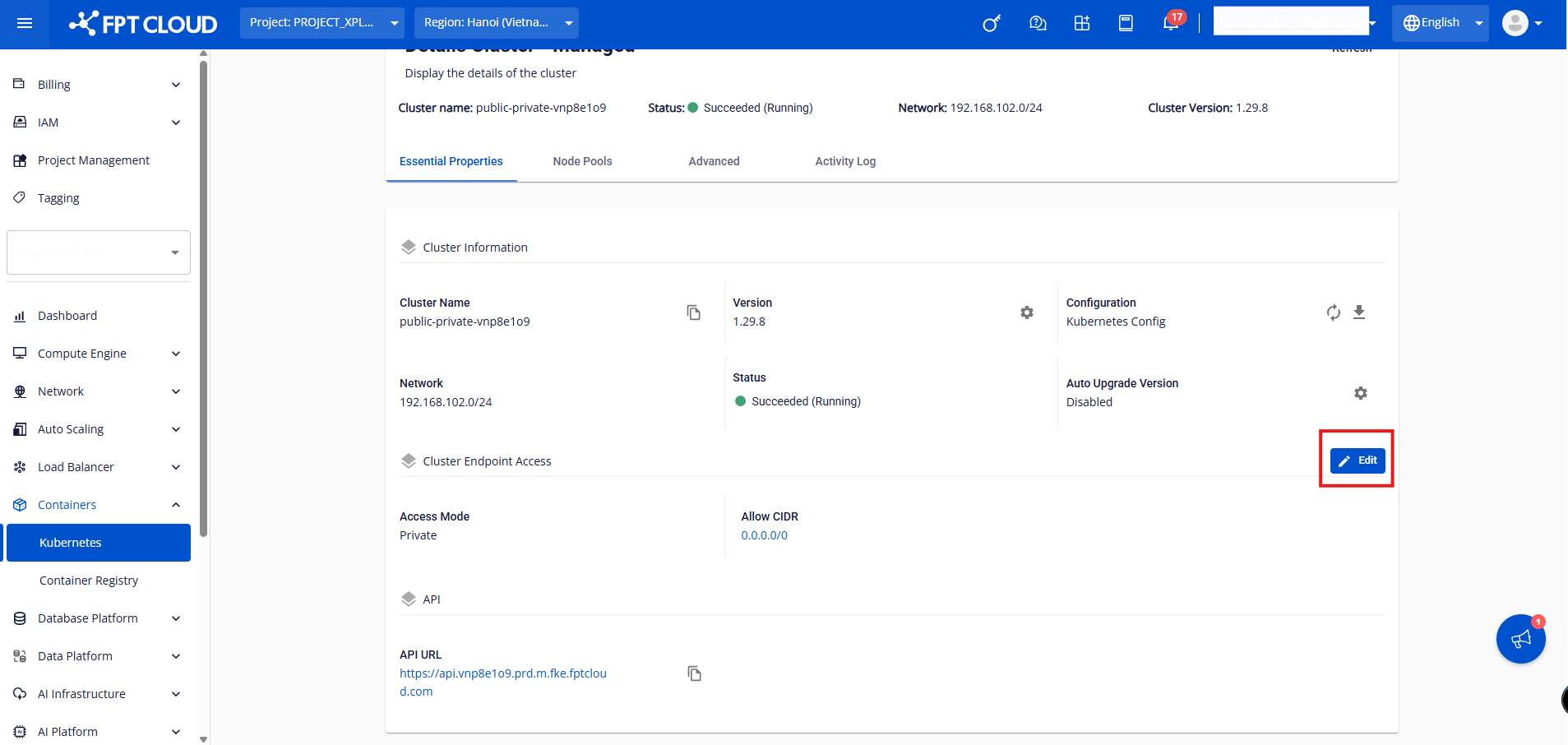
Step 2: Under Cluster Endpoint Access, click the Edit button.
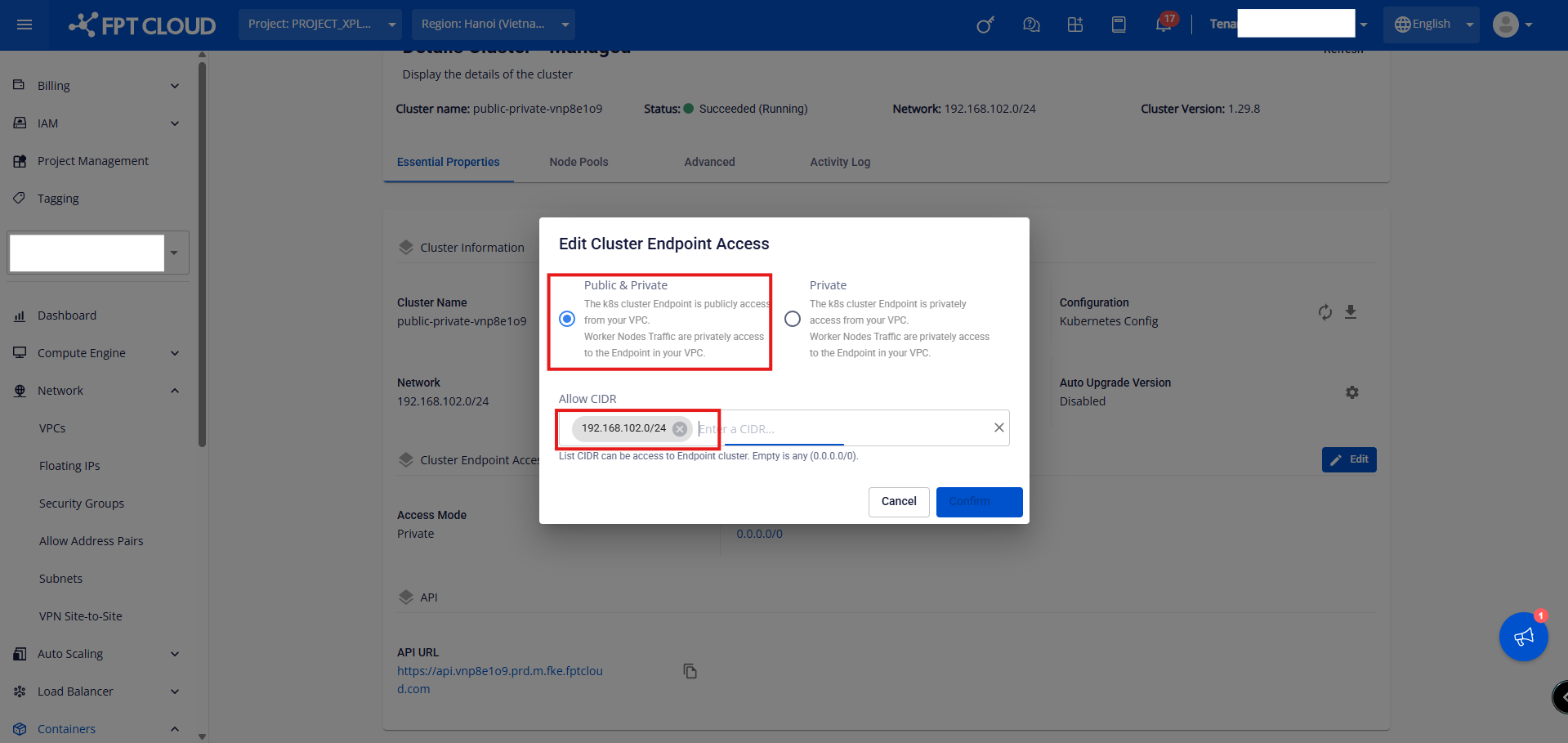
Step 3: Select the desired Access Mode, enter a valid Allow CIDR, and click Confirm.
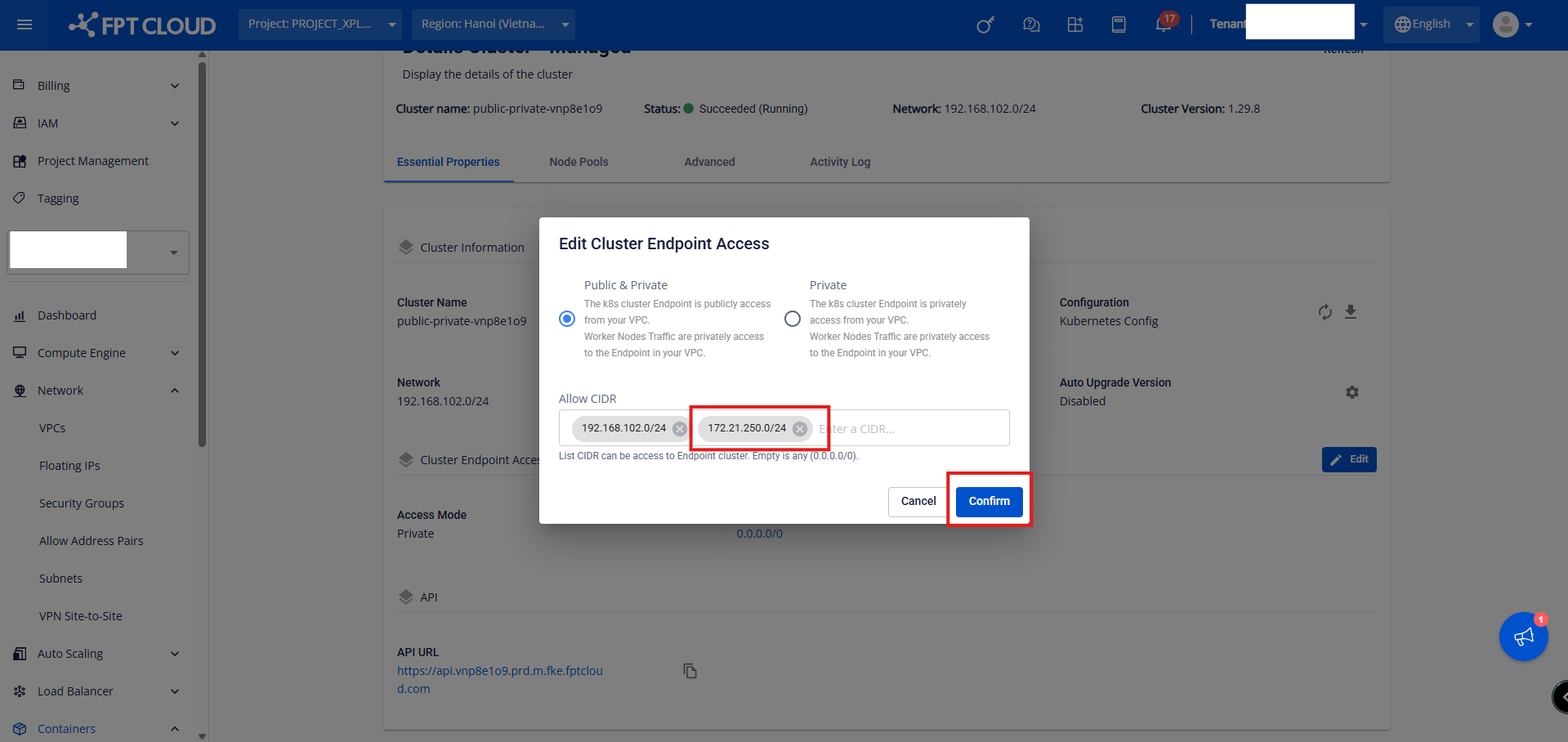
To update the Allow CIDR:
Step 1: Select the cluster you want to update and click the cluster name.
Step 2: Under Cluster Endpoint Access, click the Edit button.
Step 3: Add additional valid CIDR ranges and click Confirm.
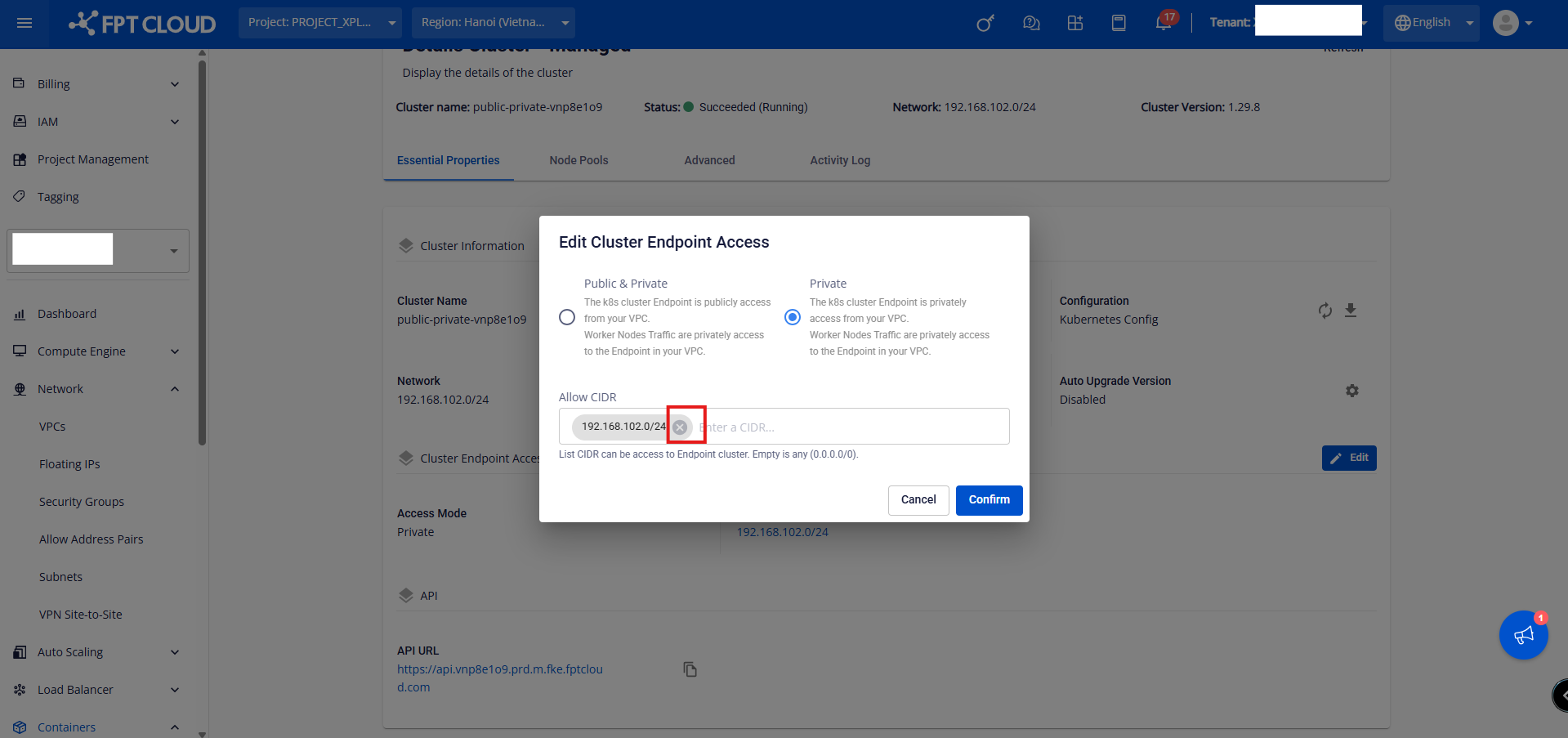
To remove Allow CIDR:
Step 1: Select the cluster you want to update and click the cluster name.
Step 2: Under Cluster Endpoint Access, click the Edit button.
Step 3: Remove all existing CIDRs and click Confirm.
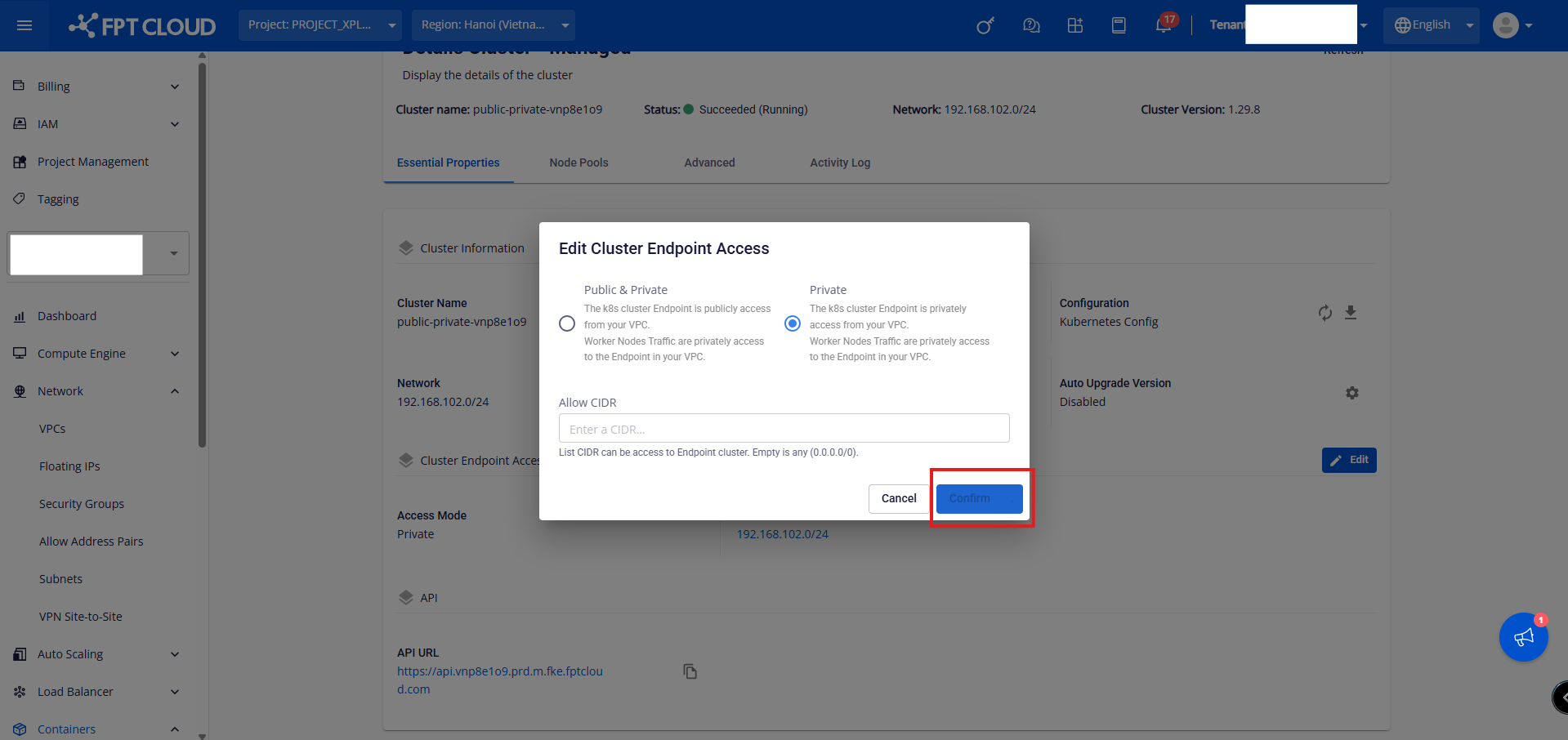
The Access Mode update process takes a few minutes. The cluster status changes to Processing during this time. The cluster continues to operate normally while the new Access Mode is being applied.