Kafka MM2
Kafka MM2 (MirrorMaker 2) is a tool used to synchronize data between different Kafka clusters (multi-cluster replication)
1. Create Kafka MM2 source
Creating a Kafka MM2 with Type: source
Pre-condition: CDC service status is healthy
Step 1: From the menu bar, select Data Platform > select Workspace Management > select Workspace name
Step 2: Under My services, select CDC service
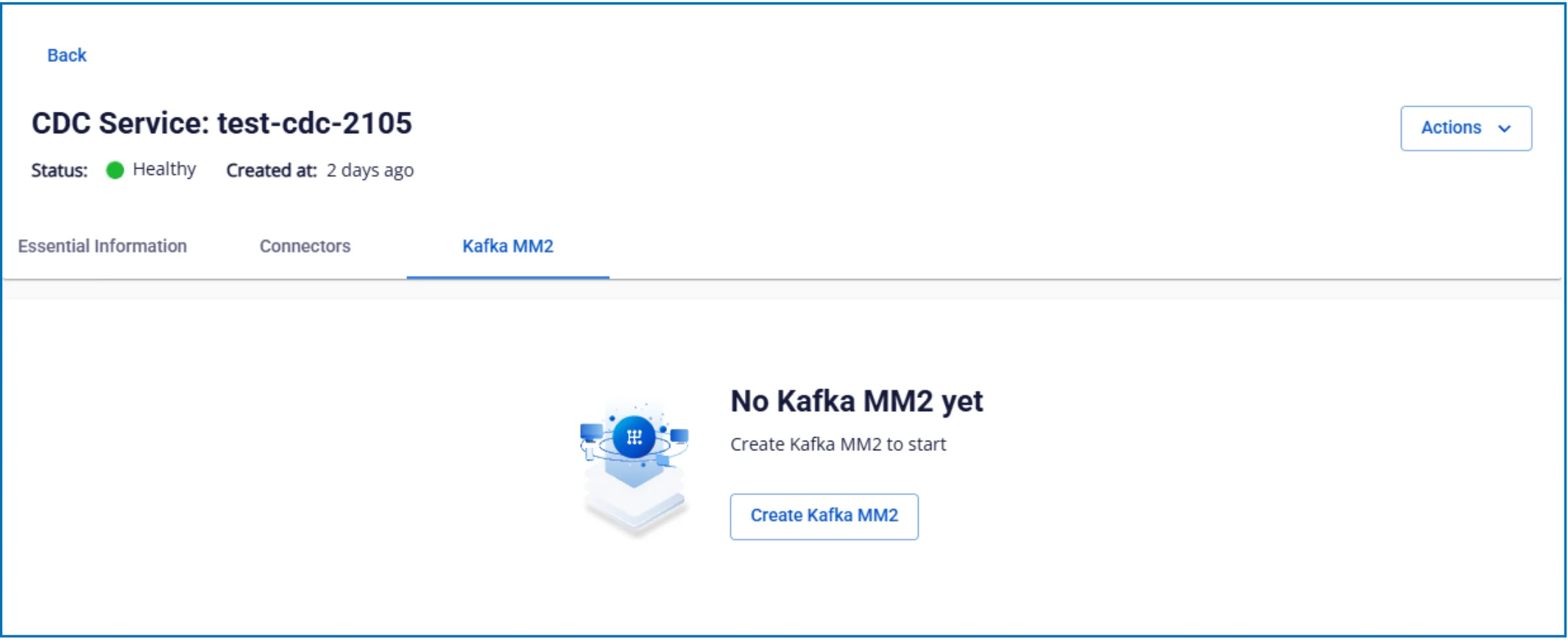
Step 3: On the CDC service detail screen > Select the Kafka MM2 tab > click Create a Kafka MM2
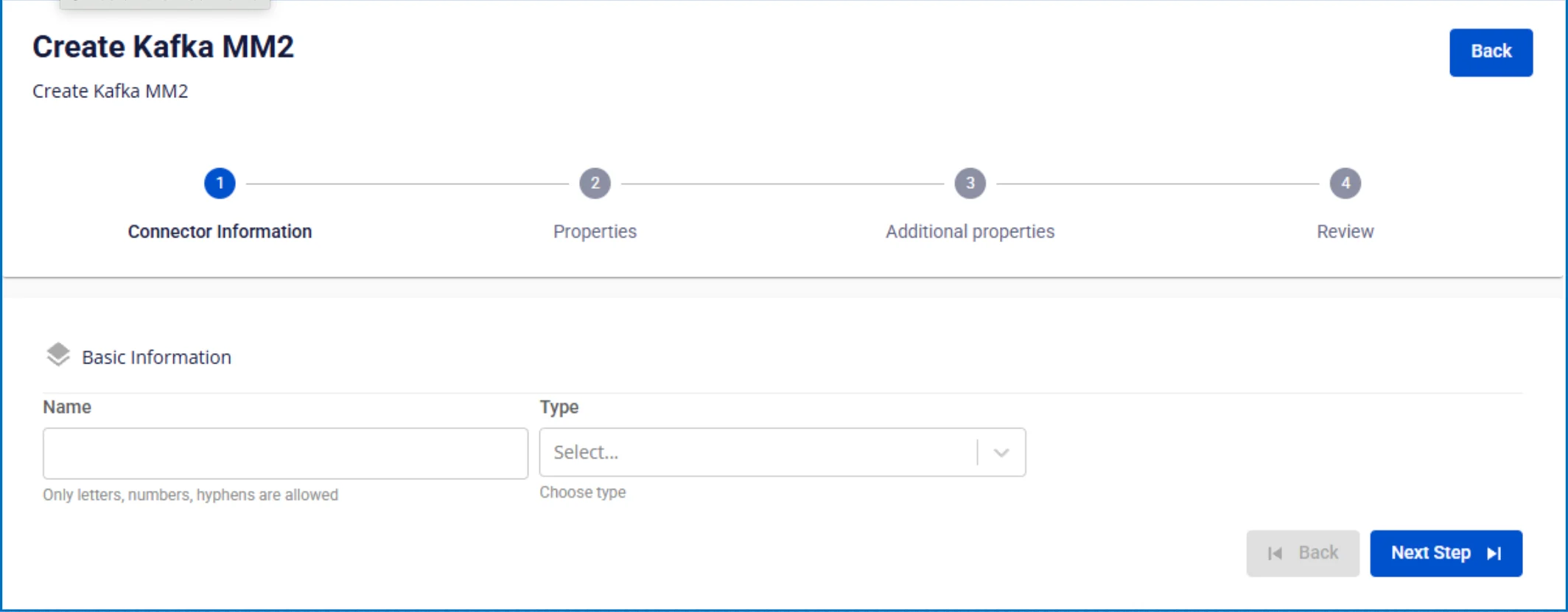
Step 4: Fill in the Connector Information screen:
- Name (required): connector name
Note: The connector name may contain lowercase letters a-z or digits 0-9. Spaces are not allowed; use "-" as a separator instead.
- Type (required): select source
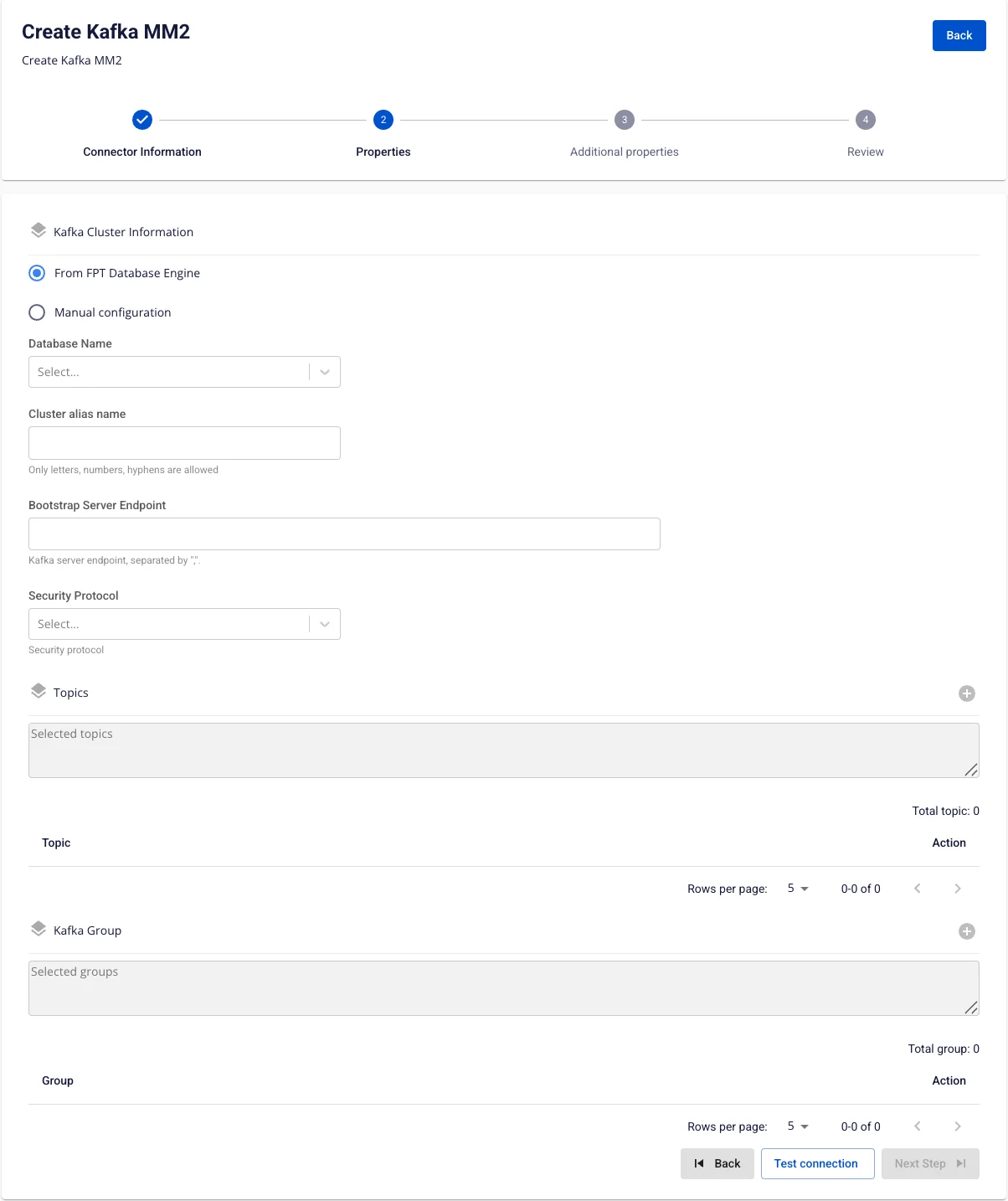
Step 5: Click Next to proceed to the Properties screen
Enter the following information:
-
Kafka cluster information
-
Cluster alias name (required): enter the cluster identifier name
-
Bootstrap server endpoint (required): enter the Kafka connection address
-
Security protocol (required): select the security protocol
-
SASL Mechanism (optional): depends on the selected security protocol
-
Username (required): username
-
Password (required): password
-
Click Test connection to verify the connection from Workspace to the entered Cluster
-
Topics
- Topic (required): select the data topics from the above Kafka source
-
Group
- Group (required): select the consumer groups to replicate
Step 6: Click Next to proceed to the Additional Properties screen
Enter the following information:
-
Number of tasks: maximum number of tasks that can run in parallel
-
Replication policy: choose to prepend a prefix to the topic name or keep the original topic name after replication
-
Replication factor: number of replicas for each topic after replication
-
Offset lag max: maximum offset lag between source and target
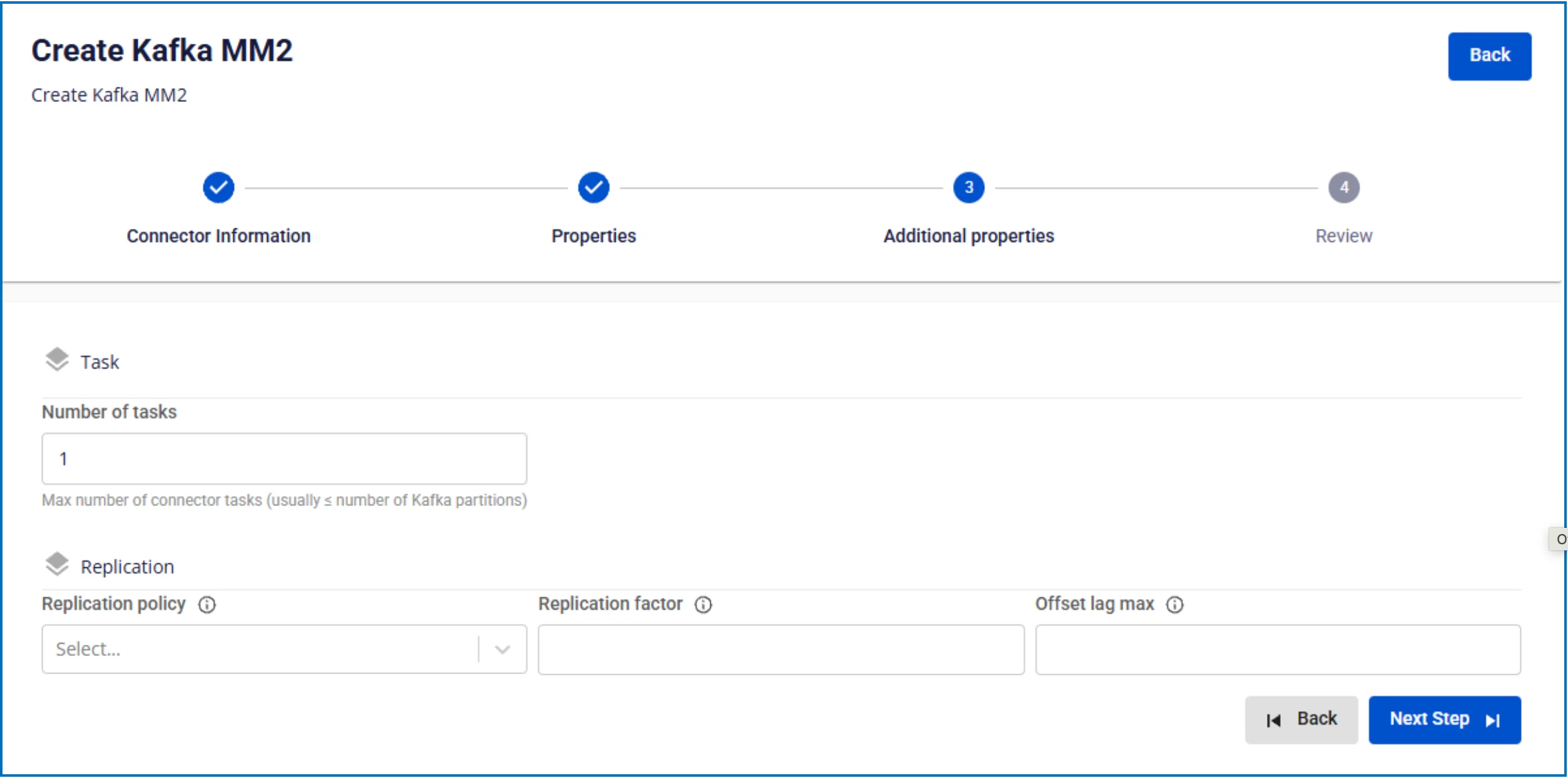
Step 7: Click Next to proceed to the Review screen
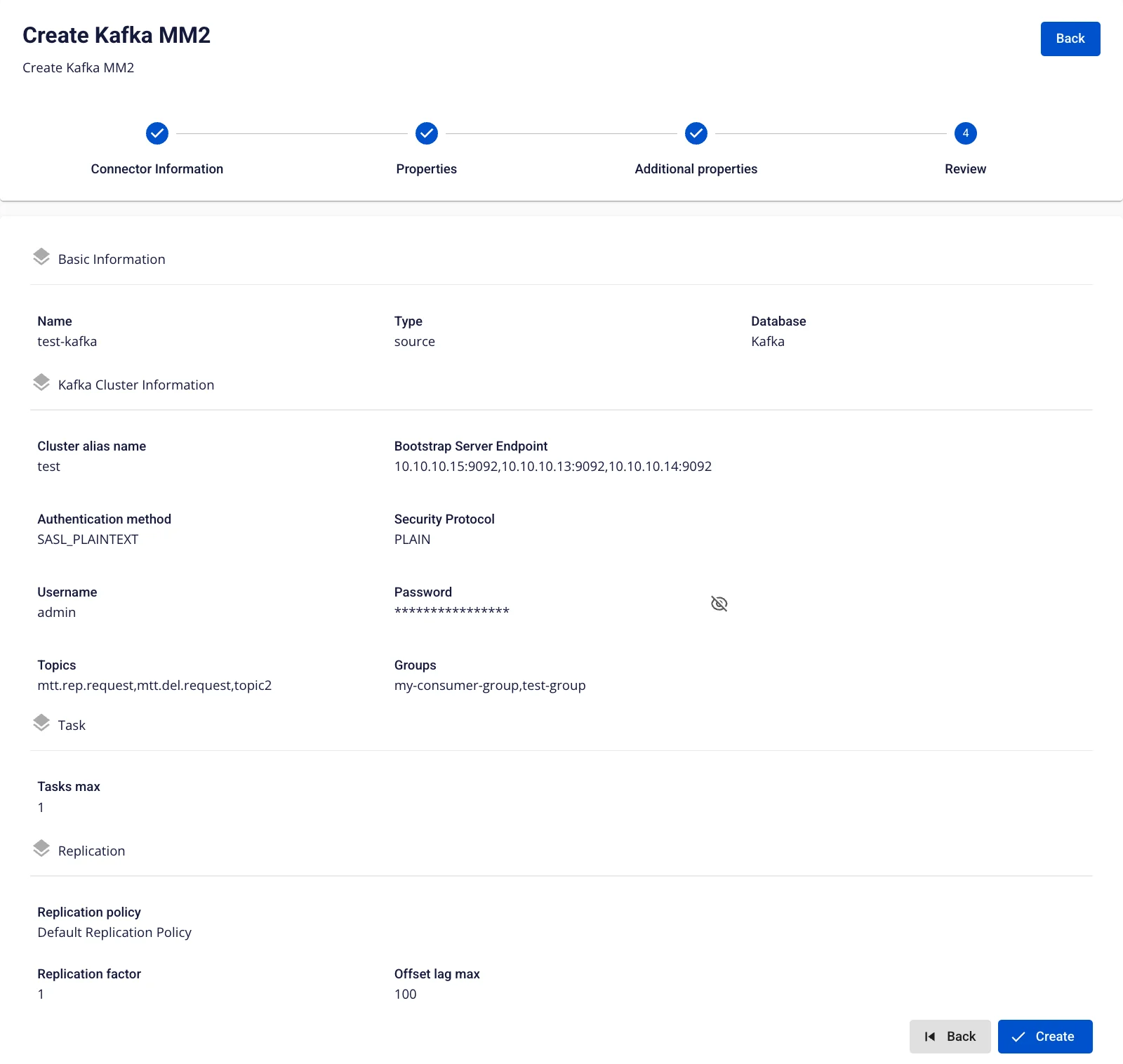
Step 8: Review the information and click Create to complete the Kafka MM2 source creation
2. Edit Kafka MM2 source
To edit a Kafka MM2 source, follow these steps:
Step 1: From the menu bar, select Data Platform > select Workspace Management > select Workspace name
Step 2: Under My services, select CDC service
Step 3: On the CDC service detail screen > Select the Kafka MM2 source tab > select the Kafka MM2 name
Step 4: Edit Kafka MM2 source information
-
Kafka Cluster Information
-
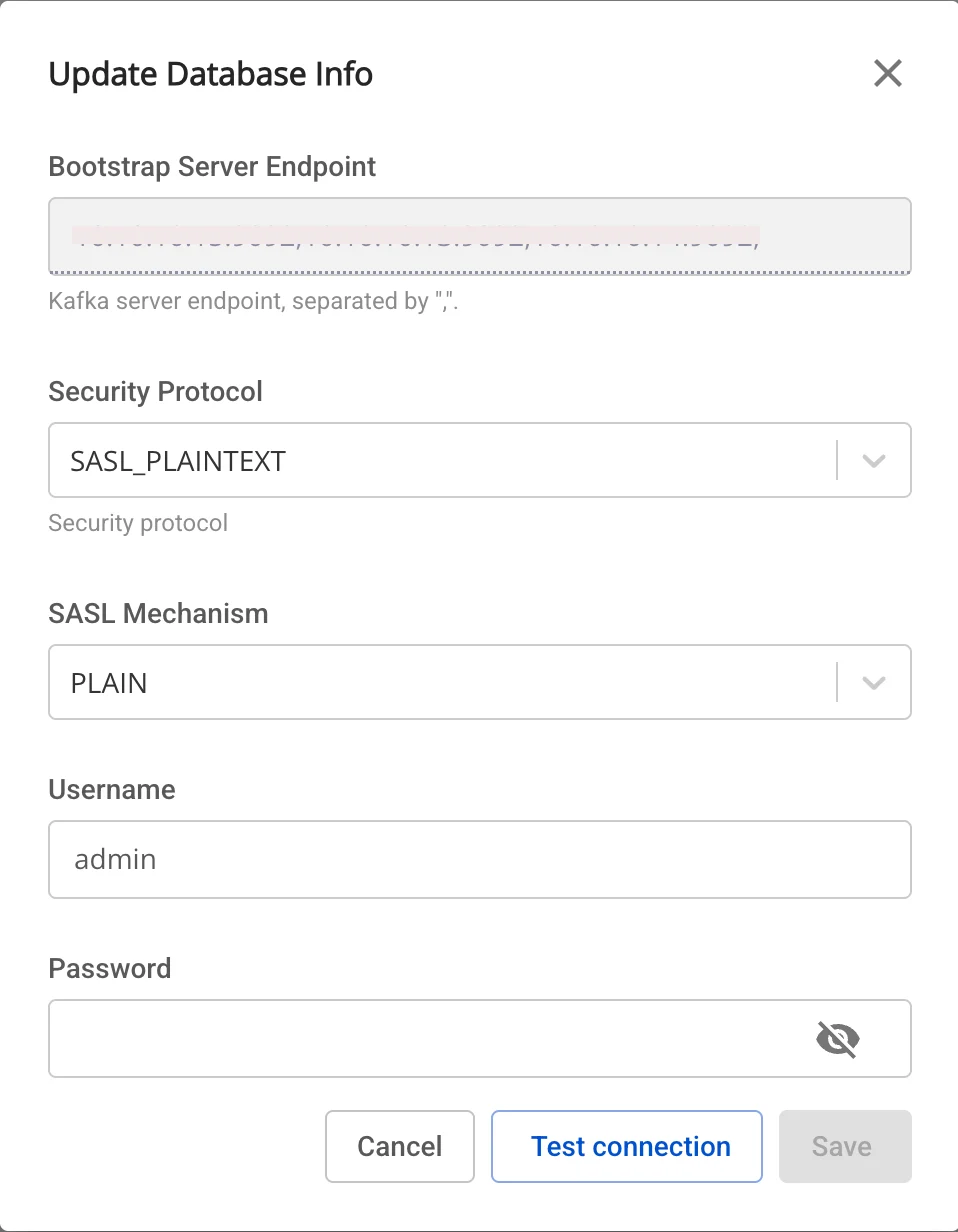
On the Kafka MM2 detail screen, click the edit icon in the Kafka Cluster Information section.
-
The Update Database Info popup appears, allowing you to modify:
-
Security protocol (required): select the security protocol
-
SASL Mechanism (optional): depends on the selected security protocol
-
Username (required): username
-
Password (required): password
-
Click Test connection to verify the connection.
-
If OK → click Save to save.
-
To exit → click Cancel.
-
-
Task
-
On the Kafka MM2 detail screen, click the edit icon in the Task section.
-
The Update Number of Tasks popup appears, allowing you to modify:
-
Number of tasks: maximum number of tasks that can run in parallel
-
If OK → click Save to save.
-
To exit → click Cancel.
-

-
Replication
-
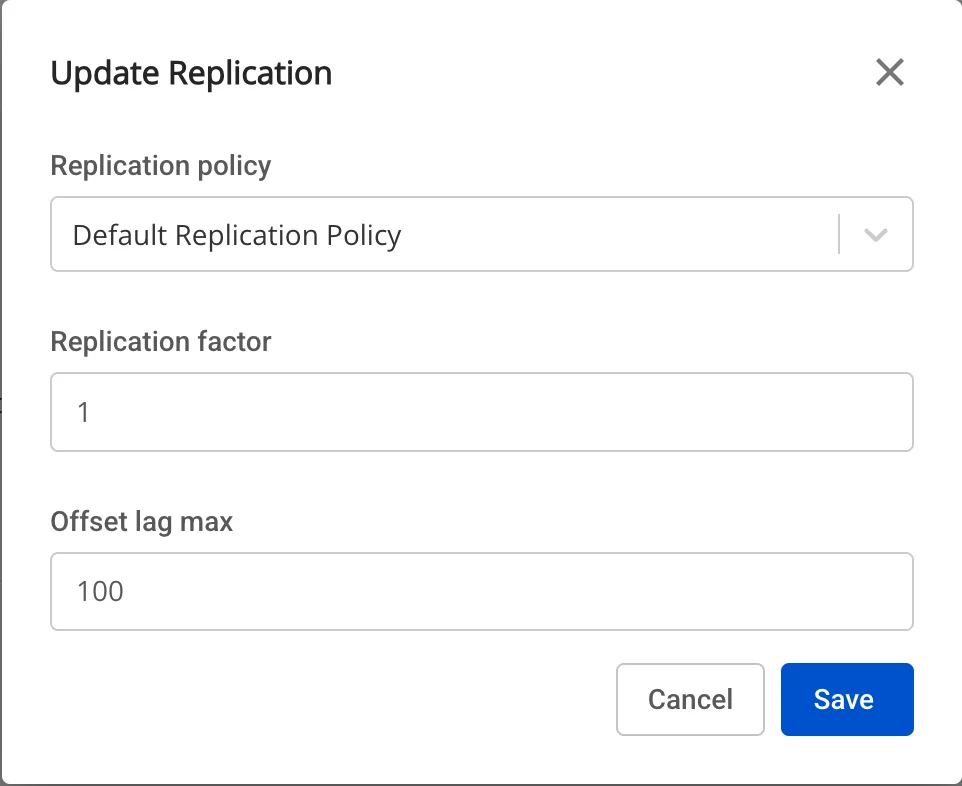
On the Kafka MM2 detail screen, click the edit icon in the Replication section.
-
The Update Replication popup appears, allowing you to modify:
-
Replication policy: choose to prepend a prefix to the topic name or keep the original topic name after replication
-
Replication factor: number of replicas for each topic after replication
-
Offset lag max: maximum offset lag between source and target
-
If OK → click Save to save.
-
To exit → click Cancel.
-
3. Delete Kafka MM2 source
To delete a Kafka MM2 source, follow these steps:
Step 1: From the menu bar, select Data Platform > select Workspace Management > select Workspace name
Step 2: Under My services, select CDC service
Step 3: On the CDC service detail screen > Select the Kafka MM2 source tab > select the Kafka MM2 name > select Action > select Delete

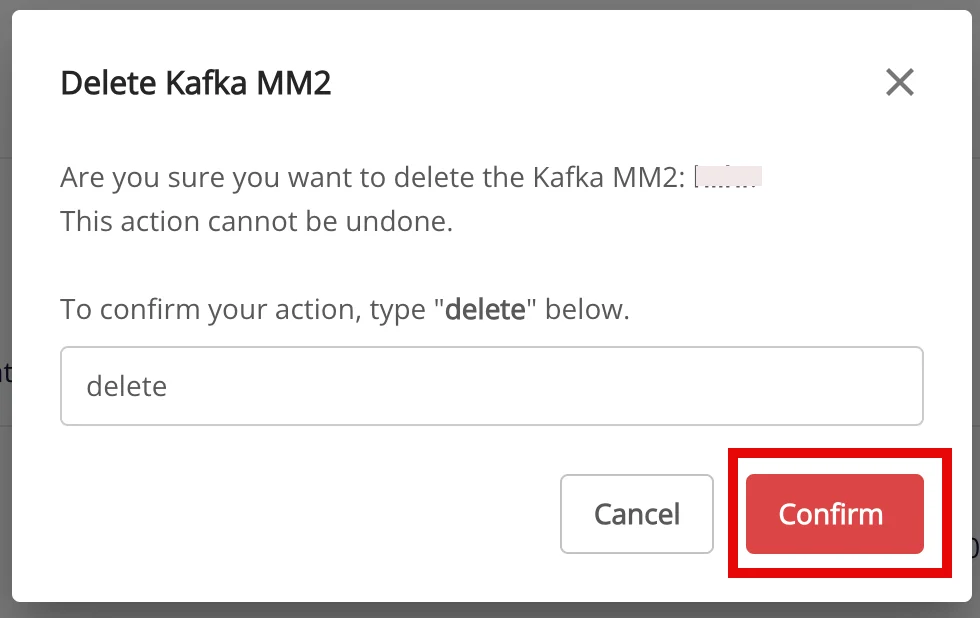
Step 4: The Delete Kafka MM2 dialog appears > enter Delete > click Confirm to delete the Kafka MM2 source, or click Cancel to cancel the operation.