Create CDC Service
CDC Service is a low-latency, flexible, and reliable data transfer tool between Apache Kafka and other data systems. Users can easily define Connectors to integrate data into/out of Kafka from/to various databases.
To create a CDC Service, follow these steps:
Step 1: In the menu bar, select Data Platform > Workspace Management > Workspace name
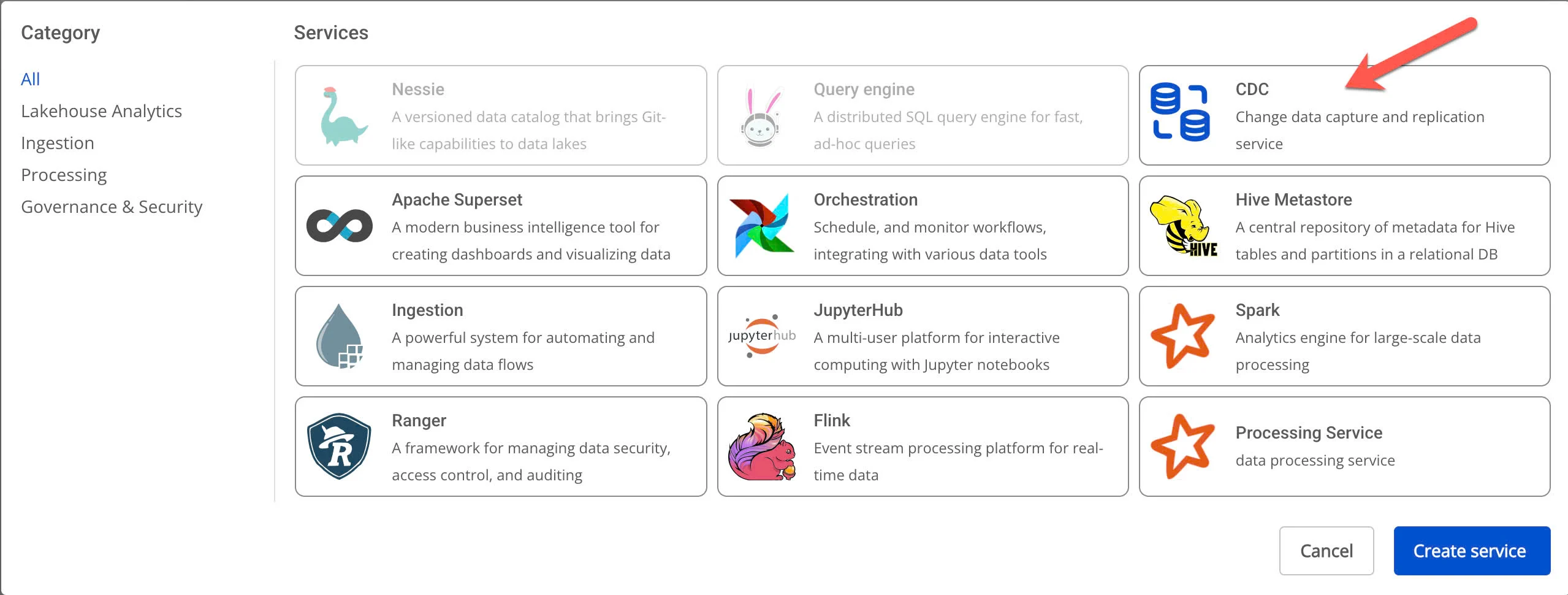
Step 2: In the My services section, click Create > a New service popup appears > select CDC service > Create Services
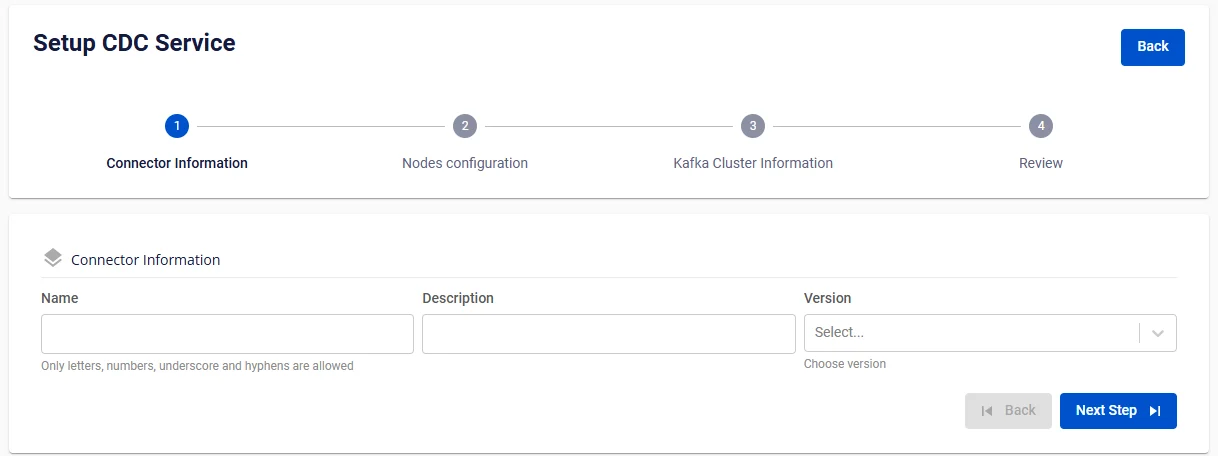
Step 3. In the CDC Service creation form, enter the connector information:
-
Name (required): CDC Service name
The CDC Service name must be 1 to 30 characters. It may contain lowercase letters a-z, uppercase letters A-Z, or digits 0-9. Do not use duplicate Kafka connect names. Spaces are not allowed — use "-" or "_" instead.
-
Description (optional): CDC Service description
-
Version (required): Version for the CDC Service
Step 4. Click Next Step to proceed to Node configuration
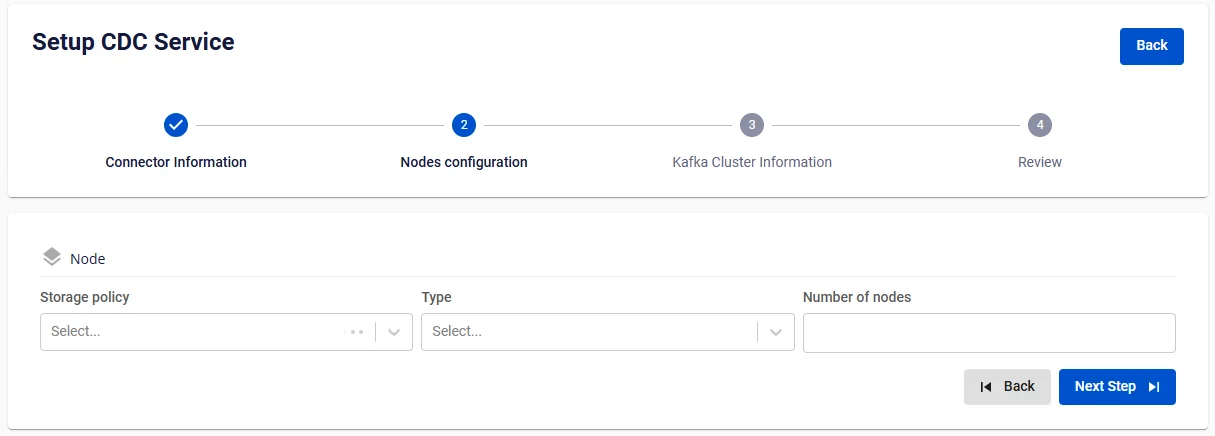
Select the following:
-
Storage policy (required): select a storage policy
-
Type (required): select a configuration type
-
Number of nodes: enter the number of nodes
The number of nodes must be greater than or equal to 2 and less than or equal to 10.
Step 5: Click Next to proceed to the Kafka Cluster Information screen
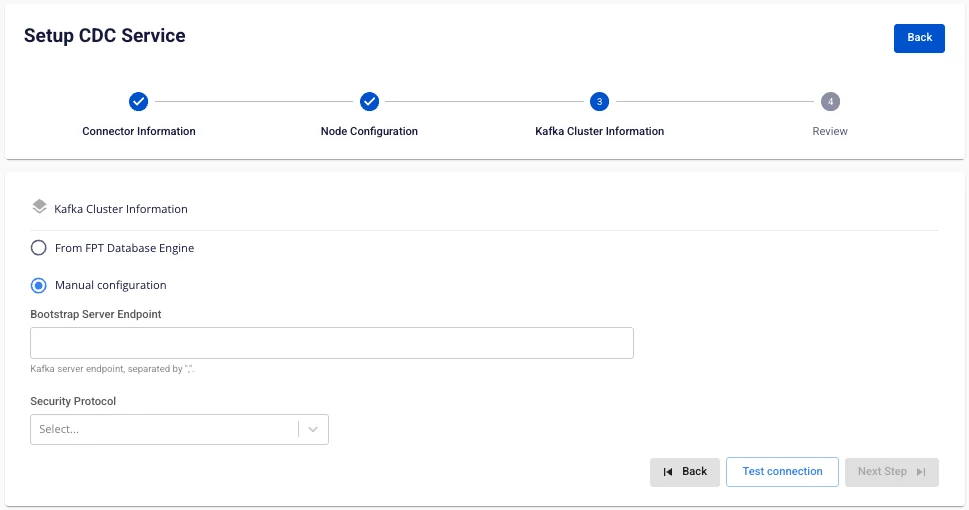
There are two options:
- From FPT Database Engine
- Manual configuration
When selecting Manual configuration:
Enter and select the following information:
-
Bootstrap server endpoint: enter the Bootstrap server endpoint address
-
Security protocol: select one of the following security protocols:
-
SASL_PLAINTEXT: a simple authentication mechanism using Username and password
-
SASL Mechanism
-
SASL Username
-
SASL Password
-
SASL_SSL: provides a comprehensive security layer for authentication and data encryption using Username and password
-
SASL Mechanism
-
SASL Username
-
SASL Password
-
PLAINTEXT: data is transmitted over the network without encryption, not recommended
-
SSL: a network security protocol used to protect data when transmitted over the Internet
When selecting From FPT Database Engine:
Enter and select the following information:
-
Database Name (required): select a Database
-
Bootstrap server endpoint: enter the Bootstrap server endpoint address
-
Security protocol: select one of the following security protocols:
-
SASL_PLAINTEXT: a simple authentication mechanism using Username and password
-
SASL Mechanism
-
SASL Username
-
SASL Password
-
SASL_SSL: provides a comprehensive security layer for authentication and data encryption using Username and password
-
SASL Mechanism
-
SASL Username
-
SASL Password
-
PLAINTEXT: data is transmitted over the network without encryption, not recommended
-
SSL: a network security protocol used to protect data when transmitted over the Internet
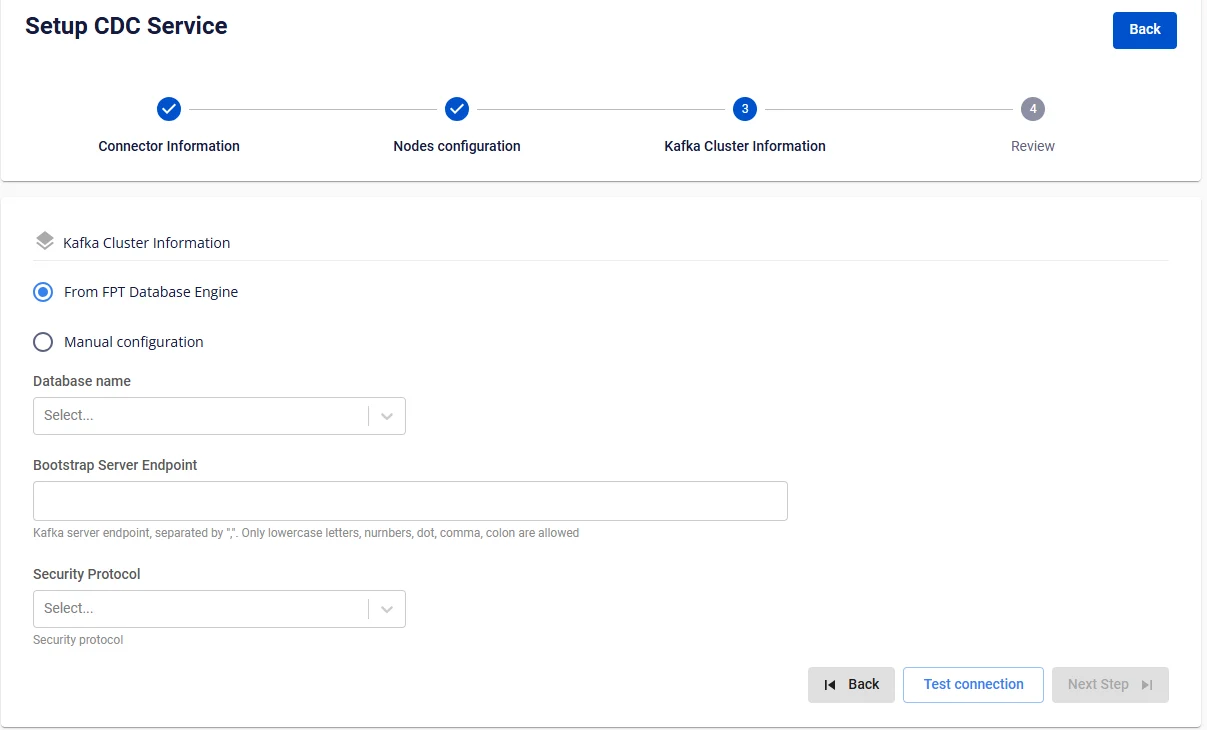
Step 6. Click the Test connection button to verify the connection, then click Next Step to proceed to the review screen
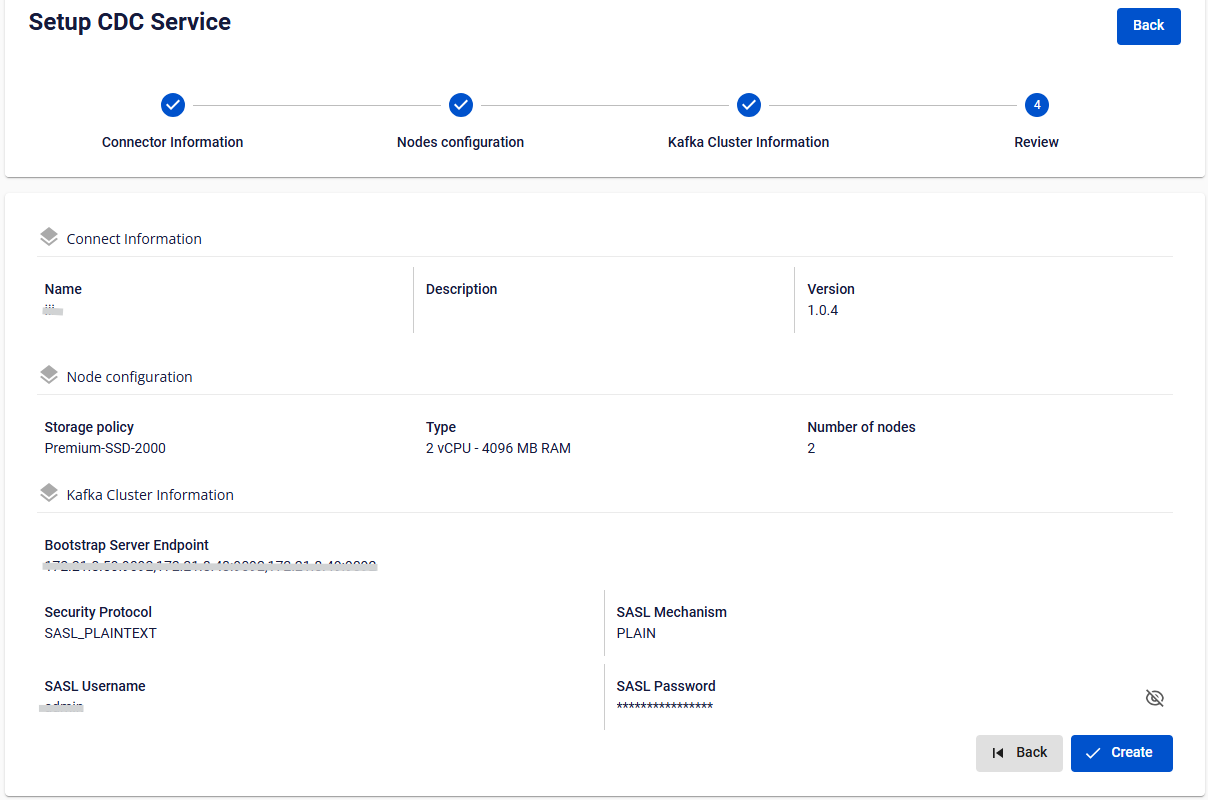
Step 7. Review all entered information and click Create to complete.