Maintenance window
Maintenance Window allows customers to proactively set up a periodic maintenance time window for the database cluster. During this time, FPT will perform upgrade, patching, and system optimization activities.
This feature helps minimize impact on business operations and improve service stability.
Operating rules
- Maintenance Window has a weekly cycle.
- Applied to each database cluster individually.
- Each cluster has only one active Maintenance Window.
Required permissions
| Permission name | Operation type | Description |
|---|---|---|
| manageDatabase:Configuration | Edit | Permission to change database configuration (parameters, scaling configuration, etc.) |
Key features
- Configure the day and time for periodic maintenance.
- Supports editing during operations.
- Displays upcoming maintenance events.
- Sends notifications before maintenance.
Steps
When creating a new cluster, users can select the maintenance window during the Additional Service configuration step (see Creating a database/ for details) and the system will apply the configuration from the first operation.
During use, users can update the maintenance time window using the steps below:
Step 1: Access the feature
Log in to FPT Cloud Portal. From the main menu, select Database Platform → All Database. On the Database list page, select the Cluster ID of the cluster to configure a maintenance window for. Select the Maintenance tab to open the maintenance window configuration management screen.
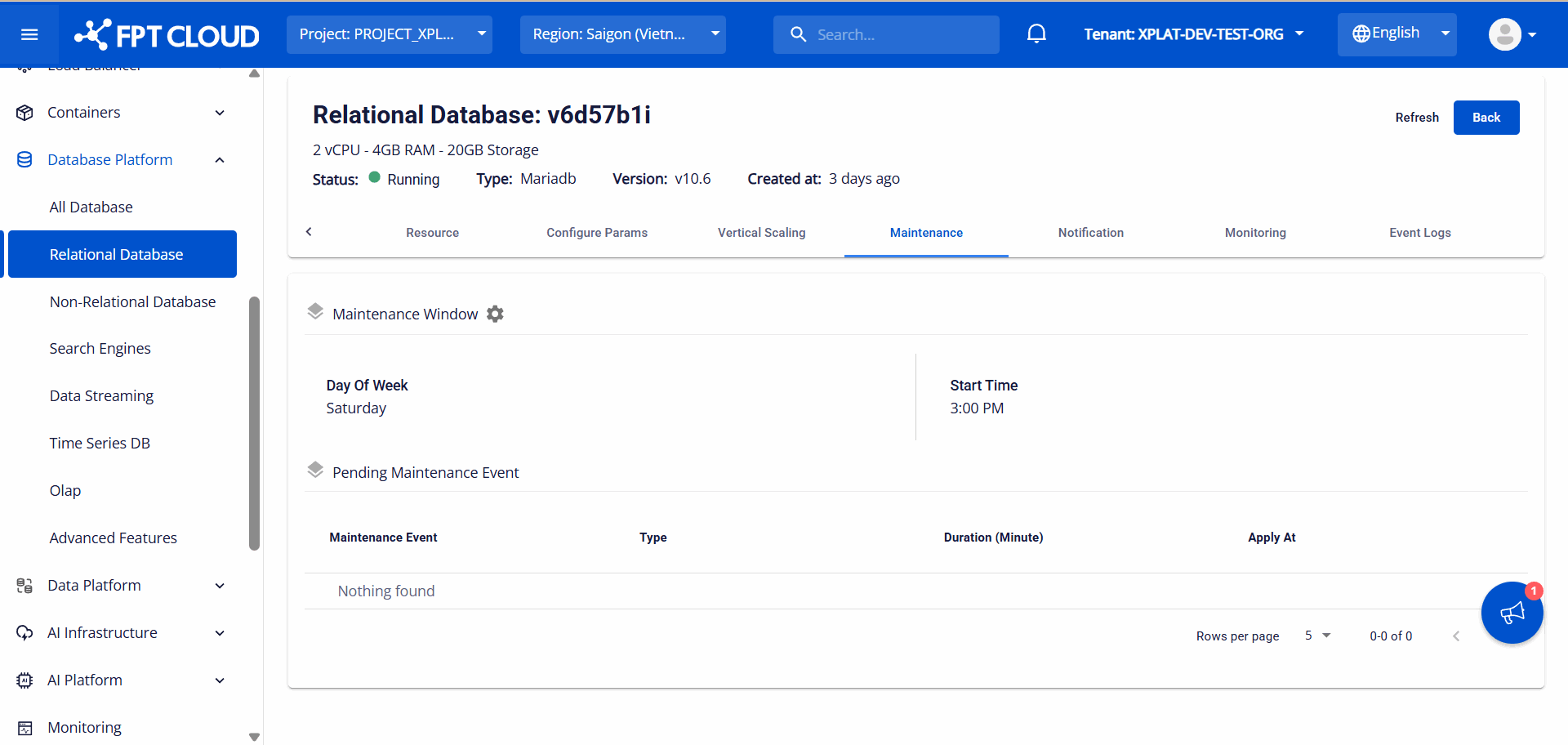
Step 2: Configure the maintenance window
On the Maintenance tab, click the Configuration icon (gear icon next to Maintenance Window) to open the Update Maintenance Window dialog:
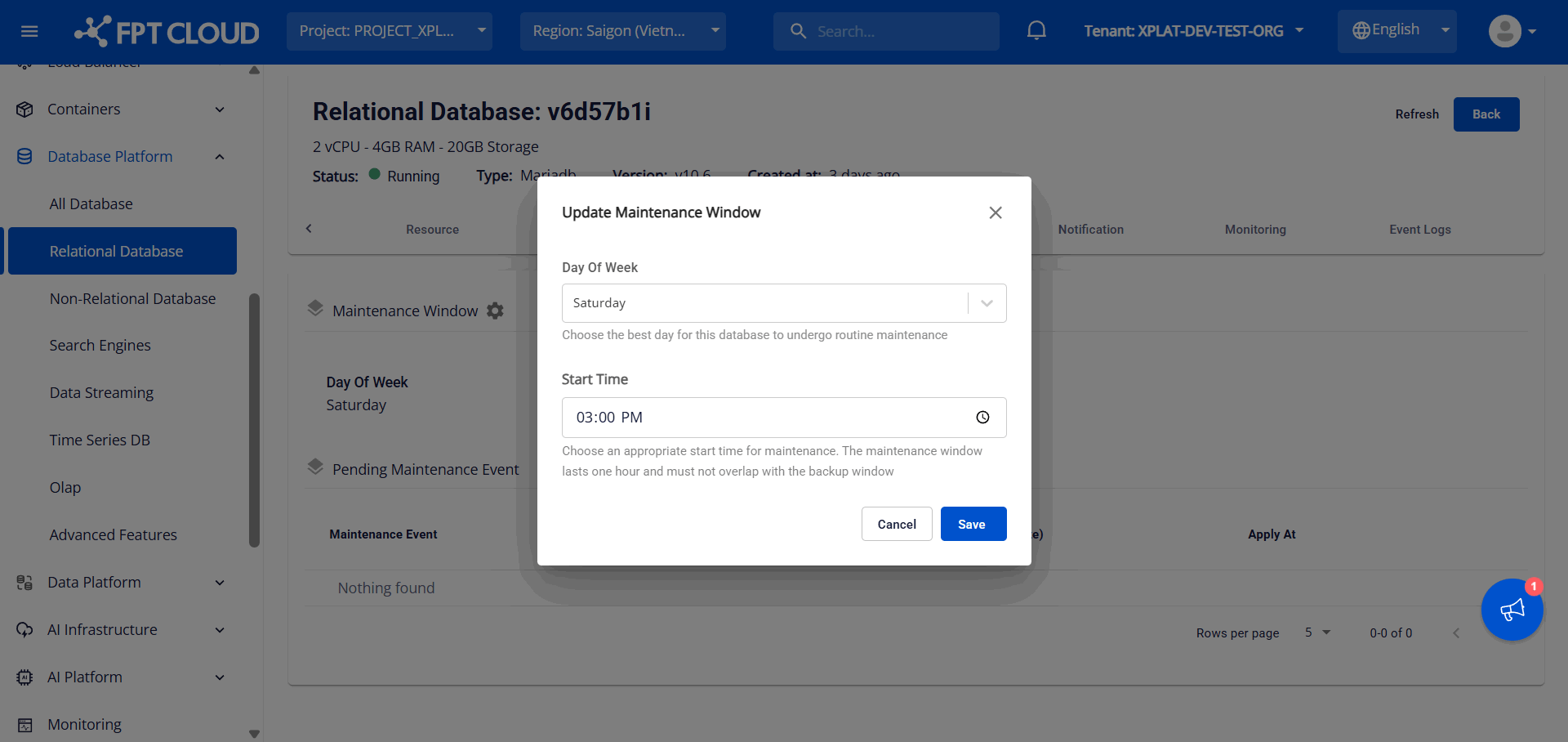
Enter the information:
- Day of Week: The day of the week for maintenance, with options from Monday to Sunday.
- Start Time: The time at which maintenance is allowed to begin.
Click Save to save the configuration. The system will apply the configuration for subsequent maintenance operations.
Note: You can only update the scheduling settings if your database cluster has not yet been scheduled for maintenance.
Step 3: View upcoming maintenance schedule
Scheduled maintenance events will be displayed in the Pending Maintenance Event section. Detailed information includes:
- Maintenance Event: The name of the maintenance event.
- Type: The type of maintenance.
- Duration (Minute): The expected duration of maintenance (in minutes).
- Apply At: The time maintenance is scheduled to begin.
Users should regularly monitor the maintenance schedule to proactively plan operations and minimize impact on services.
The system will send email notifications before maintenance activities occur. Currently two notification points are supported: 7 days before and 1 day before. To configure the email list for receiving maintenance notifications, access the Notification tab and adjust the settings for the Maintenance service (see Notification/ for details).