Deploy applications with manifest
Step 1: Add the cluster (this step is covered in the documentation).
Step 2: Prepare the repository containing the manifest to deploy the application.
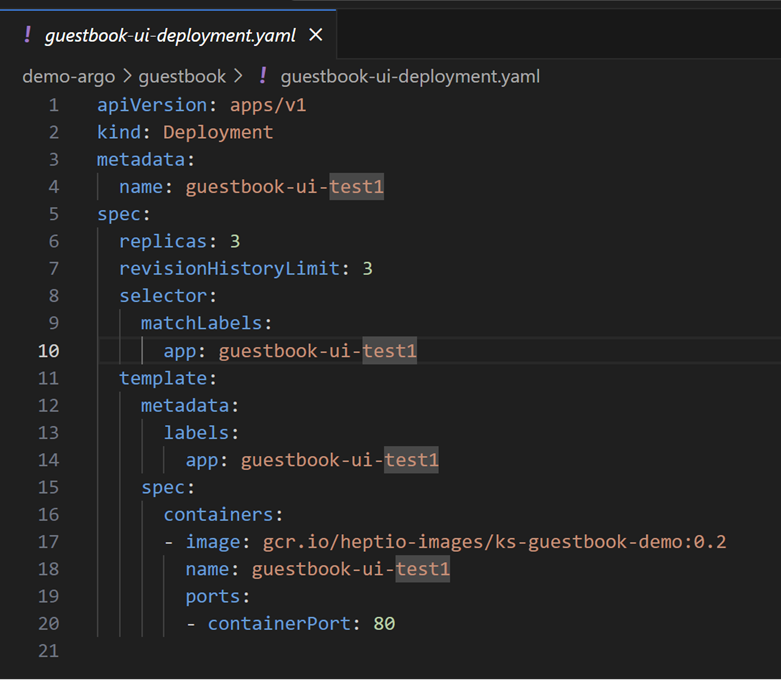
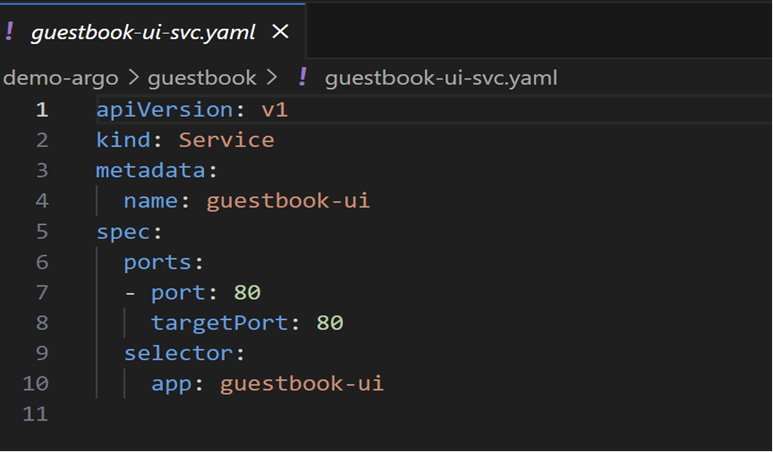
Example: Use a manifest to deploy an application with a deployment and service file as follows:
Step 3: Configure the repository.
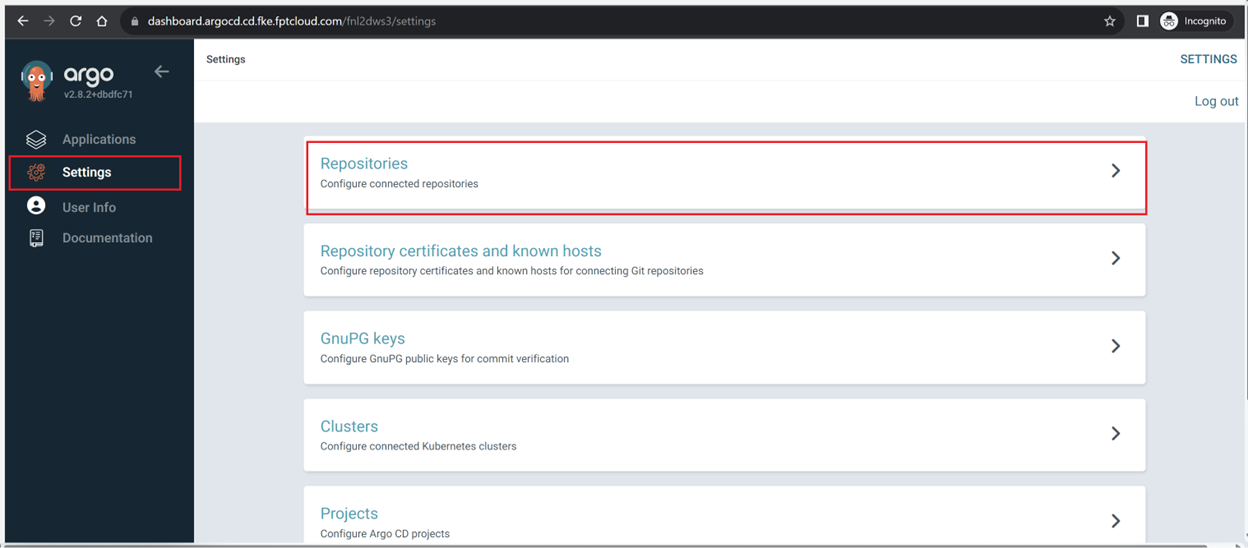
- Go to Settings > Repository:
- Add a new repository:
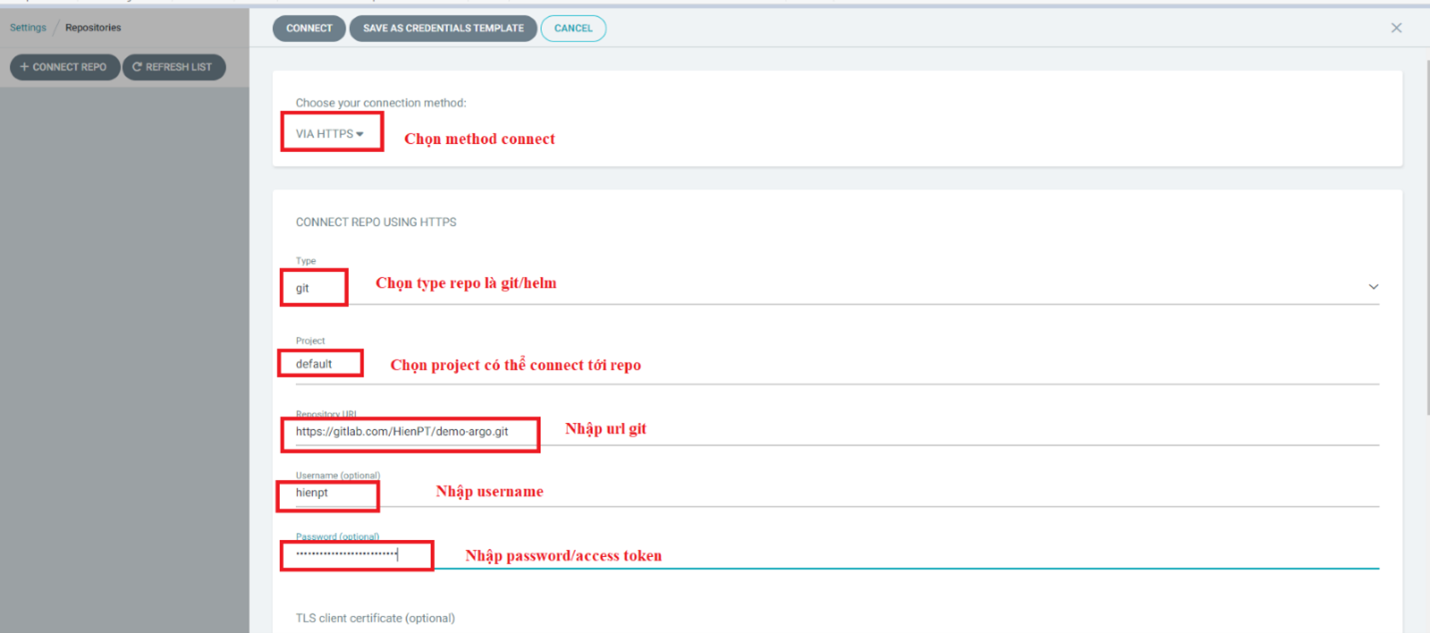
- Verify the repository status added to ArgoCD:

Step 4: Create an Application to deploy the application.
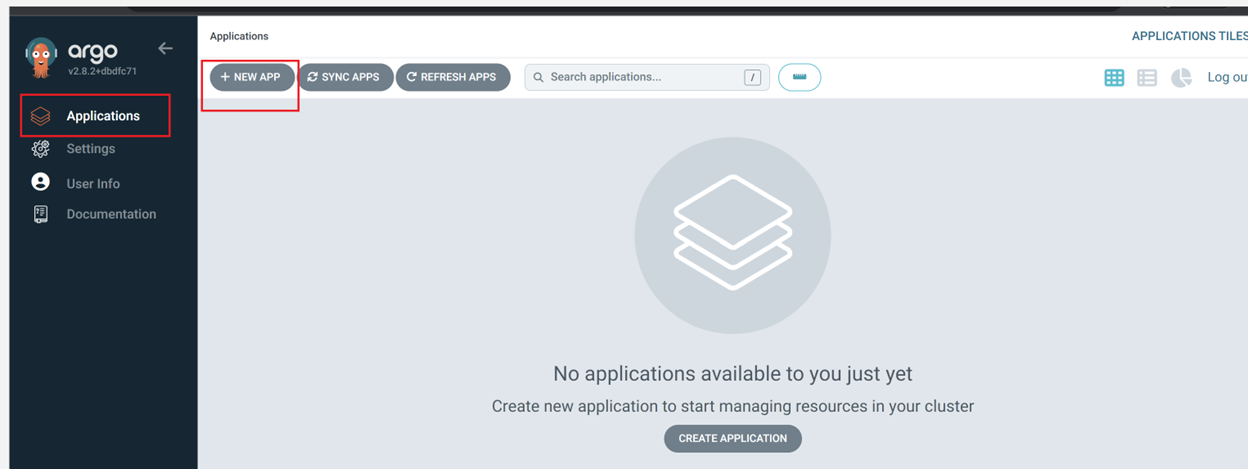
- Go to Application > NEW APP:
- Enter information to create the Application:
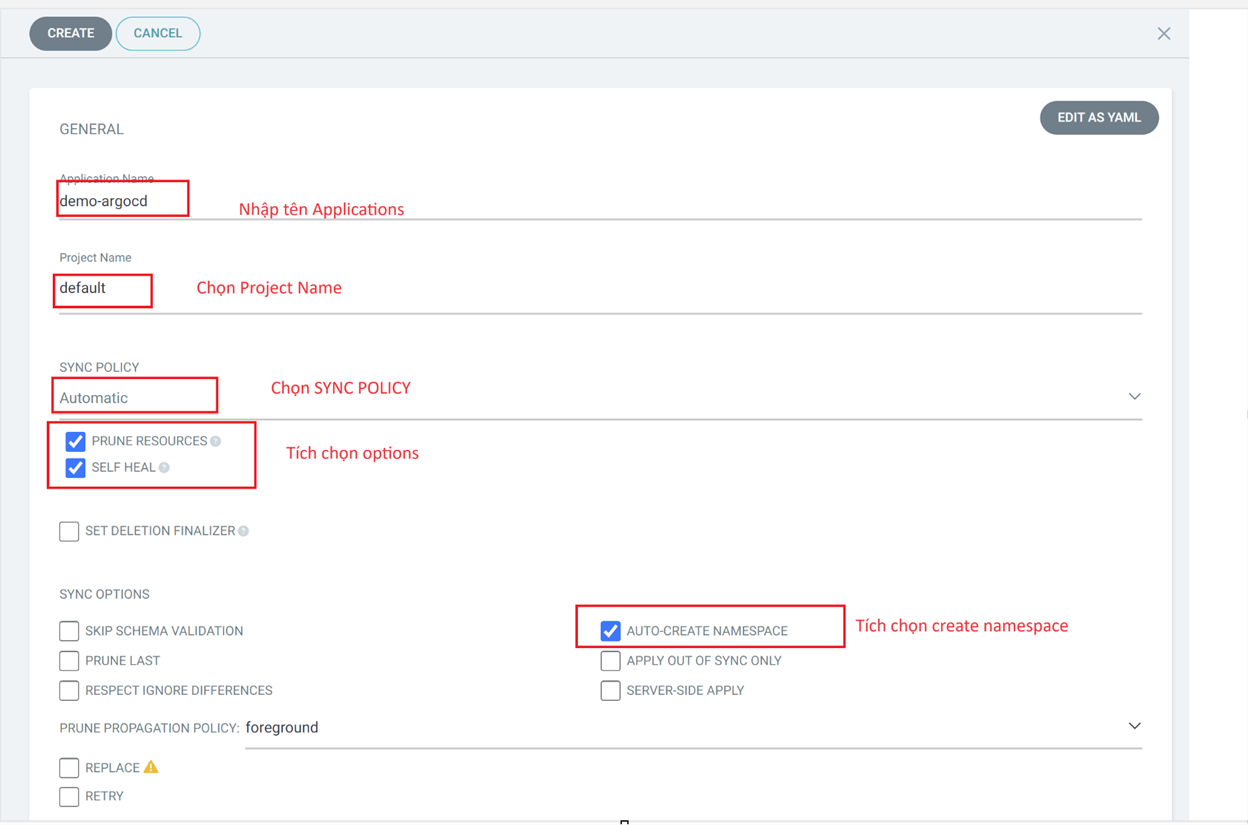
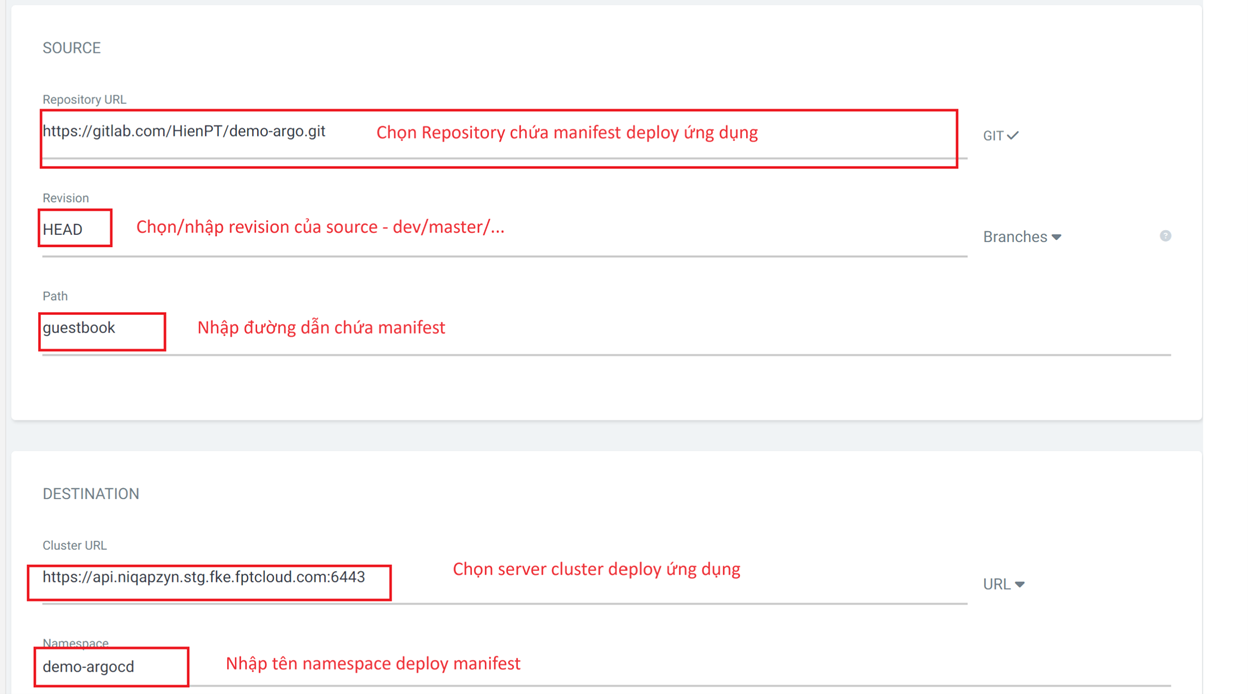
- Click Create to create the Application.
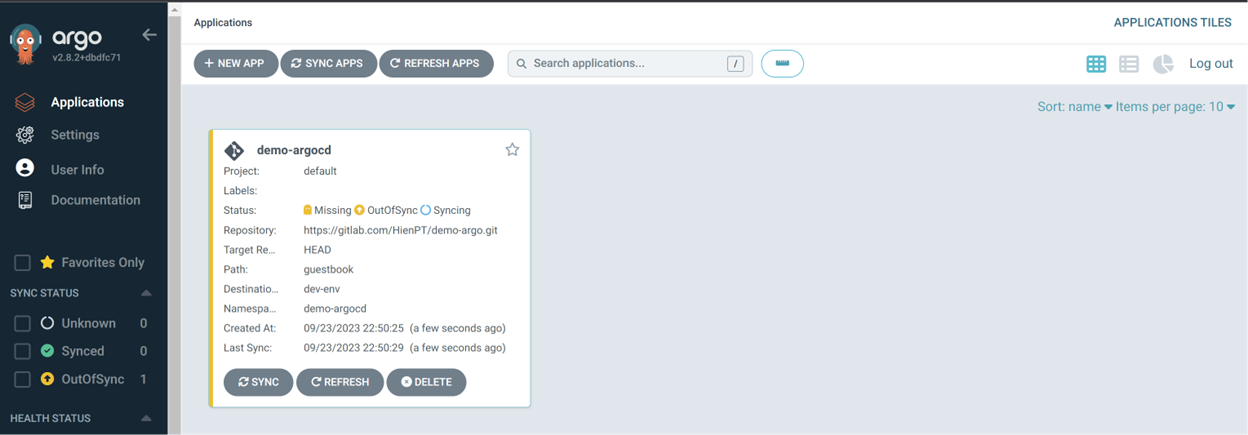
Result after creating the Application: