Integrate ArgoCD Image Updater
This guide walks through deploying applications on ArgoCD using Image Updater. To use the Argo CD Image Updater feature, enable the service via the Portal, then configure authentication information such as secret/secret registry/Container registry.
Preparation
Step 1: Prepare the source deployment
The source deployment is a Helm chart.
For example, to deploy an nginx service with a Helm chart to ArgoCD. Prepare the chart to deploy:
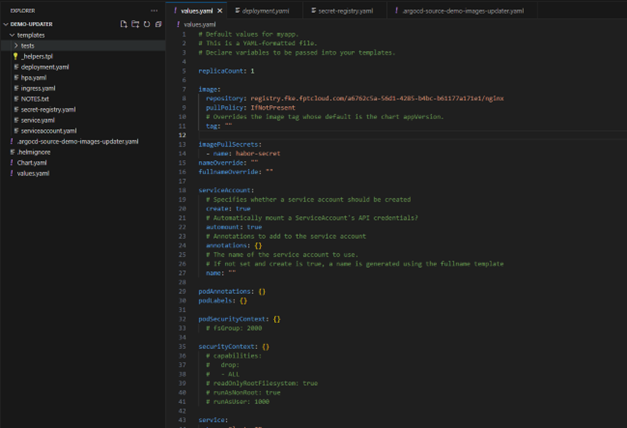
Images to deploy are managed in the container registry. This demo uses FPT Cloud's container registry.
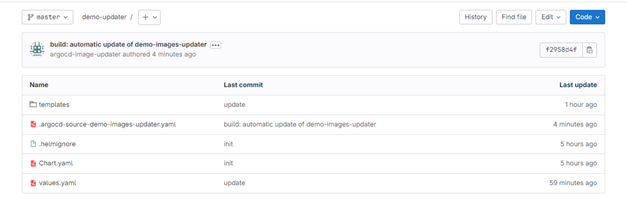
Argo CD Image Updater supports the Git write-back method to store application deployment parameters. By default, Argo CD Image Updater stores parameters in a file named .argocd-source-<app-name>.yaml at the path used with the Applications manifest configuration in ArgoCD. This allows ArgoCD to deploy the application according to parameters stored in Git.
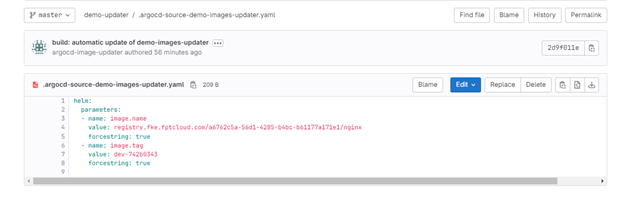
Example: Create a file .argocd-source-demo-images-updater.yaml with the following content:
helm:
  parameters:
  - name: image.name
    value: registry.fke.fptcloud.com/a6762c5a-56d1-4285-b4bc-b61177a171e1/nginx
    forcestring: true
  - name: image.tag
    value: dev-742b0343
    forcestring: true
Step 2: Configure images pullSecret on the Portal
Example: Use a Secret Registry to check changes on the Container Registry. The pullSecret is named: habor-secret.
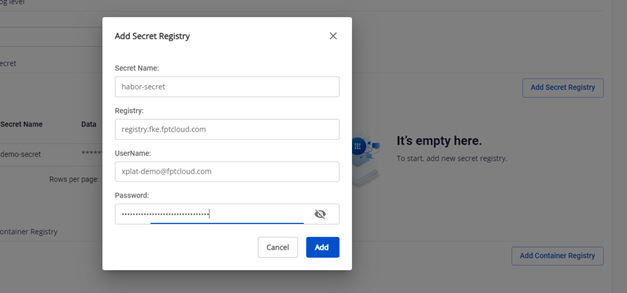
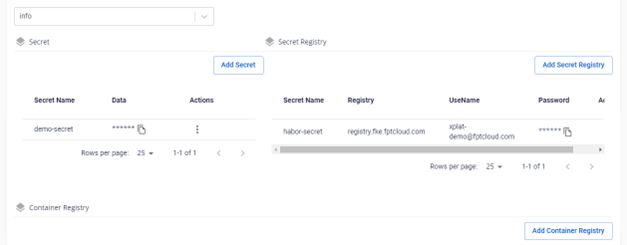
The Secret Registry will be used in application annotations.
Step 3: Create applications on ArgoCD
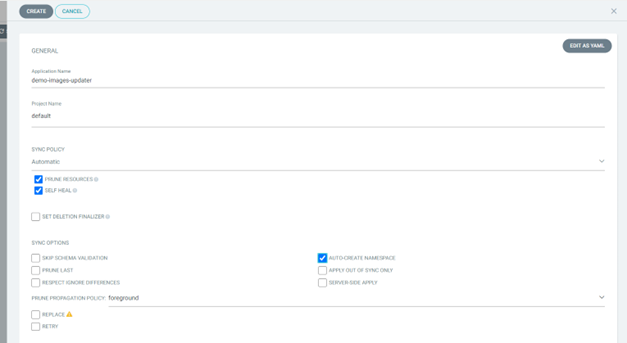
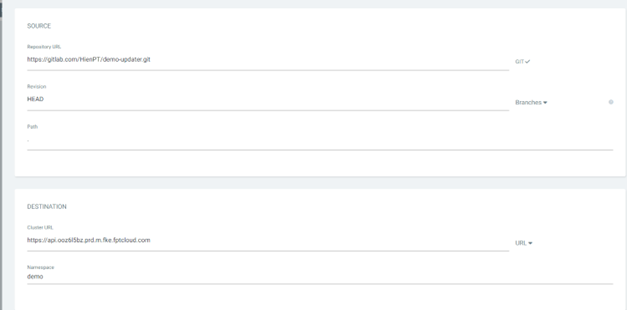
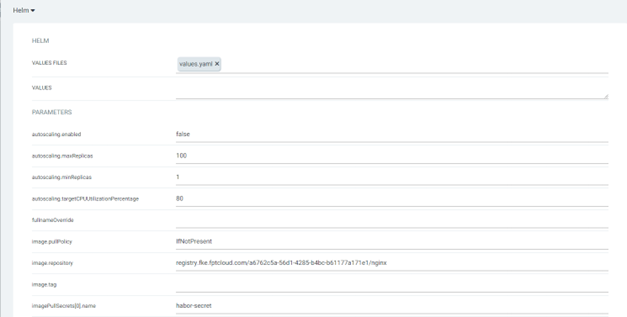
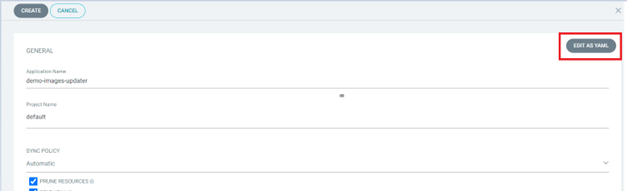
Then use the Edit as yaml feature to configure annotations:
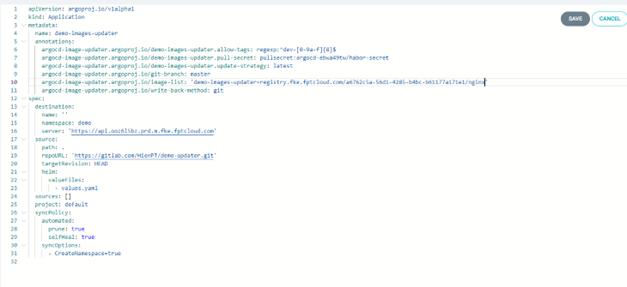
Add annotations to use Image Updater:
| Annotation | Description |
|---|---|
argocd-image-updater.argoproj.io/demo-images-updater.allow-tags: regexp:^dev-[0-9a-f]{8}$ | Specifies which tag names are allowed to update to the repository. Example: only allows updates with tags matching the regex "dev-" followed by an 8-digit hex string. E.g.: dev-a5fb3d31 |
argocd-image-updater.argoproj.io/****.pull-secret: pullsecret:argocd-ebwa49tw/habor-secret | pullSecret for ArgoCD Image Updater to check image tags on the registry. Format: pullsecret:argocd-[argocd-id]/[Secret-registry-name] |
argocd-image-updater.argoproj.io/****.update-strategy: latest | Determines how Argo CD Image Updater finds new versions of images updated on the registry. Strategies: Semver (latest version respecting semantic versioning), Latest (most recently pushed tag), Digest (latest version of a tag using SHA digest), Name (alphabetical order) |
argocd-image-updater.argoproj.io/git-branch: master | Branch to update changes in the manifest |
argocd-image-updater.argoproj.io/write-back-method: git | Method to update image changes |
argocd-image-updater.argoproj.io/image-list: =registry.fke.fptcloud.com/a6762c5a-56d1-4285-b4bc-b61177a171e1/nginx | List of images to track for updates |
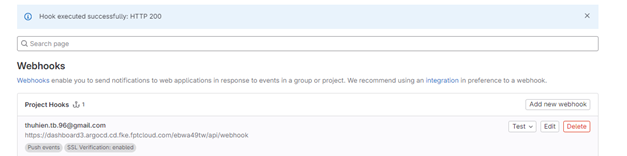
Step 4: Configure webhook to git to detect changes when updating image tags on Container Registry
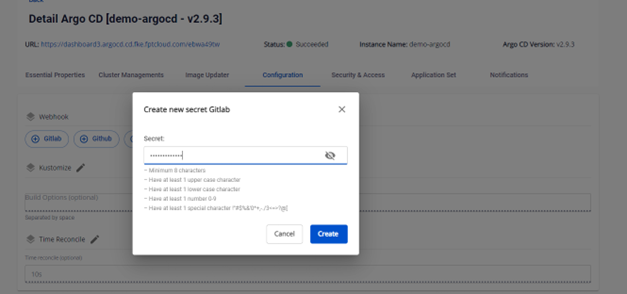
- Create a GitLab webhook on the Portal:
- Configure the webhook in GitLab:
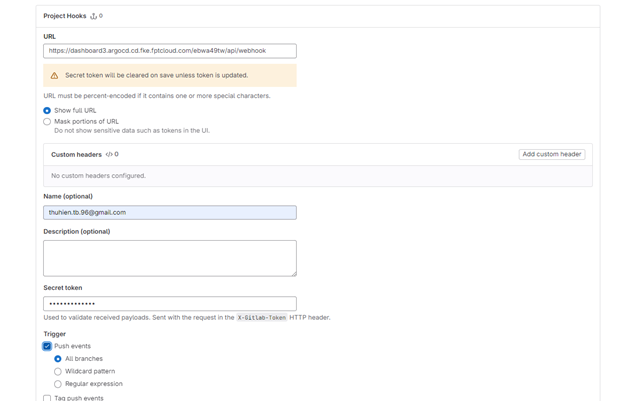
Test push event:
Step 5: Verify the application
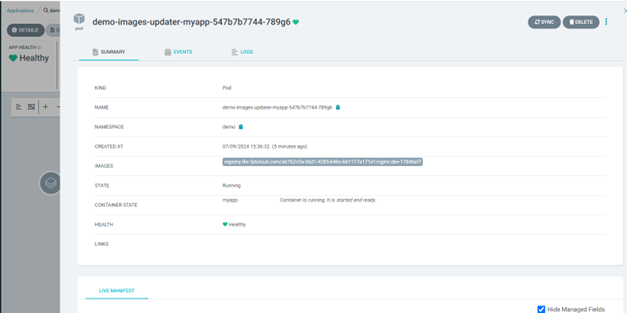
Check the images running in the application before pushing a new image:
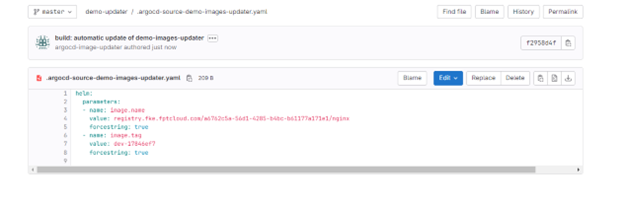
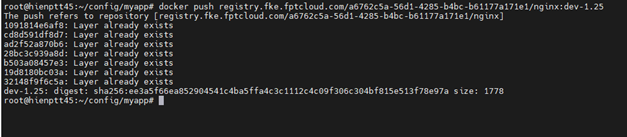
Push a new image to the registry:

Argo CD Image Updater will update the new image to git:
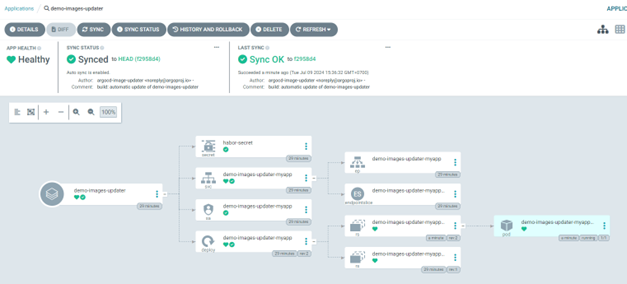
The GitLab webhook will detect the change and deploy the new image:
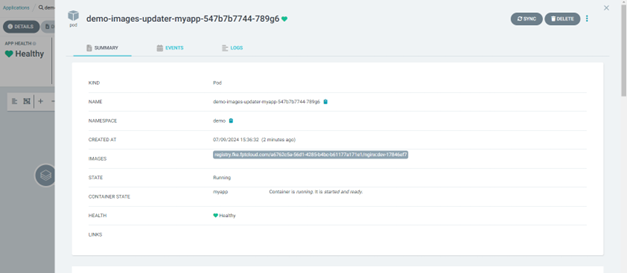
Verify that a push with an invalid image format is rejected:
Verify that no changes are made to the application: