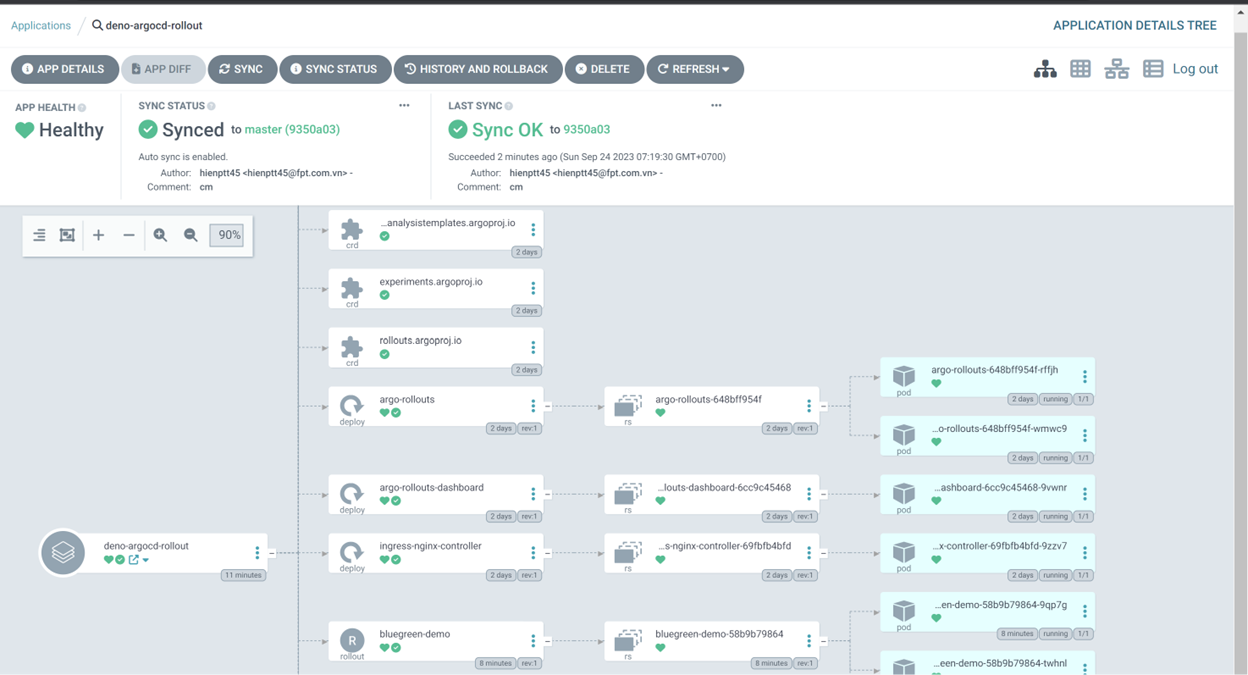
Deploy an application with Kustomize using build options
Similar to deploying an application with a manifest, deploying an application using Kustomize requires the same steps as the manifest deployment section in the Documentation.
Step 1: Prepare a repository to deploy the application. In this demo, several applications are deployed to Kubernetes, including: ingress controller components, argocd-rollout, and applications.
Specifically, the source code directory structure is as follows:
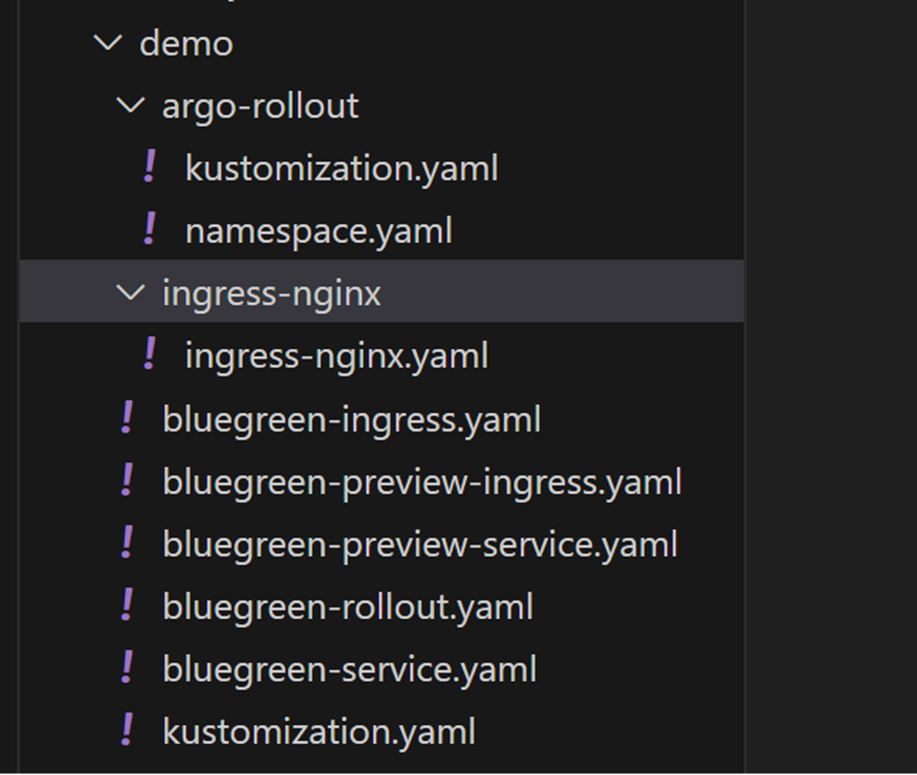
Where:
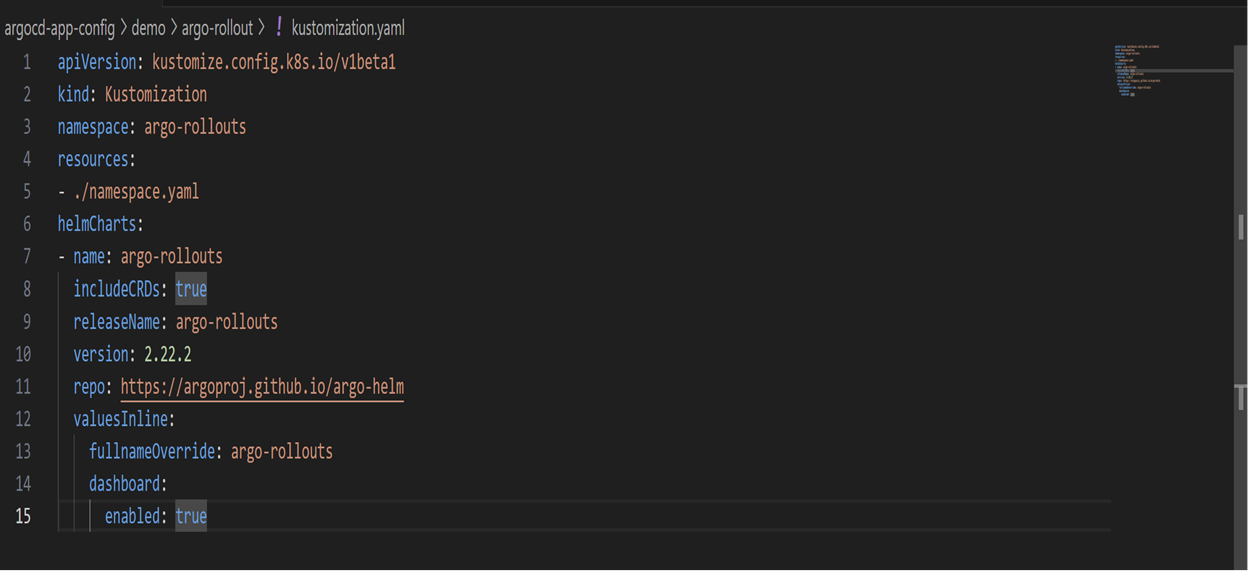
- Argo-rollout is deployed using Kustomize with Helm chart build options:
- Ingress-nginx and other components are deployed using Kustomize with manifest:
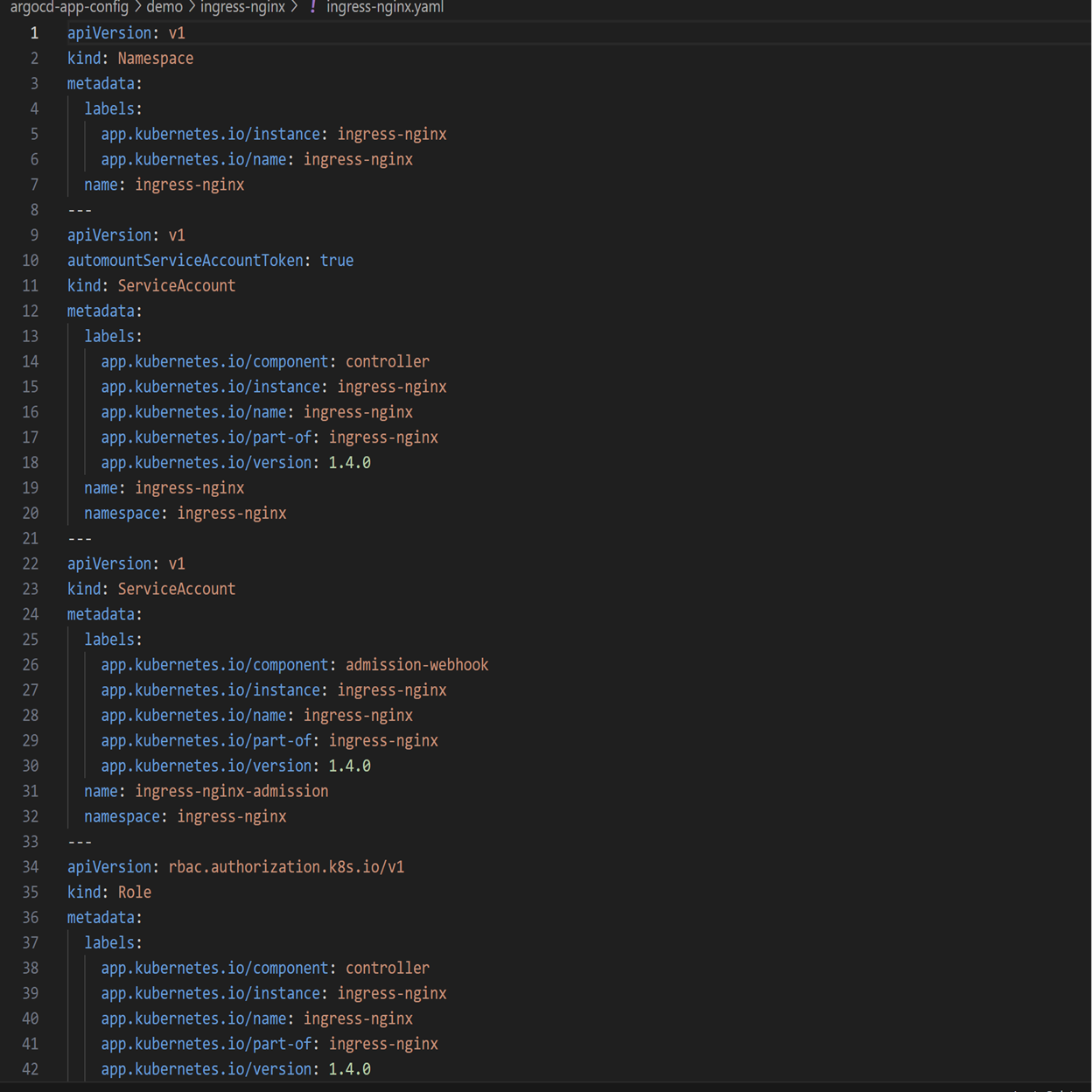
Step 2: Configure Kustomize build options via the Portal interface as described in the Documentation.
If build options have not been configured, creating applications will result in an error.
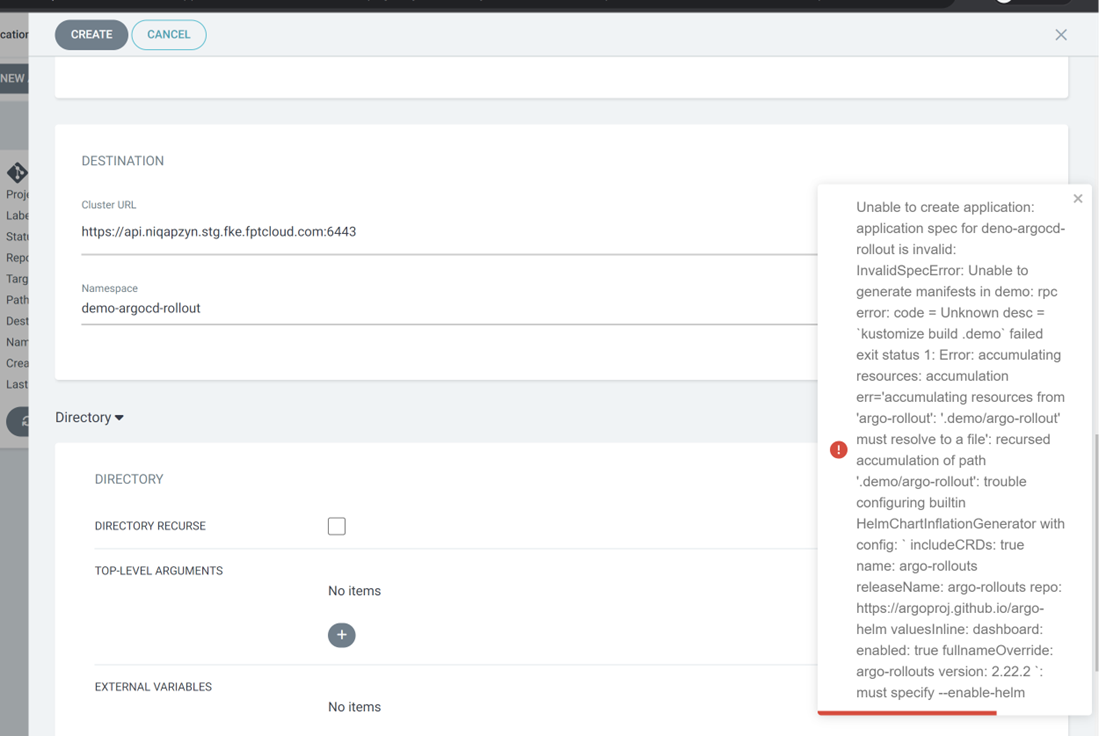
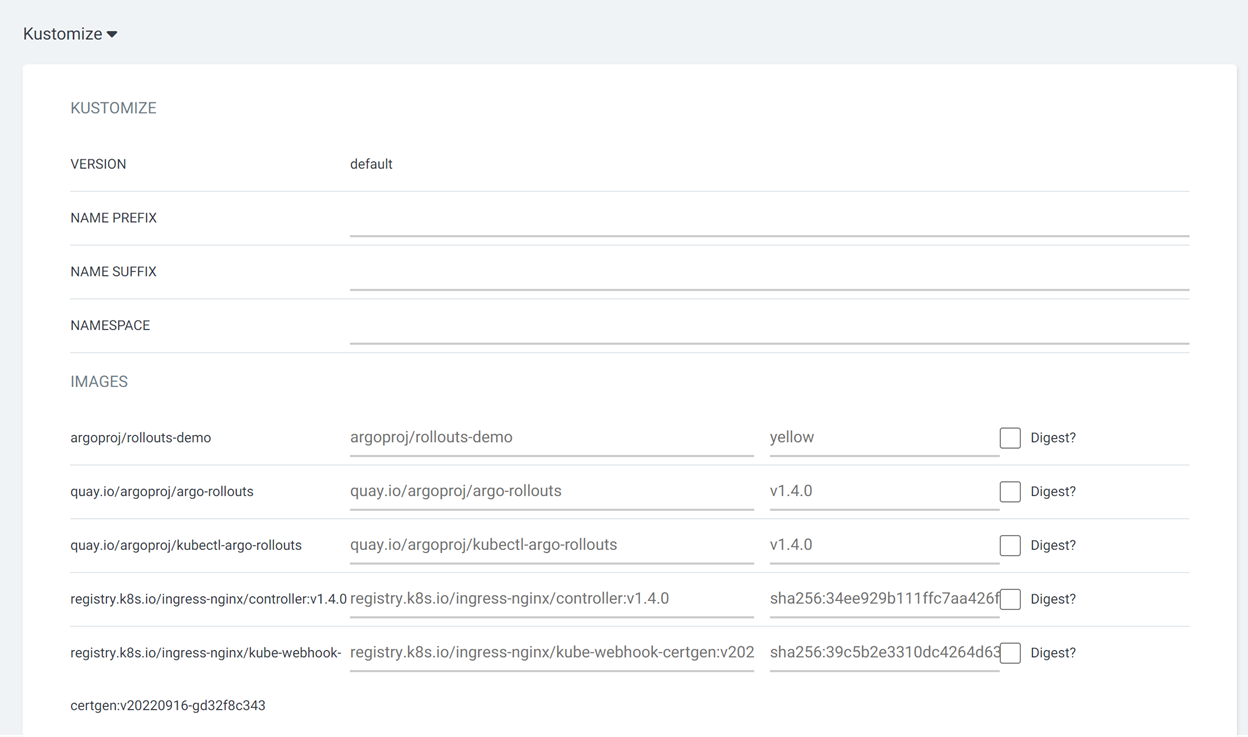
Step 3: Deploy applications via ArgoCD. Create Applications the same way as described in the manifest deployment section of the Documentation. However, for applications deployed with Kustomize and Helm chart, additional information must be configured as follows:
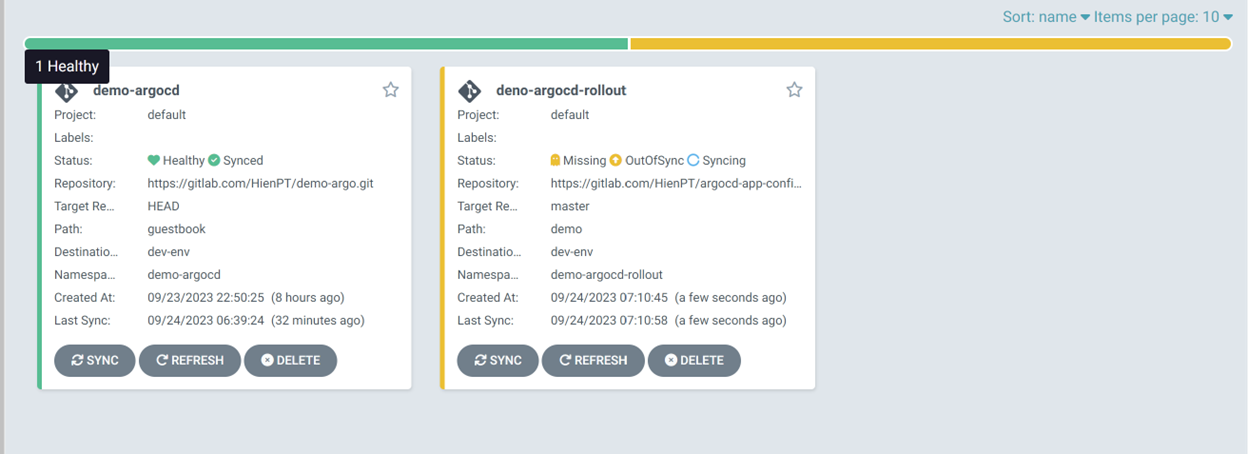
Applications after successful deployment: