Integrate OIDC for account management
This guide walks through integrating KeyCloak with ArgoCD to authenticate application users. You will create a client in KeyCloak and configure ArgoCD to use KeyCloak for authentication, using groups configured in KeyCloak to define user permissions in ArgoCD.
Step 1: Create a Client in KeyCloak.
Log in to the KeyCloak server > Select the Realm to create a Client > Create Client:
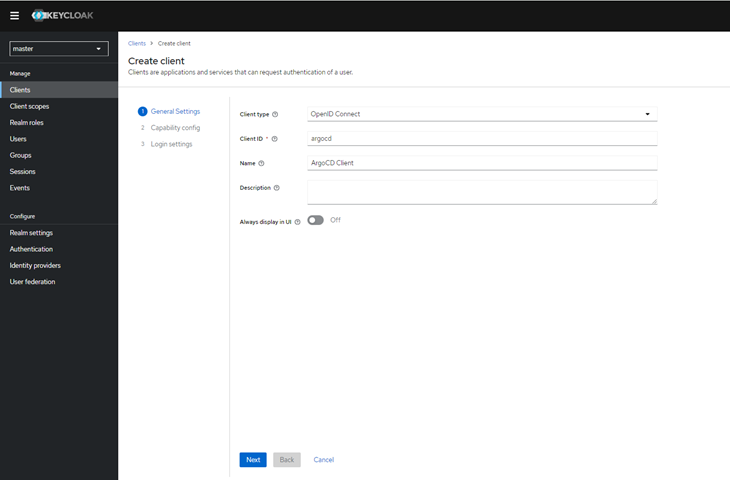
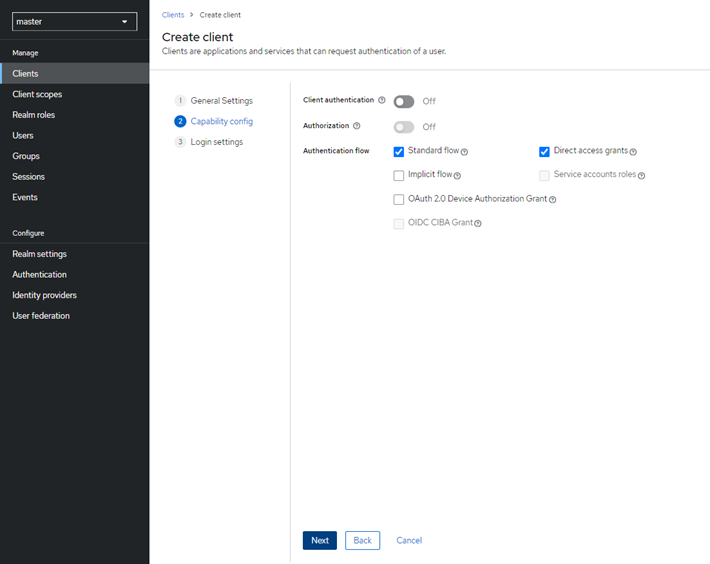
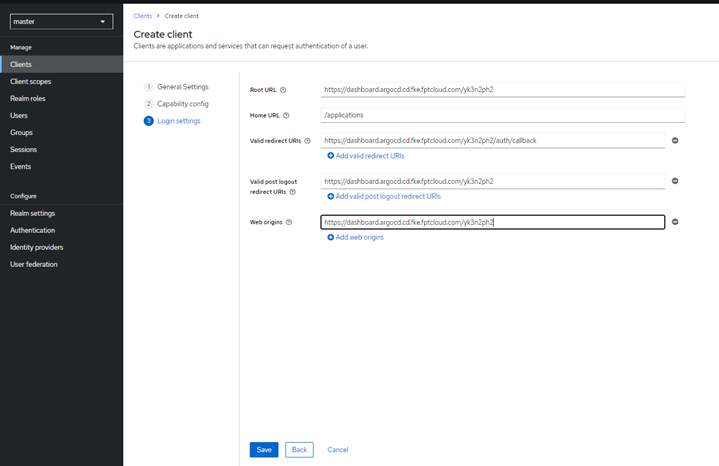
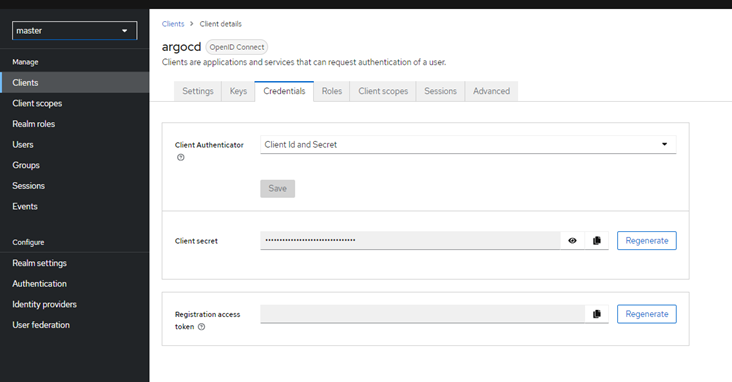
Click Save > Credential. The Client secret is used to configure information on FPT Cloud Portal.
Step 2: Configure Group Claim by creating a new Client scope:
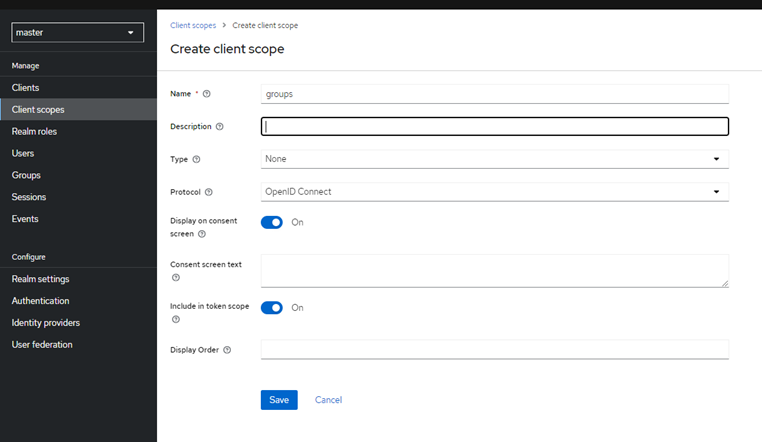
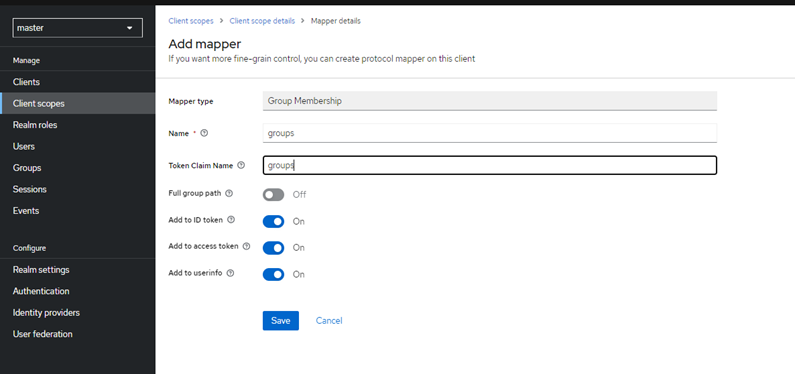
Click Save to create the Client Scope. In the Mapper tab > Configure a new mapper > Group Membership:
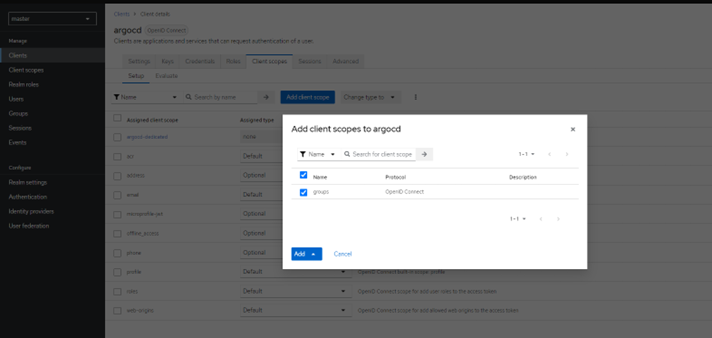
Step 3: Configure the groups scope in the Client:
Create a group:
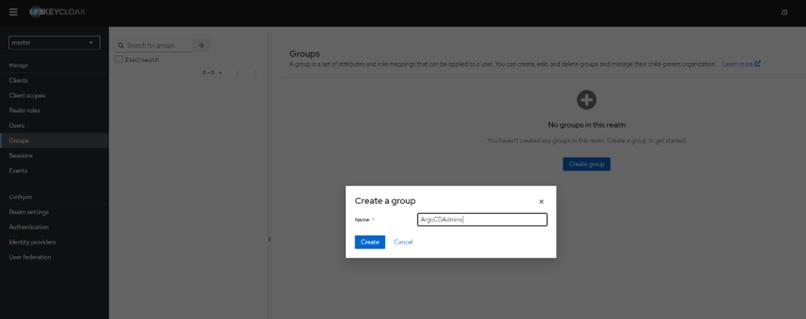
Create a User and add to the group:
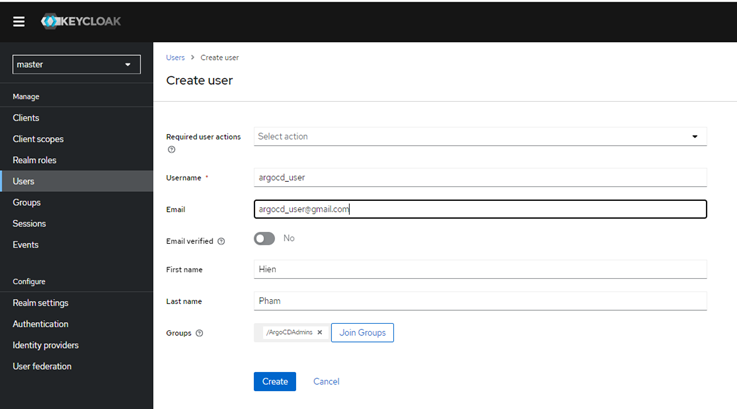
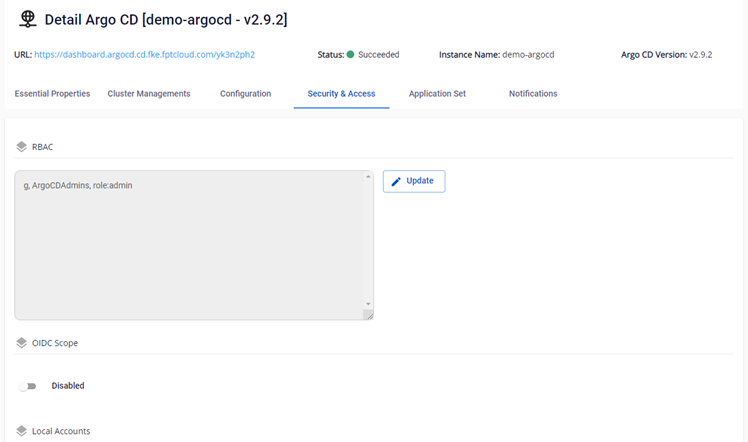
Step 4: Configure ArgoCD Policy.
Grant admin/readOnly permissions to the user group:
g, ArgoCDAdmins, role:admin
g, ArgoCDAdmins, role:readonly
Step 5: Log in to ArgoCD via KeyCloak OIDC Authentication:
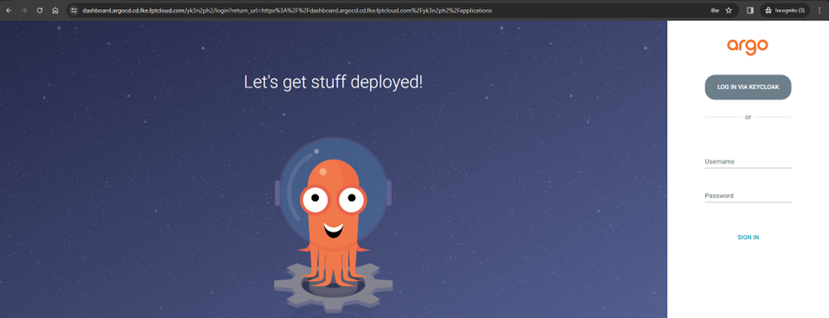
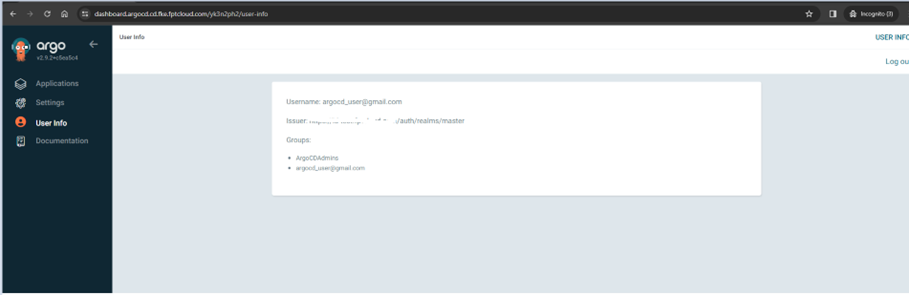
Result after logging in via KeyCloak: