Deploy applications via Helm chart repository
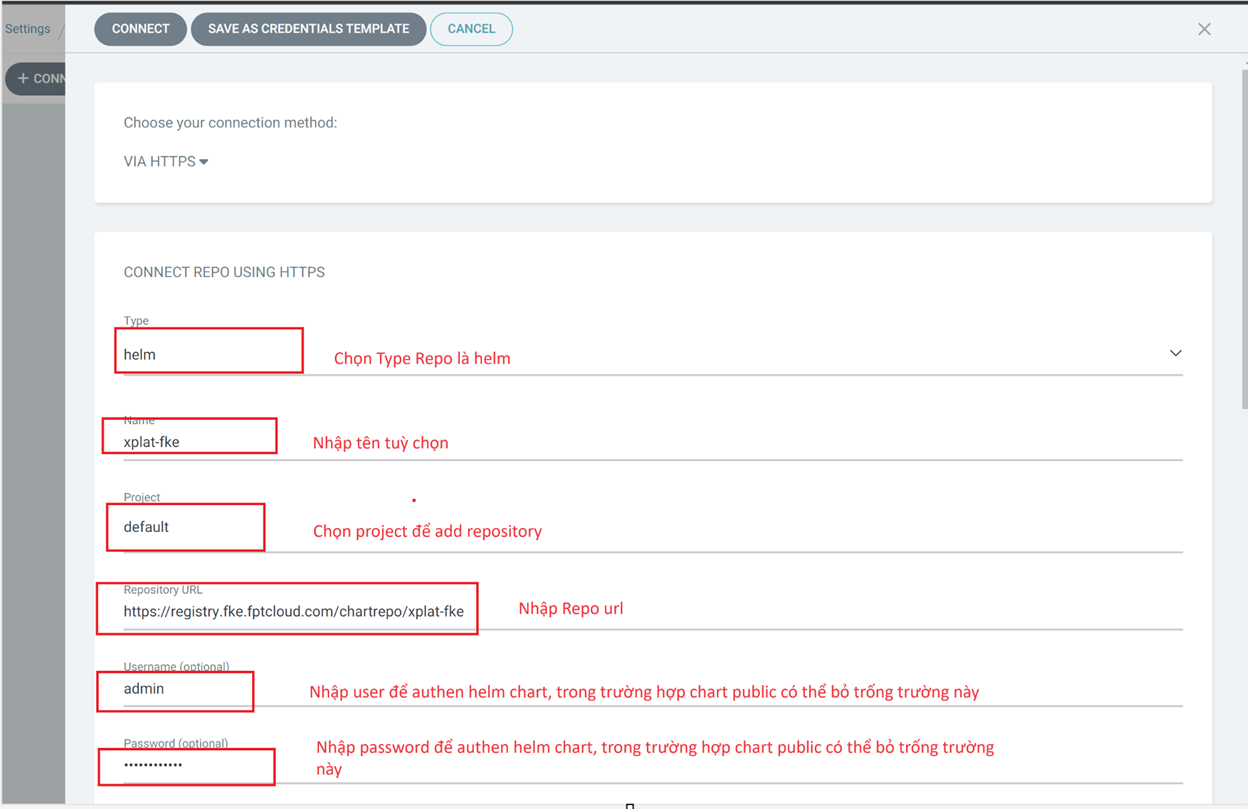
Step 1: Configure the Helm chart repository. For public Helm charts, repository configuration may not be needed. However, for private Helm charts, configure the Helm repo so ArgoCD can access the deployment repository.
Example: Add the xplat Helm repository to ArgoCD.
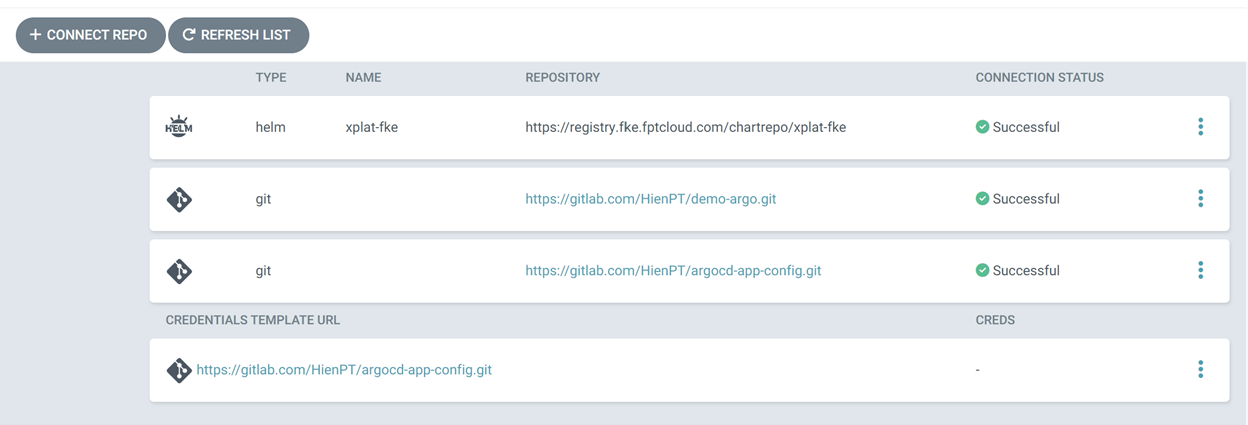
Result after successfully configuring the repository:
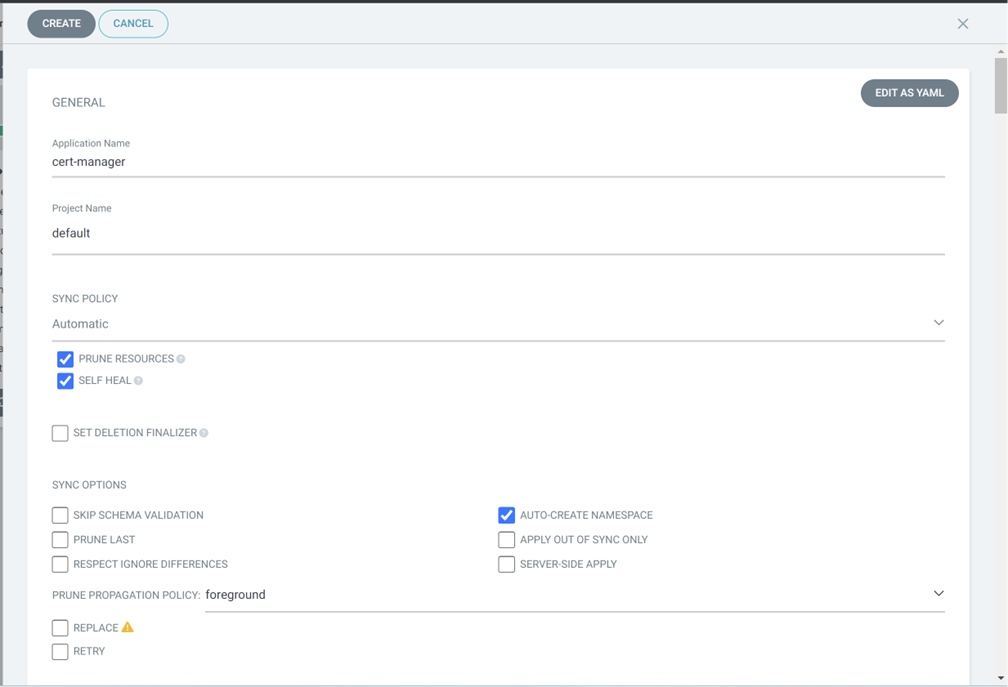
Step 2: Create an Application to deploy the cert-manager chart.
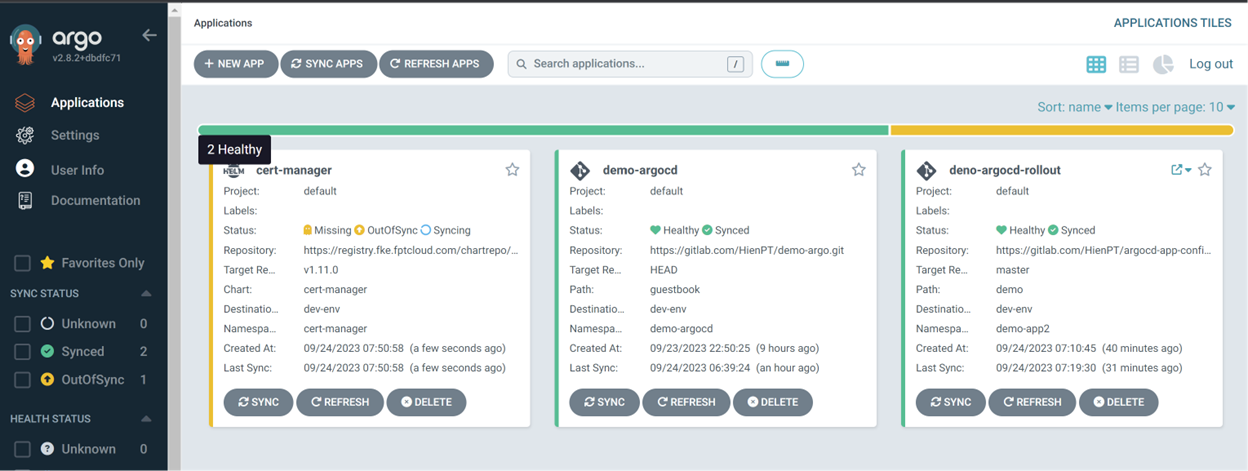
Result after deploying the application:
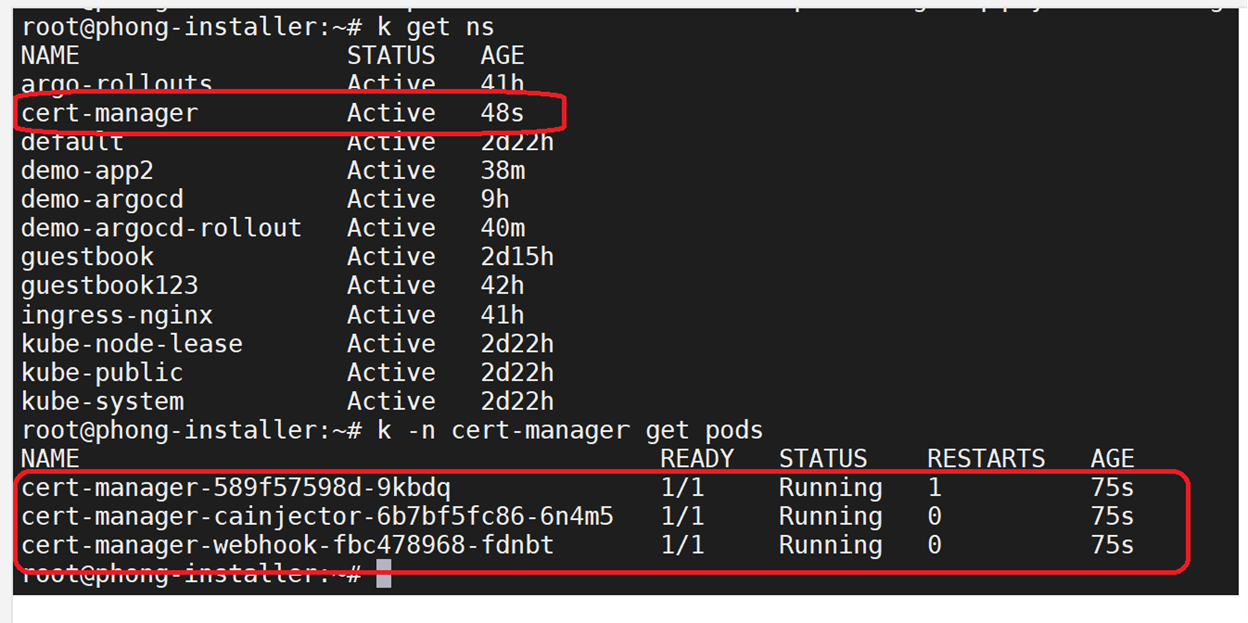
Verify the deployment result under the k8s cluster:
note
When deploying applications using a Helm chart, ArgoCD retrieves the chart files and deploys them as manifests. Therefore, listing Helm charts under the k8s cluster will not show the deployed chart.
