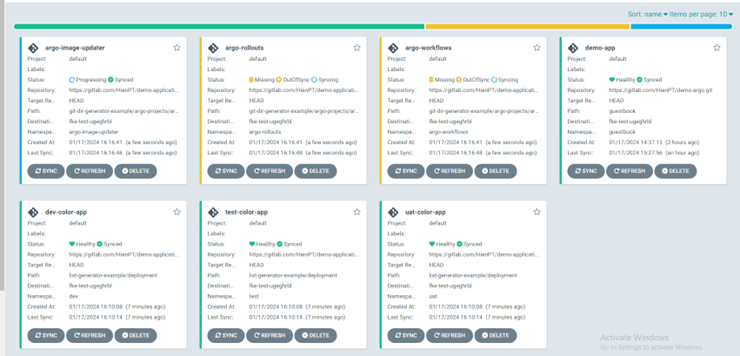
Deploy applications using ApplicationSet
To use ApplicationSet-related features, use commands to deploy and check applications. Log in to the ArgoCD server using the CLI:
argocd login dashboard.argocd.cd.fke.fptcloud.com --grpc-web-root-path yk3n2ph2
1. Create applications using Git Generators
Step 1: Prepare the manifest using Git Directory Generator.
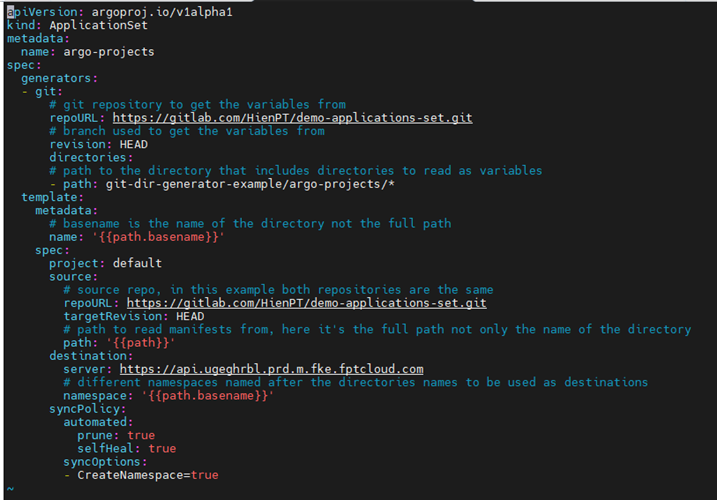
Step 2: Use the CLI to apply the ApplicationSet:
argocd appset create applicationset.yaml
Result after running the CLI:
ApplicationSet 'color-applicaitonset' created
Step 3: Result after creating applications with ApplicationSet.
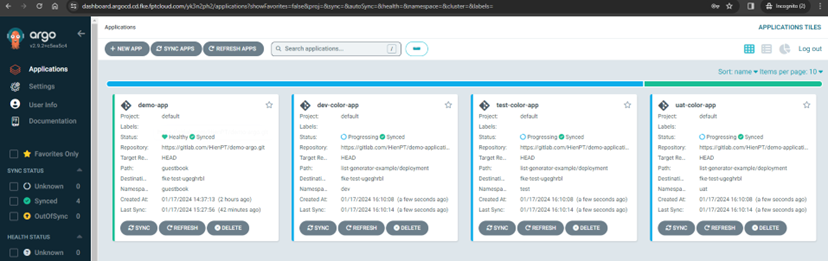
List ApplicationSets after using the CLI to get the list:
argocd appset list

2. Create applications using List Generator
Step 1: Prepare the manifest to deploy.
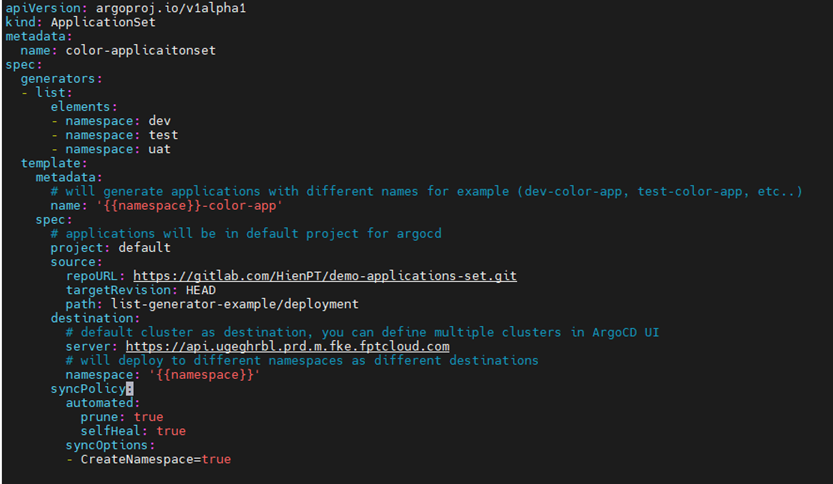
Including these files:

Step 2: Create applications using ApplicationSet via the CLI:
argocd appset create applicationset.yaml
Step 3: Result after creating the ApplicationSet: