Kubernetes integration guide
Step 1: Access the Monitoring feature
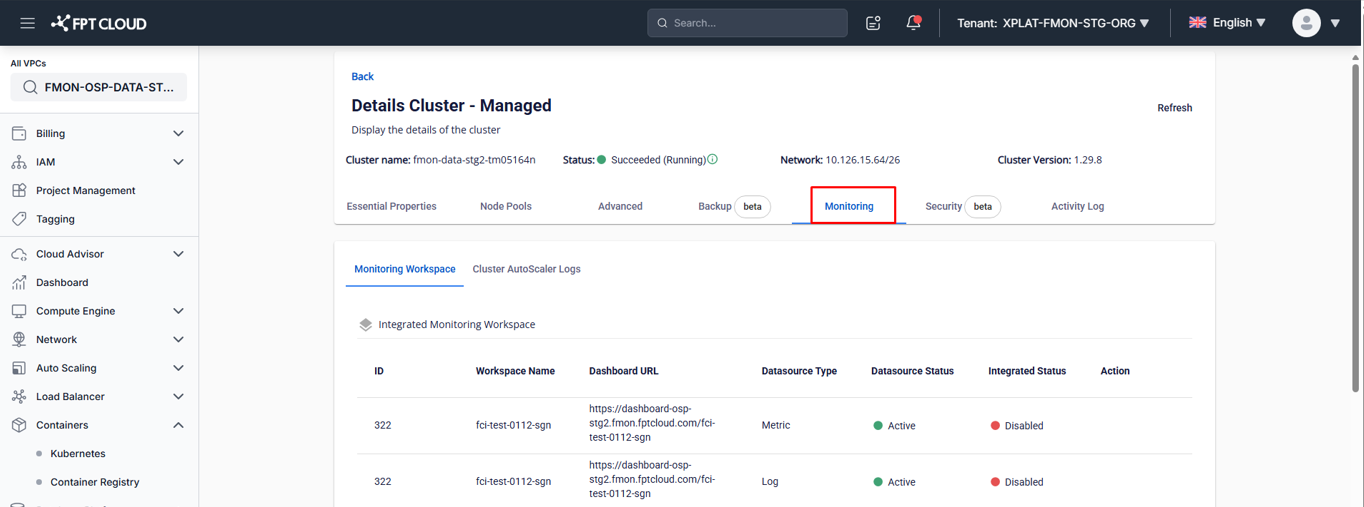
- On the Console Portal, go to the detail page of a cluster.
- Select the Monitoring tab.
The system displays the Monitoring integration screen.
Step 2: Integrate or disintegrate
Integrate
Enable metrics and logs collection for the cluster.
- On the Monitoring screen, select the Integrate action for the workspace to integrate.
- Confirm the action in the confirmation dialog to complete.
- After successful integration, the Integrated Status changes to Enabled and the FPT Monitoring system begins collecting the corresponding metrics.
Disintegrate
Disable metrics and logs collection for the cluster.
- On the Monitoring screen, select the Disintegrate action for the workspace to stop monitoring.
- Confirm the action in the confirmation dialog to complete.
- After successful disintegration, the Integrated Status changes to Disabled and the FPT Monitoring system stops collecting metrics.
Step 3: Access the Grafana dashboard and view monitoring data
- After successful integration (Integrated Status = "Enabled"), click the Dashboard URL.
- Then integrate the corresponding dashboard templates — see 3.1. Integrate dashboard template.
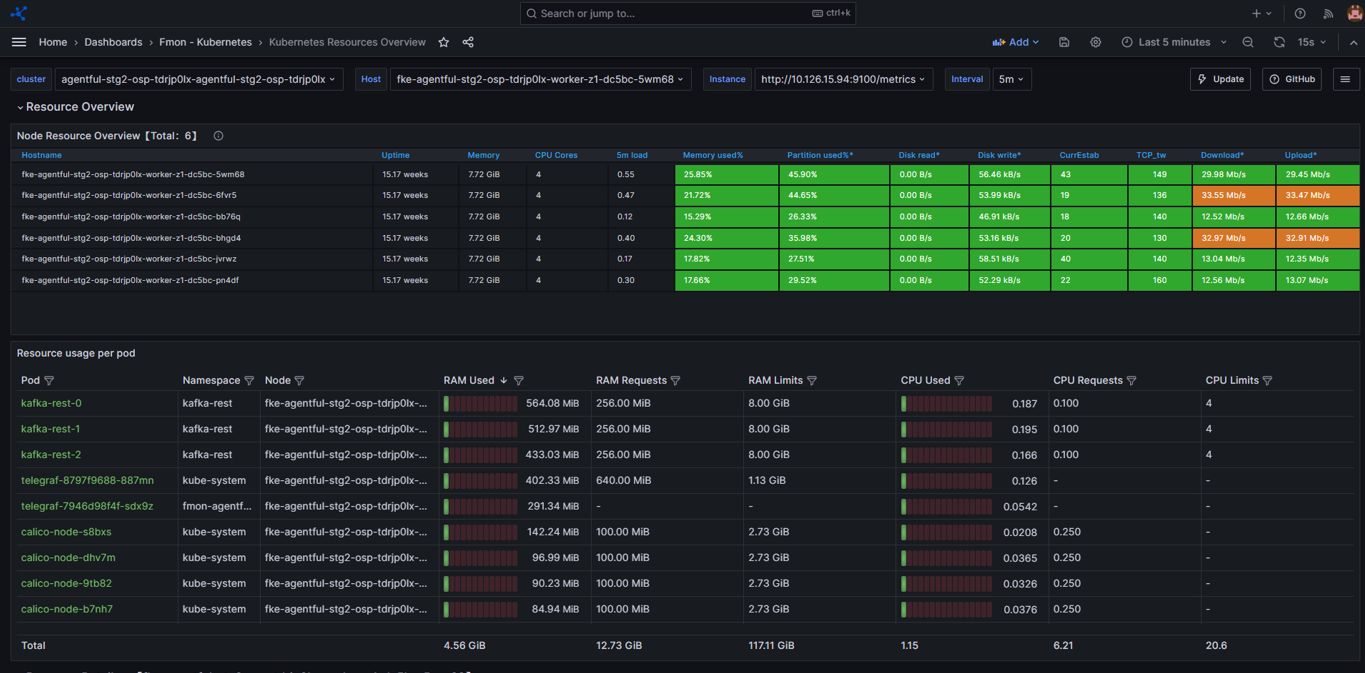
- Open the integrated dashboard to view monitoring information.