Set up a Telegram bot contact point
Grafana supports multiple contact point types including Slack, Discord, Webhook, Email, Teams, and Telegram. Each has a different configuration.
The following guide covers Telegram configuration for sending alert notifications. For other contact point types, refer to the official Grafana documentation here.
To integrate Grafana with Telegram, you need:
- A Telegram bot API token.
- A Chat ID (the ID of the Telegram conversation where you want to receive alert notifications).
You need to use the browser version of Telegram (web) to complete the integration.
Set up a Telegram bot
- Open the Telegram app on your device.
- Search for the bot named BotFather.
- Type or select the /newbot command.
- Choose a name for your bot (the name must end with
botor_bot, for example:my_bot). - Copy the API token.
Get the Chat ID
Add the bot to a group chat. After the bot is added, you can route alert notifications to that group.
- In Telegram, open an existing group or create a new one.
- Find and add your bot to the group.
- Copy the chat ID from the URL in the browser's address bar.
The URL looks like: https://web.telegram.org/a/#-4266674385
The Chat ID is the number after the # character, for example: -4266674385.
Configure the contact point
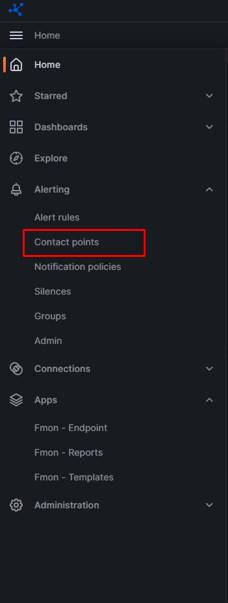
Step 1: Go to Alerts > Alerting > Contact points.
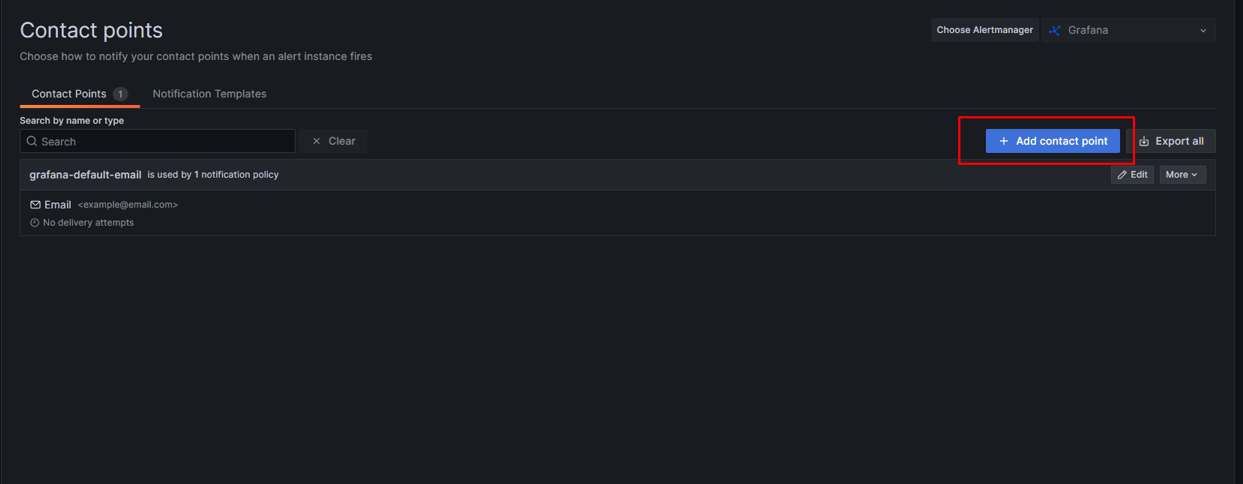
Step 2: Click + Add contact point.
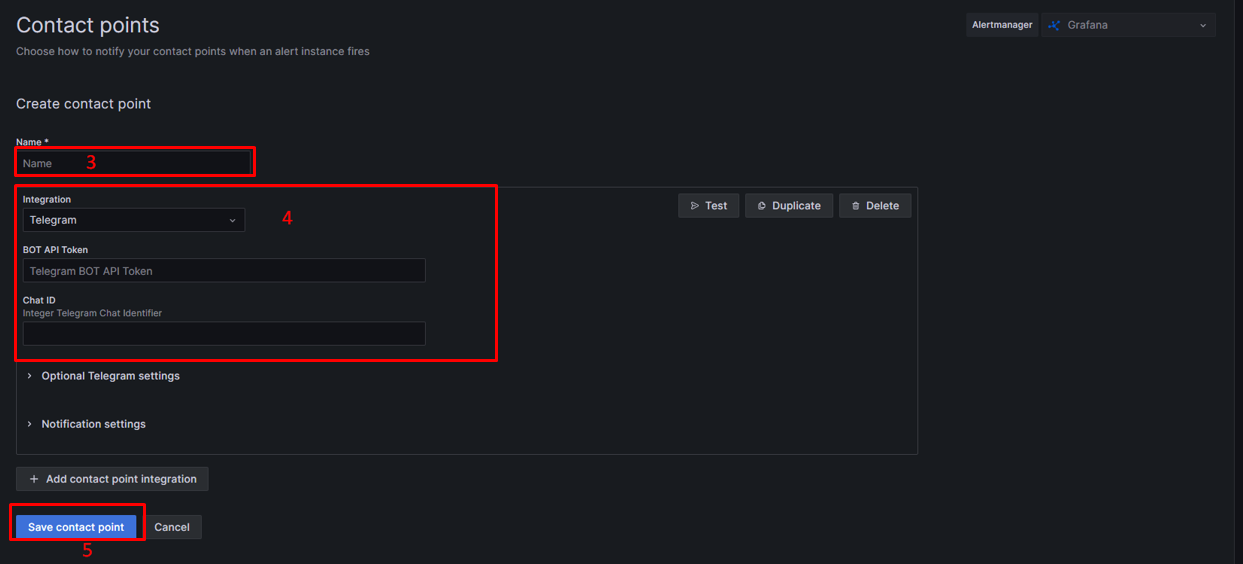
Step 3: Enter a name for the contact point.
Step 4: In the Integration list, select Telegram.
- In the BOT API Token field, paste your bot API token.
- In the Chat ID field, paste your chat ID.
- Click Test to verify the integration works correctly.
Step 5: Click Save contact point.
The Telegram contact point is now ready to receive alert notifications.
Step 6: To assign this contact point to an alert:
- In Grafana, go to Alerting > Alert rules.
- Edit an existing alert rule or create a new one.
- Scroll down to Configure labels and notifications.
- Under Notifications, select Select contact point.
- Choose the Telegram contact point you created from the list.
- Click Save rule and exit.