Enabling/disabling PITR
The Point-in-Time Recovery (PITR) feature allows users to restore a database to a specific point in time in the past, ensuring data continuity and reliability.
Currently, FPT Cloud supports PITR for the PostgreSQL engine. This guide provides detailed steps to enable or disable the PITR feature for PostgreSQL.
1. Enable PITR
Users can enable the PITR feature for PostgreSQL when activating the Backup service (see Enabling the backup service/ for details), or enable it after the Backup service has been activated by following the instructions below.
Prerequisites
To activate PITR, the database must have at least one full backup job already created. Please configure a full backup job before proceeding to enable PITR.
If you attempt to enable PITR without a Full Backup Job configured, the system will display the following warning dialog:
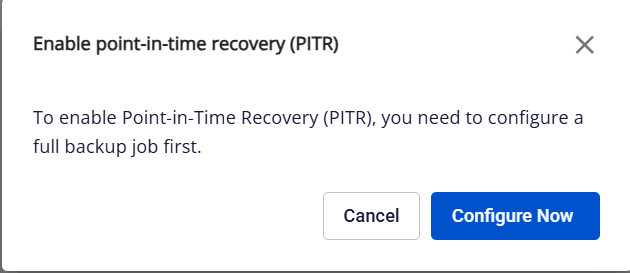
Click Configure Now to complete the creation of the full backup job before continuing to activate PITR.
Steps
On the Backup service management screen, click the Enable PITR button (gear icon next to the PITR status):
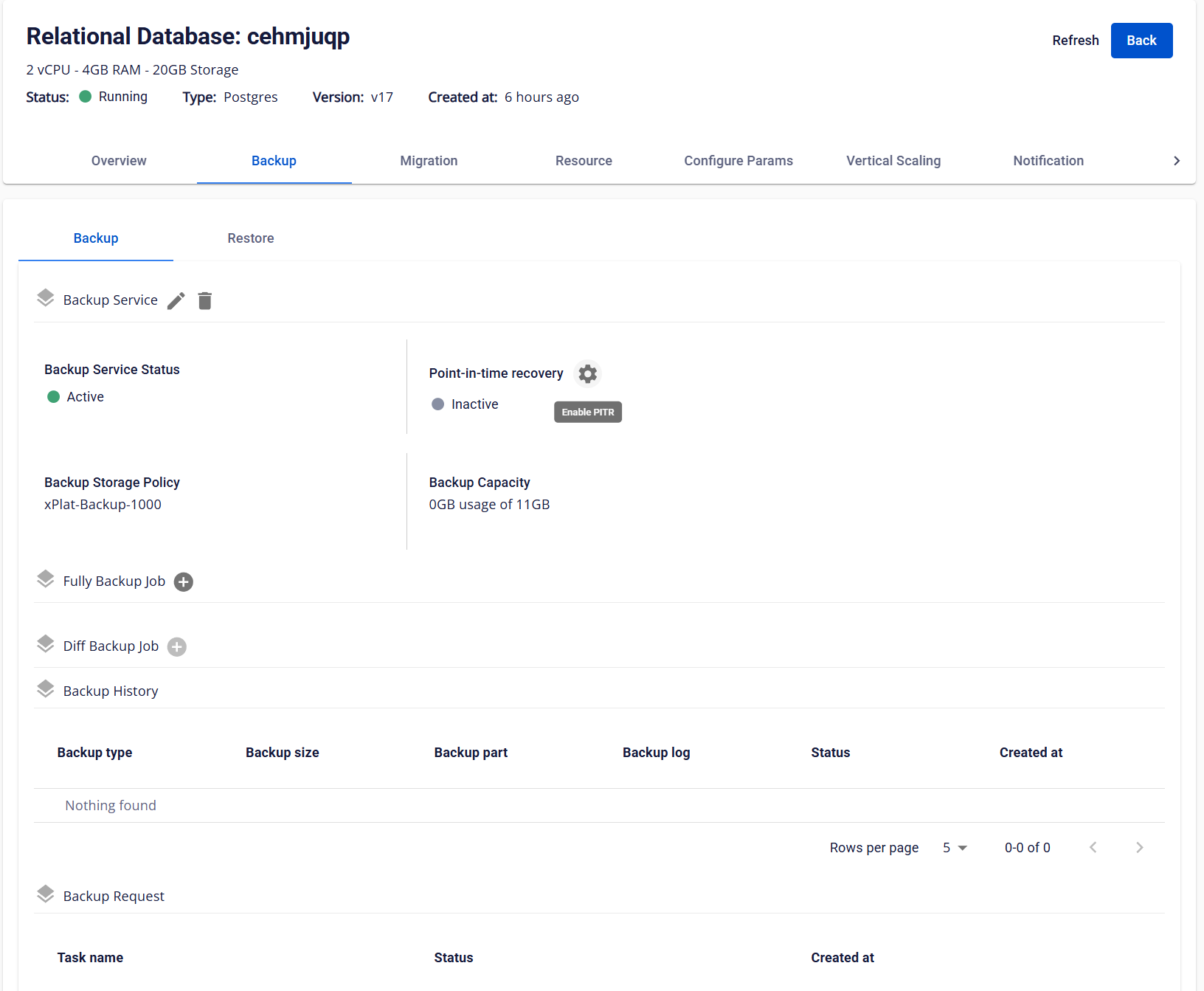
The system will display a confirmation dialog:
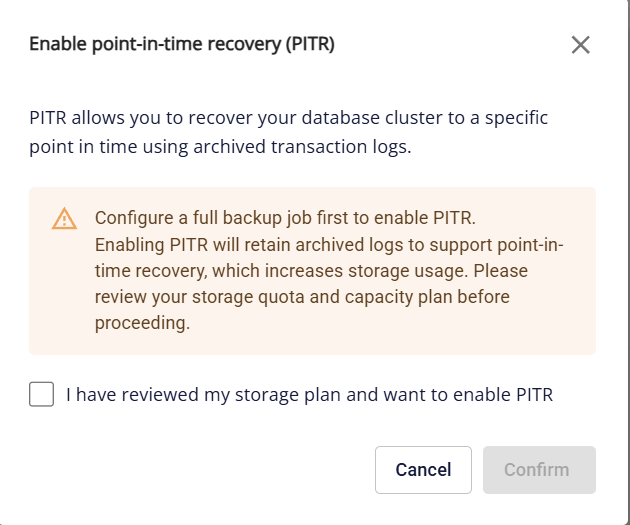
Enabling PITR will increase storage usage and incur additional costs. Users should evaluate and plan for the additional capacity before proceeding.
To enable the feature, select the confirmation checkbox and click Confirm.
After completion, PITR does not take effect immediately — the system needs to wait for the next Full Backup to be created. Once PITR is ready, users can restore the database to any point in time from that Full Backup onward. Data changes that occurred before this Full Backup are outside the scope of PITR protection and cannot be recovered.
2. Disable PITR
To disable the PITR feature, on the Backup service management screen, click the Disable PITR button (gear icon next to the PITR status). The system displays a confirmation dialog:
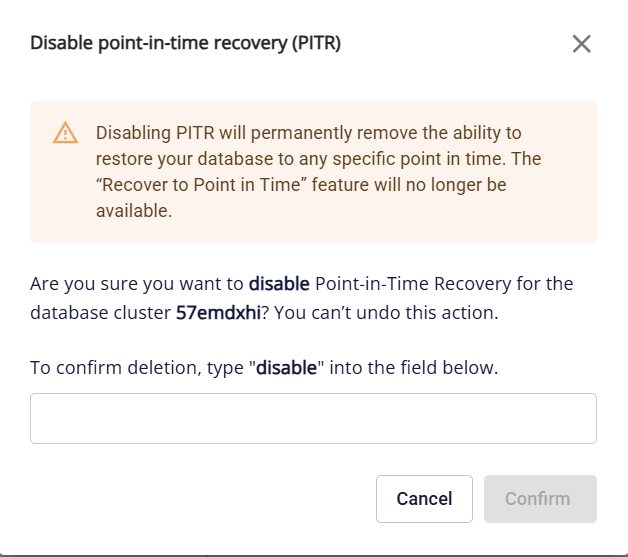
Enter "disable" and click Confirm to confirm. After PITR is disabled, users cannot restore the database to past points in time.