Viewing database details
The View database cluster detail feature allows users to:
- Monitor the operational status of the database cluster.
- Understand resource configuration (CPU, RAM, Storage).
- Check engine, version, and network information.
- Identify system warnings (e.g., restart required after scale-up).
- Quickly access related management functions.
To access this feature, log in to FPT Cloud Portal. From the main menu, select Database Platform > All Database, then select the database cluster ID and choose the Overview tab to open the detail page:
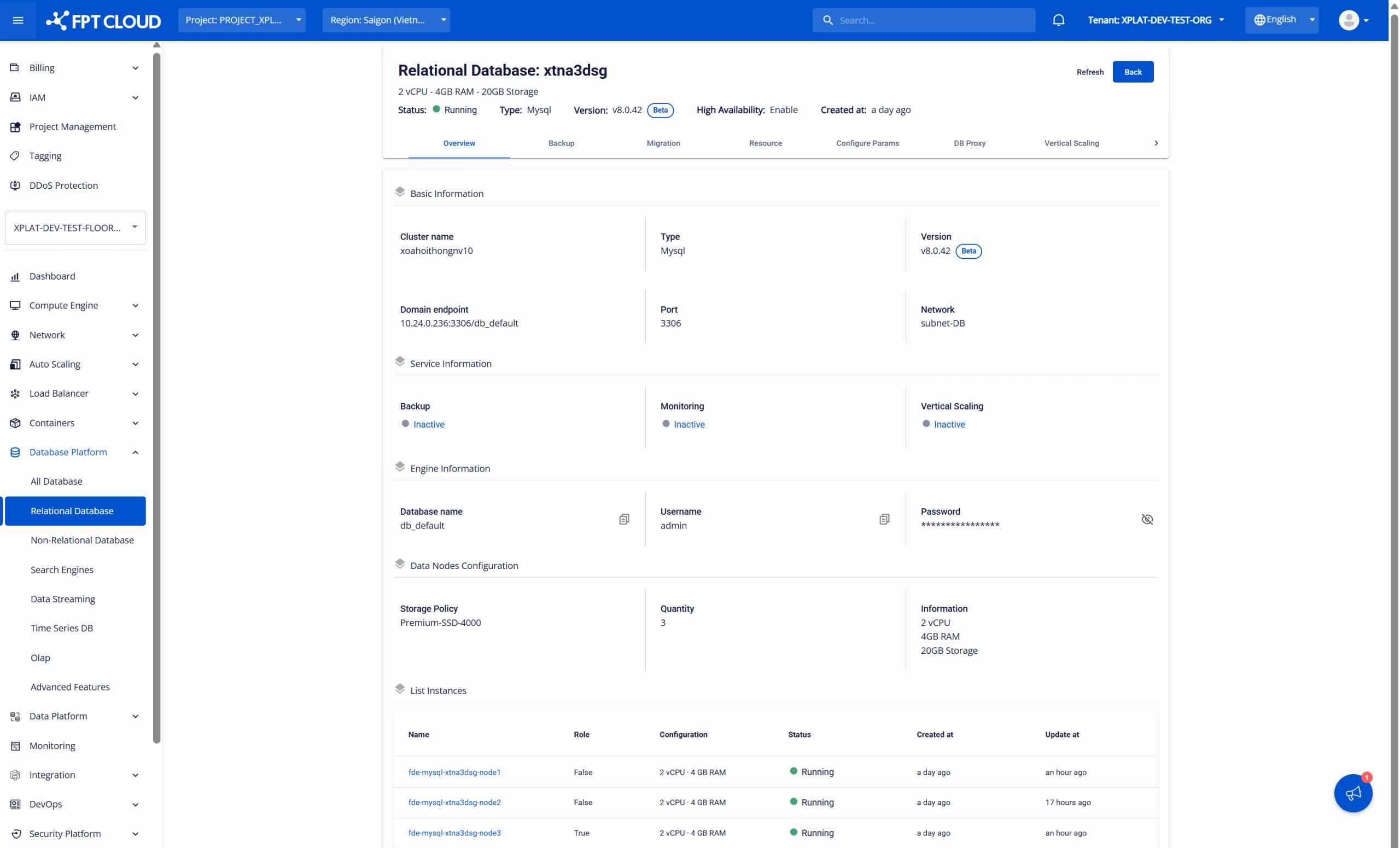
All core information of the database cluster is displayed:
| Section | Information displayed |
|---|---|
| Header Section (General Overview) | Displays the main information of the database cluster: Cluster ID, status (e.g., Running, Stopped), current configuration (vCPU – RAM – Storage), engine type (e.g., PostgreSQL, MySQL), engine version (e.g., 8.0.42, 17), and creation time. |
| Basic Information | Displays information for application connectivity and infrastructure inspection, including: cluster name, database type, version type, Endpoint (Domain/IP), Port, and Network/Subnet. |
| Service Information | Displays the enabled/disabled status of add-on services: Backup, Monitoring, and Vertical Scaling. |
| Engine Information | Displays the default database connection information, including: the default database name and the default account credentials (username – password). |
| Data Nodes Configuration | Configuration of a node in the database cluster, including: storage policy, number of nodes, and current resource configuration (vCPU – RAM – Storage). |
| List Instances | List of instances (nodes) in the database cluster, useful for monitoring per-node status and troubleshooting issues. Includes: instance name, role (Primary = True / Replica = False if applicable), configuration, status, creation time, and last updated time. |
Database cluster restart warning:
If the database cluster requires a restart (e.g., after compute resource adjustment), when the user accesses the detail page, the system will automatically display a warning dialog and a warning banner in the Header section:
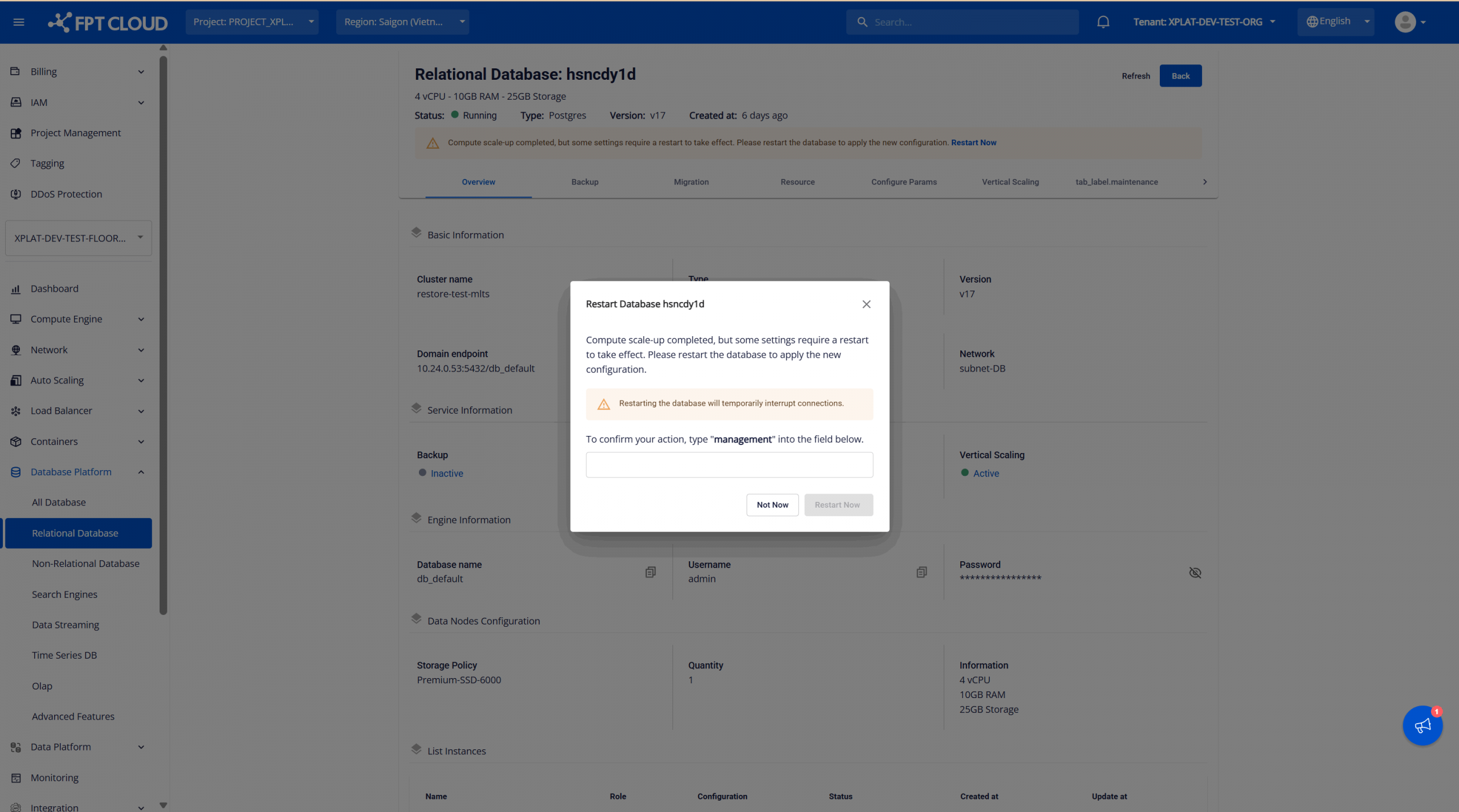
Purpose:
- Emphasizes that although the cluster is still operational, it is running with an incomplete configuration.
- Ensures users are aware and intentional before performing a restart.
After the restart is complete (either manually by the user via the restart function on the Portal, or automatically by the system when another operation requires a restart), the warning popup and banner will disappear.